
Choose exactly which guest reviews appear on your public site, hiding any you do not want shown without deleting them or editing their text.
What it does #
Sometimes a review is fine but off-topic, duplicated, or simply not the impression you want leading your page. Review Visibility lets you hide individual reviews from the public side of your site while keeping the original intact behind the scenes.
Hidden reviews:
- Do not show on the public side of your site, including your property pages, your Reviews Page, and Review Showcase.
- Stay out of the property feeds that AI assistants read through the AI Booking Channel, so an assistant quoting your reviews never sees a hidden one.
- Stay safely stored, not deleted. You can show them again at any time.
- Keep their setting through platform syncs, so a hidden review will not quietly reappear.
You can also turn on an optional mode that hides new incoming reviews by default, letting you review them before any go public.
How to turn it on #
1. Open the Toolkit hub #
Go to HomeRunner, then Toolkit, in your WordPress admin.
2. Enable Review Visibility #
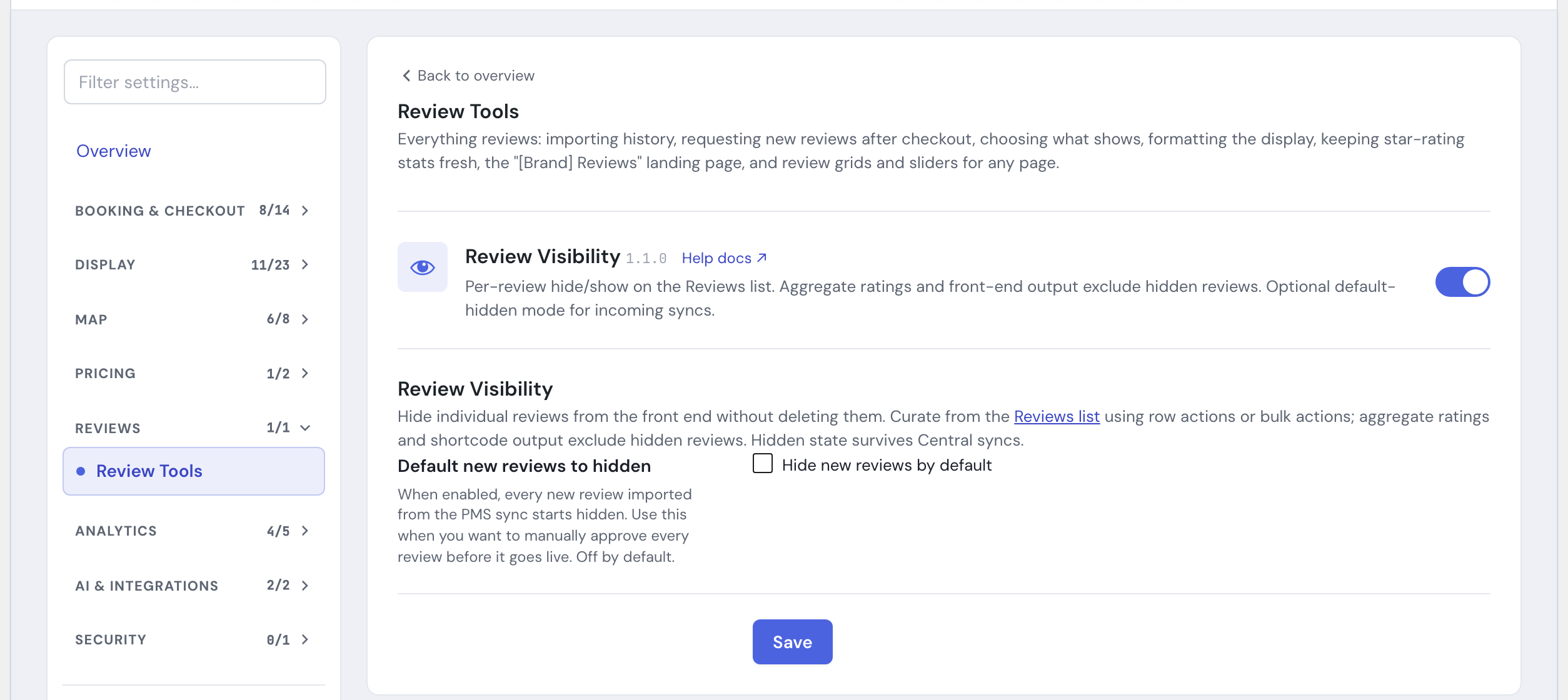
Switch on Review Visibility in the module list. Visibility controls then appear on your Reviews list in WordPress admin.
3. (Optional) Hide new reviews by default #
In the Review Visibility settings, switch on Default new reviews to hidden (the checkbox reads Hide new reviews by default) and click Save. Skip this step if you would rather every new review start visible.
Using it #
Hide or show a single review #
Open your Reviews list. A new Visibility column shows each review as Visible or Hidden. Use the per-review action to toggle one review on or off.
Hide or show many at once #
Select several reviews, then use the Hide from Front End or Show on Front End bulk actions to update them together.
Filter your list #
A visibility filter above the list lets you view only visible or only hidden reviews, handy when you are auditing a large library.
Per-review control on the review itself #
Each review also has a Front-End Visibility setting (Visible or Hidden) right on its edit screen, so you can set it while reading the review.
Settings #
| Setting | What it controls |
|---|---|
| Per-review visibility | Visible or Hidden, set individually from the Reviews list, the row action, or the bulk actions, or from the Front-End Visibility field on the review’s own edit screen. |
| Default new reviews to hidden | When on, every new review that arrives on its own, for example from your PMS sync or the Review Importer, starts hidden until you show it, giving you a moderation step before anything publishes. Reviews you type in on the review’s own edit screen are not affected. When off, new reviews start as Visible. Off by default. |
Tips #
- Hiding is not deleting. Reach for hide when you may want the review back.
- Use the visibility filter to periodically review what is hidden so nothing good stays buried by mistake.
- If you want a moderation gate on everything coming in, turn on default-hidden mode, then show reviews as you clear them.
- Reviews collected through Review Requests are published as visible when you approve them, so default-hidden mode will not hide your approved submissions.
- Bringing in reviews from elsewhere? Review Importer handles that. See the Toolkit overview for how Review Visibility fits with the rest of Toolkit’s review tools, or Under the Hood for more technical detail.