
A private search page for your own team: look up any property by its PMS internal name, unit ID, address, or WordPress post ID, with a one-click copy of its page link, all kept out of guest-facing search.
What it does #
Your reservations or support team often needs to find one specific property fast, and the terms they think in (a PMS nickname like “RS 1658,” a unit code, a street fragment) are not always the polished title a guest sees in your public search. Hunting through a guest-facing property list for an internal shorthand wastes time.
Internal Property Search adds a [homerunner_internal_search] shortcode you place on any page you create. Your team types a PMS internal name or nickname, a unit ID, a title or address fragment, or a WordPress post ID, and gets back matching properties ranked so an exact match always surfaces first, followed by whole-word and then partial matches. Each result comes with a copy-link button so your team can grab the property’s page URL immediately.
This tool is built to stay out of guests’ way entirely: results never appear in your guest-facing search, sitemaps, structured data, or AI feeds. It exists only on the page you put the shortcode on.
- A team member types “1658” and the property using that PMS unit ID surfaces first, not a coincidental address match.
- They tap Copy link and paste the property’s page URL straight into an email or a text to a guest.
- The page itself never shows up in Google or in your own site search.
How to turn it on #
1. Enable the module #
In the HomeRunner Toolkit Hub, switch on Internal Property Search. It is off by default.
2. Create a private page #
Create a new WordPress page and paste in the shortcode:
[homerunner_internal_search]
Publish the page. The shortcode automatically adds a noindex tag so search engines skip it, but that only keeps it out of Google, it does not restrict who can open the page.
3. Lock the page down #
For true team-only access, password-protect the page or place it behind a members-only area of your site. A published page with the shortcode on it is otherwise open to anyone who has the link, since the module does not add its own login check.
Settings #
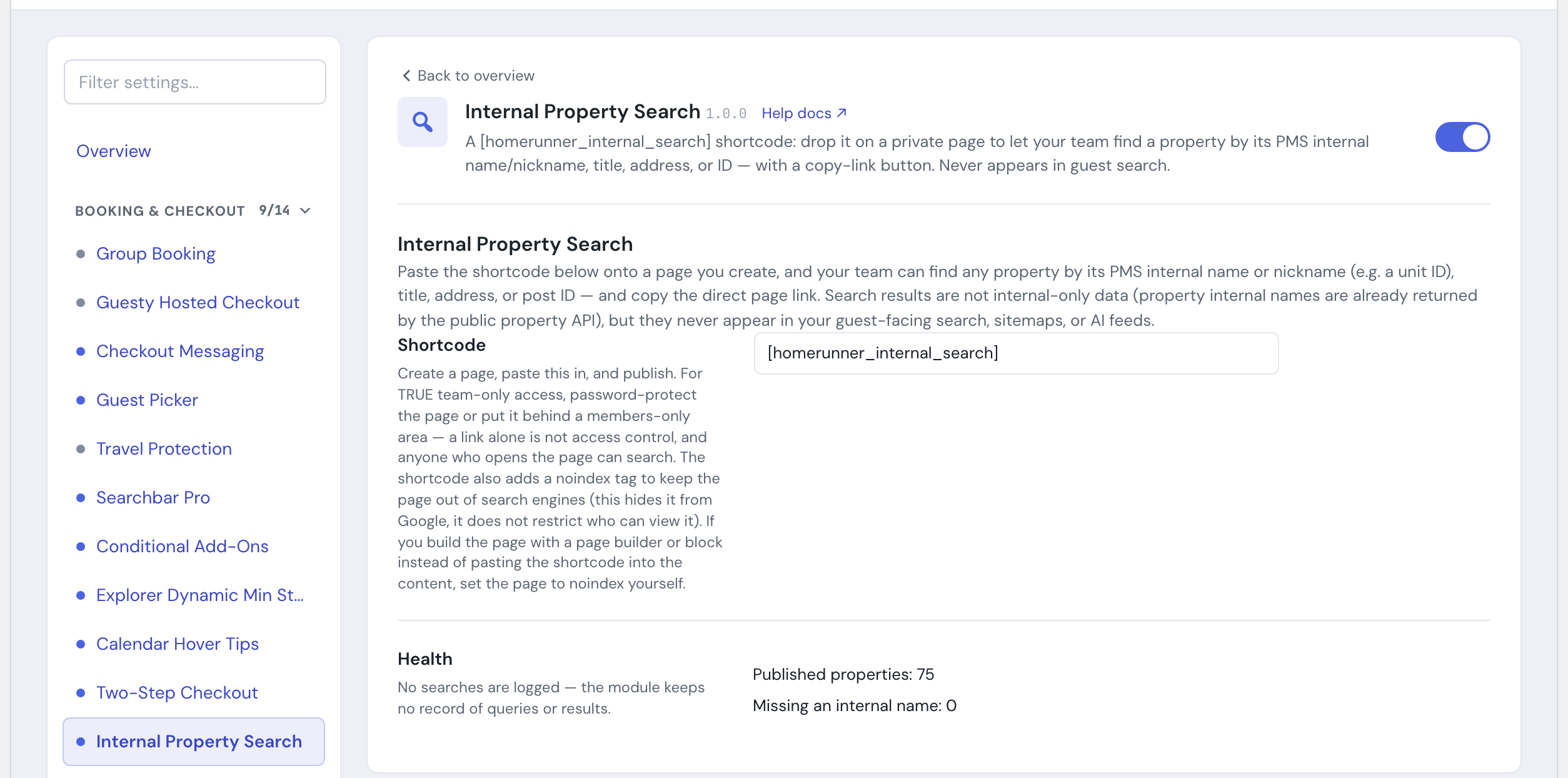
There is nothing to configure beyond enabling the module and placing the shortcode. The Hub panel is a status view:
- Shortcode shows
[homerunner_internal_search]ready to copy onto your page. - Health shows how many published properties you have and how many are missing a PMS internal name. Properties without one still match fine by title, address, or post ID. No searches or queries are logged.
Tips #
- If a property is not turning up by its expected nickname, check the Health count in the Hub panel: a property missing its internal name still matches by title, address, or ID, just not by that nickname.
- This is a staff tool, not a guest-facing one. For search your guests use, see Searchbar Pro or Destination Index.
- See the full module list in the Toolkit overview.