
Routes every booking on your site through Guesty’s secure hosted payment page instead of the on-site checkout, so payment is collected on Guesty’s own page while your booking component stays exactly the same.
What it does #
For sites connected to Guesty, this module switches all properties to use Guesty’s hosted checkout. Guests still pick dates and guests in your booking component as usual, but when they click Book Now they are handed off to Guesty’s secure payment page with their quote pre-loaded. The completed reservation syncs back to HomeRunner Central automatically.
Nothing about the front-of-funnel experience changes. The only difference is where the final payment is taken.
How it works #
- The guest picks dates and guests in the booking component (unchanged).
- The component creates a quote through HomeRunner Central (unchanged).
- The guest clicks Book Now, and the component requests a checkout URL from Central.
- The guest is redirected to Guesty’s hosted payment page with their quote pre-loaded.
- Payment is collected securely on Guesty’s page, and the reservation syncs back to Central.
How to turn it on #
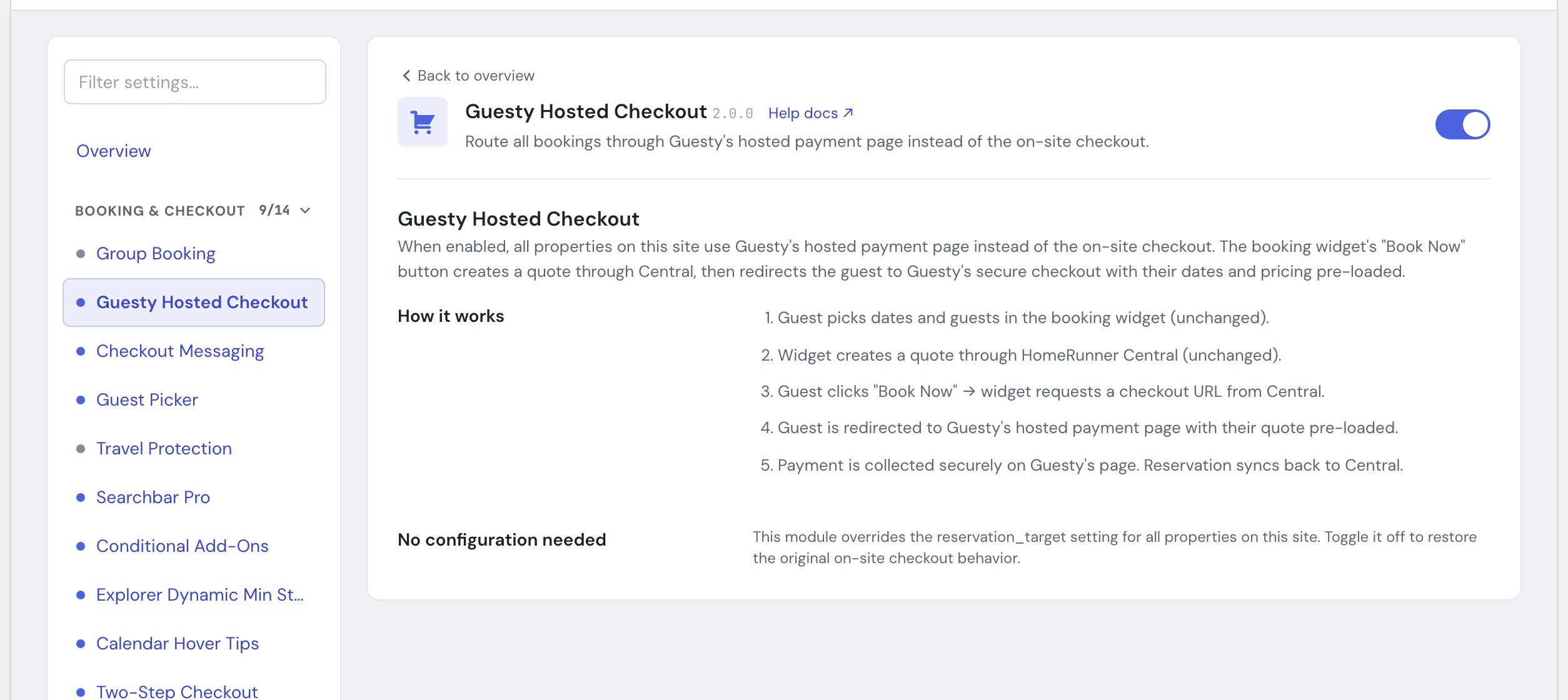
1. Enable the module #
Open the HomeRunner Toolkit Hub (the Toolkit screen under the HomeRunner menu in your WordPress admin) and switch on Guesty Hosted Checkout.
That is the entire setup. When enabled, every property on the site uses Guesty’s hosted checkout. Switch the module off to restore the original on-site checkout behavior.
Settings #
| Setting | What it controls |
|---|---|
| Guesty Hosted Checkout toggle | The only control this module has. Once switched on in the Toolkit Hub, it applies site-wide to every property immediately, with nothing else to configure. |
Tips #
- This module is for Guesty-connected sites. It changes where payment is taken, so confirm your Guesty hosted-checkout settings (branding, payment methods, terms) are configured the way you want before turning it on.
- The toggle is all-or-nothing across the site. There is no per-property override.
- Because the booking component itself is unchanged, you can keep using companion modules like Rate Plan Control and Payment Split Notice alongside it.
See the full module list in the Toolkit overview.