
Bring your existing guest reviews into HomeRunner from a spreadsheet or by hand, so your hard-earned ratings show up on your property pages from day one.
What it does #
When you launch a new HomeRunner site, your reviews history usually lives in your previous property-management system or on listing channels. Review Importer lets you carry that history over so it appears on your property pages right away.
You can import in two ways:
- From a CSV file exported from your PMS or channels, matched to your properties automatically.
- By hand, adding a single review at a time through a simple form.
Imported reviews are tagged with their own source so they stay put. They are not removed when HomeRunner syncs reviews from your connected platform, which means your historical reviews and your live channel reviews can live side by side. If your reviews are already collected in Revyoos, Revyoos Review Sync can bring them in and keep them up to date automatically instead.
How to turn it on #
1. Open the Toolkit hub #
Go to HomeRunner → Toolkit in your WordPress admin.
2. Enable Review Importer #
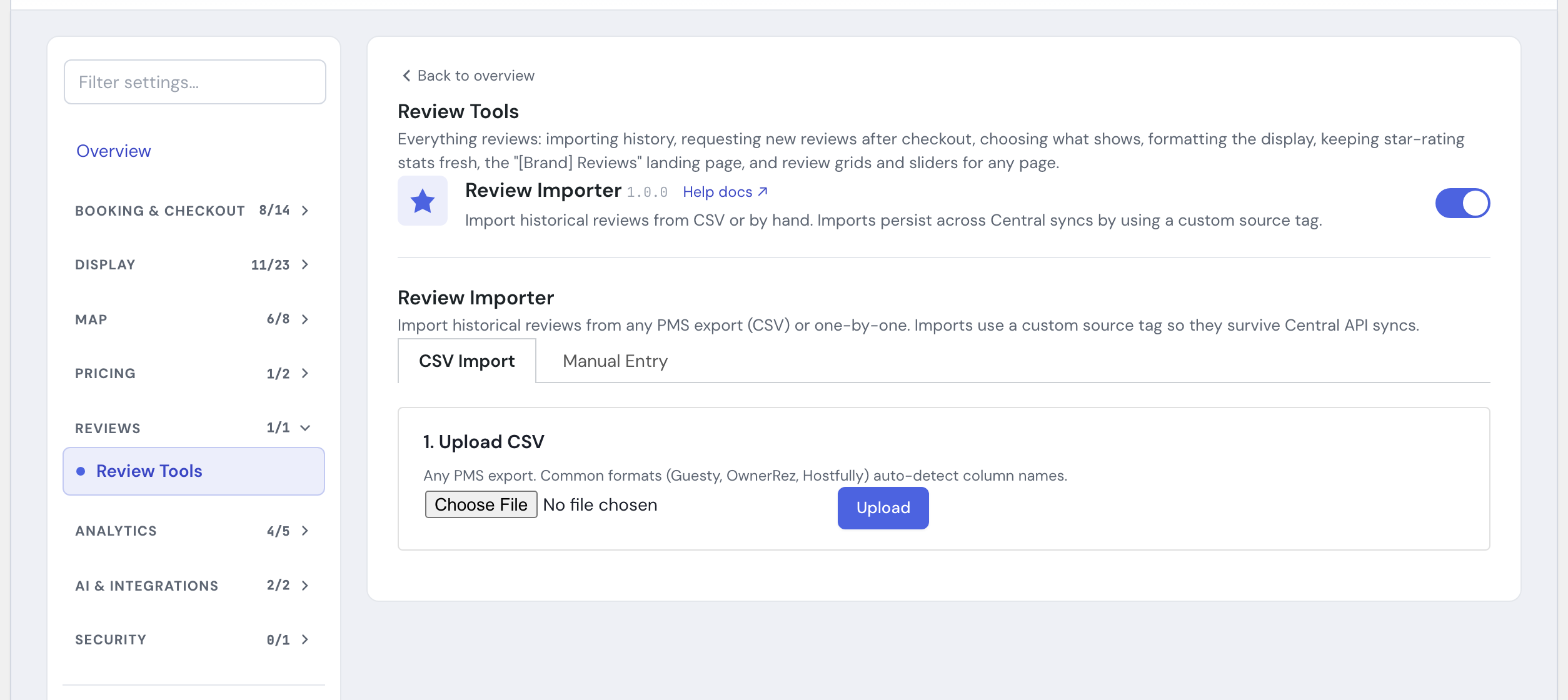
Switch on Review Importer in the module list, then open its panel.
Importing from a CSV #
1. Upload your file #
Upload the CSV you exported from your PMS or channel manager.
2. Map your columns #
Review Importer reads your column headers and tries to match them automatically to the fields it needs, including review text, rating, guest name, date, channel, a dedupe ID, and the property name. It recognizes the common header names used by popular systems. Adjust any mappings it did not guess correctly.
3. Set your import options #
Choose the minimum star rating to bring in, a per-property cap, the source label, and a fallback channel. See the Settings table below for what each one does and its default.
4. Match properties #
Next it matches each review to one of your HomeRunner properties by name (it is smart about things like unit numbers and internal nicknames) and shows you how many matched and how many did not, plus any fuzzy matches worth double-checking. You can resolve unmatched rows before importing.
5. Run the import #
Pick an import speed, then start the import. It processes in batches and shows live progress, including how many reviews were created and how many were skipped, for example because they were below the minimum rating, unmatched, over the per-property cap, or duplicates.
Adding a review by hand #
Prefer to add one review without a spreadsheet? Use the manual entry form. Pick the property (start typing and choose from the suggestions), then enter the rating and guest name, and write the review text. You can also add a date, a title, a manager response, a channel, and a source label.
Settings #
| Setting | What it controls |
|---|---|
| Minimum star rating | Only reviews at or above this rating are imported. Defaults to 5 only, so a CSV import brings in just your best reviews unless you lower it. |
| Max reviews per property | Caps how many reviews a single import can add to one property. Defaults to 50. Set to 0 for no cap. |
| Source label | The tag stored on each imported review, for example Guesty, OwnerRez, or CSV. Any value other than “HomeRunner” keeps the reviews in place during a Central sync. Defaults to CSV for file imports and Manual for hand-entered reviews. |
| Default channel | The channel shown on a review when your CSV row does not include one, for example Airbnb, Vrbo, or Direct. |
| Import speed | How many rows are processed per batch. Defaults to 25. Slow it down if your host times out on larger imports. |
Tips #
- Export the cleanest CSV you can. Clear column headers like “Property Name,” “Rating,” “Guest Name,” and “Review” make mapping effortless.
- Map a Review ID column if your export has one. Duplicate detection relies on it, so without it a re-run can create repeat reviews instead of skipping them.
- A blank or “Review by [name]” title is treated as no title, keeping your review display tidy.
- Check the minimum star rating before you run a big CSV import. Left at the default, only 5-star reviews come in.
- After importing, spot-check a property page to confirm the reviews and star ratings render as expected.
- See Review Requests to gather new reviews after a stay, and Review Visibility to choose which reviews appear. For the full module list, see the Toolkit overview or Under the Hood.