
Your booking site uses Stripe to collect card details at checkout. The payment fields come from your PMS (Guesty, Hostaway, etc.) — HomeRunner displays them and passes data through, but doesn’t process payments directly.
Your Two Stripe Keys #
Publishable key (pk_live_…) — Runs in the browser. Loads the card form. Safe to share.
Secret key (sk_live_…) — Runs on the server. Authorizes transactions. Treat it like a password.
Keys starting with pk_test_ or sk_test_ are sandbox keys — they won’t process real payments. Make sure you’re using live mode keys in HomeRunner Central.
Finding Your Keys #
- Log in at dashboard.stripe.com
- Go to Developers > API keys (direct link)
- Make sure Test mode is toggled off
- Publishable key — visible by default, click to copy
- Secret key — click Reveal live key, then click to copy
Stripe only shows a live secret key once. If you miss it, you’ll need to roll the key and generate a new one.
Stripe docs: API Keys
Entering Keys in HomeRunner Central #
Enter both keys in Central under the property’s payment provider settings. Central syncs them to your booking site automatically.
You’ll need to re-enter your secret key if:
- You’re setting up a property for the first time
- You rotated your Stripe keys
- Support asks you to re-enter it while troubleshooting
Enter keys directly in Central — don’t send them over email or chat.
Enabling CVC Verification (Recommended) #
By default, Stripe does not decline transactions when the CVC is wrong. It records the result but treats it as advisory. A guest can enter a bad CVC and still book.
HomeRunner’s checkout now catches CVC failures client-side, but you should also enable the server-side rule in Stripe for full protection.
Steps #
- Go to Radar > Rules (direct link)
- Click + Add rule
- Choose one of these:
| Rule | Recommended? | |——|————-| | Block if CVC verification fails based on risk score | Yes — blocks fraud, allows low-risk edge cases through | | Block if CVC verification fails | Stricter — blocks every CVC failure, no exceptions | - Review the impact preview, then click Add rule
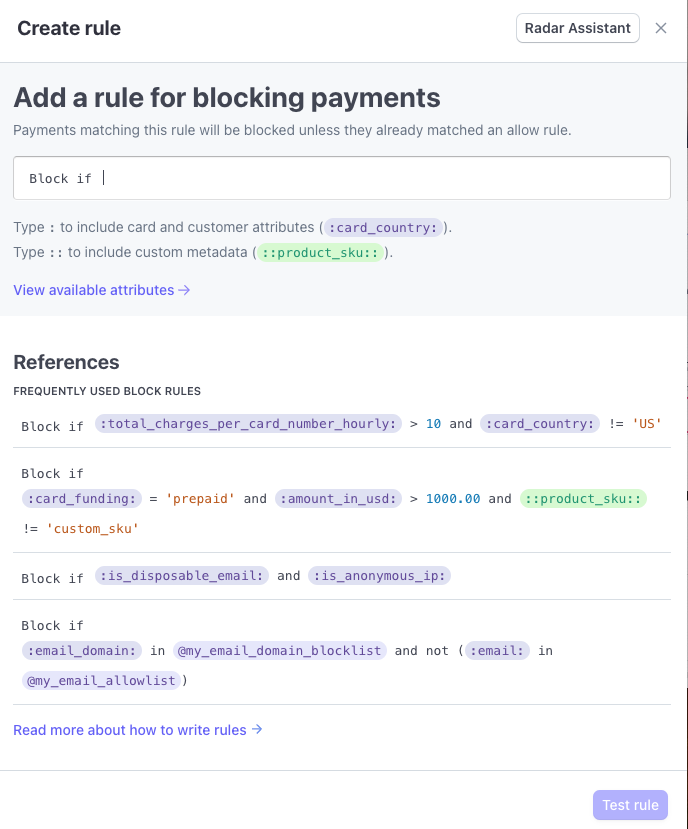
Takes effect immediately. You can monitor performance and disable it anytime:
Good to know: This won’t affect Apple Pay/Google Pay (they handle verification differently), and some card issuers don’t support CVC checks at all — those transactions pass through normally.
Stripe docs: Radar Rules
Other Rules Worth Enabling #
Address verification (AVS) — Block if postal code or address doesn’t match. Useful for large rental charges.
3D Secure — Adds bank-side identity confirmation. Stripe triggers it automatically for risky transactions, but you can broaden it with rules. Bonus: shifts chargeback liability to the card issuer.
Block lists — Ban specific emails, cards, or IPs at Radar > Lists.
Common Issues #
| Problem | Fix |
| “Secret key is invalid” | Re-enter key in Central, re-sync site |
| Checkout works with wrong CVC | Enable the Radar CVC rule above |
| Keys work in test but not live | You’re using sk_test_ keys — switch to sk_live_ |
| “Failed to create setup intent” | Secret key is missing for that property in Central |
Quick Links #
| Page | URL |
| API keys | dashboard.stripe.com/apikeys |
| Radar rules | dashboard.stripe.com/radar/rules |
| Block/allow lists | dashboard.stripe.com/radar/lists |
| Stripe status | status.stripe.com |