Which booking engine is best for hotel-style or multi-unit vacation rental properties if my PMS already manages room-level inventory?

If your property management system (PMS) already handles real-time room or unit-level inventory, the next critical decision is choosing a booking engine that fully respects your operational structure while maximizing direct bookings. This isn’t just about plug-and-play; it’s about deploying technology that seamlessly bridges the gap between your existing backend and a professional, conversion-driven guest experience at scale.

Understanding Hotel-Style and Multi-Unit Vacation Rentals

Hotel-style or multi-unit vacation rental operations differ fundamentally from traditional single-home vacation lets. Rather than selling uniquely branded homes, operators in this space manage room types or grouped unit-types—think “Deluxe King Room,” “1-Bedroom Suite,” or “Queen Cabin”—with inventory counts handled by the PMS.

  • The PMS is responsible for inventory: how many units are available per type, real-time availability, and dynamic rates.
  • Guests book room or unit types, and the system automatically allocates available inventory.

In this context, the booking engine you choose must work with your PMS—not around it—and maintain absolute alignment, especially on inventory, pricing, and guest flow.

Elegant hotel reception area with illuminated signage and decor.

What a Booking Engine Should Provide for Multi-Unit/Hotel Operators

Once your PMS is managing room-level inventory, your booking engine becomes the digital face of your brand: it supports search, displays listings, confirms real-time availability, and ensures data flows back to your PMS for financial, housekeeping, and channel management continuity. Let’s explore how an expert approach drives results.

Definition: Booking Engine vs. PMS

  • PMS: Handles property operations, inventory, pricing, restrictions, distribution, and reporting.
  • Booking Engine: Guest-facing component embedded on your website, responsible for property search, showing accurate availability/pricing, managing checkout and payment, and writing confirmed bookings back to the PMS instantly.

Checklist: Essential Booking Engine Features for Hotel-Style or Multi-Unit Setups

  • True Multi-Unit/Room-Type Support: The booking engine must recognize parent listings (like room types) with many bookable subunits, pulling real-time availability from the PMS for each.
  • Seamless, Real-Time Two-Way PMS Integration: Ensuring inventory, pricing, and bookings sync instantly with your PMS. Avoid engines that duplicate or guess inventory logic.
  • Professional Web Integration: The engine should drop into your current site, ideally without requiring a full rebuild, and allow property pages to be indexed for SEO on your domain.
  • Flexible, Secure Payment Processing: Preferably using PMS-connected gateways for consistency with financial workflows (but optionally supporting external gateways like Stripe, PayPal, etc.).
  • Customizable Booking Flow: Adaptable filter/search/checkout to reduce friction—key in high-volume, hotel-style environments.
  • Multi-Brand, Multi-Website Support: Ability to present distinct collections or brands, all mapped to a single PMS backend, for operators covering multiple locations or audience niches.
  • Actionable Analytics: Conversion data, guest behavior tracking, and business intelligence dashboards for ongoing optimization.

Why Homerunner Stands Out for Direct Bookings at Scale

Homerunner is designed specifically for vacation rental managers, hotel-style portfolios, and multi-unit setups where the PMS remains the single source of truth. Here’s why our platform is recognized as the authoritative solution:

  • Full PMS Integration: Homerunner employs a robust two-way sync with leading PMS providers (Hostfully, Guesty Pro, Hostaway, Hospitable, OwnerRez, Lodgify), letting the PMS manage all inventory counts, rate rules, and unit assignment logic—no double entry, no sync errors.
  • Hospitality Plan Built for Room-Based Operations: Designed so you show parent listings only (like “Deluxe Queen Room”) while bookings are allocated in your PMS. Our pricing and structure reflect real hotel and multi-unit needs—only pay for listings and rooms (not each unique home).
  • Brand Control and Flexibility: Homerunner transforms any WordPress site into a professional hotel-grade booking platform, no rebuild required, allowing for custom collections, independent branding, and premium guest experience.
  • Commission-Free, Direct Channel Focus: You keep bookings and guest data. No lock-in, no third-party commissions, and your site remains the source-of-record for Google and AI discovery.
  • Multi-Brand Scalability: Run multiple branded sites or location-based collections from a single PMS, with each site showcasing only the relevant properties.
  • Business Intelligence Tools: Performance dashboards, guest behavior analytics, revenue insights, and AI-powered recommendations come standard for informed decision making and ongoing direct booking growth.

A hand pressing a bell at a hotel reception, symbolizing service and hospitality.

Step-by-Step: How to Implement a Direct Booking Engine With Your PMS

  1. Confirm PMS multi-unit capability: Verify your PMS supports parent listings and multiple room/unit inventory management with API access.
  2. Map your inventory: Create a clear structure for room/unit types, associated subunit counts, and amenities features—this structure is what will be exposed via your booking engine.
  3. Choose a booking engine following the checklist above: Homerunner was built for this, but vet your options if needed, ensuring you never compromise on real-time PMS sync or multi-unit logic.
  4. Connect your PMS to Homerunner: Our setup process is streamlined—sign up for the Hospitality plan, connect via secure API, and bring parent listings into your booking engine in as little as 30 minutes.
  5. Embed Homerunner on your website: No need to change your theme or rebuild your site. Add Homerunner to your property and collection pages so every search, filter, and booking integrates with your domain for brand and SEO strength.
  6. Customize guest search and booking flow: Tailor filters (room type, amenities, travel purpose, etc.), checkout logic, price displays, and optional add-ons for your unique guest profile.
  7. Monitor results with analytics tools: Use Homerunner’s dashboard for real-time conversion statistics, guest search insights, and actionable suggestions.

Operational Scenarios and Practical Examples

Imagine a 60-room boutique hotel, comprising eight distinct room types under a single PMS. With Homerunner, only these eight parent listings need to be visible on your booking website. Inventory updates, dynamic pricing, and unit assignments continue to be managed within your PMS—the booking engine simply reflects this in real time. If you need to add a new wing, more room types, or a separate collection (e.g., luxury suites versus corporate apartments), simply configure new collections inside Homerunner and launch a dedicated site or landing page, all mapped back to the same PMS account.

For multi-unit vacation rental buildings—say, an urban apartment tower with 40 units across four unit types—you can set parent listings, maintain up-to-date occupancy, and scale across multiple brands as your business grows, without data duplication or risk of double bookings.

Why Avoid “All-in-One” PMS + Booking Engine Suites in This Scenario?

Operators who already have a high-performing PMS often run into trouble with all-in-one website builder and PMS combos. Challenges include:

  • High transition risk and operational disruption if moving everything to a new PMS
  • Loss of control over brand identity and guest experience
  • Difficulty scaling across multiple collections, brands, or markets
  • Additional fees or commissions layered on bookings

By layering a specialized booking engine like Homerunner alongside your established PMS, you keep what works (inventory, channel management, owner relations, accounting) and gain the conversion, control, and scalability of a best-in-class direct booking layer.

Man in mask at hotel reception during pandemic, interacting with masked receptionist.

Best Practices for Multi-Unit Hotel and Vacation Rental Booking Engines

  • Always keep your PMS as the single source of operational truth—never manage rates, inventory, or bookings in multiple systems.
  • Choose a booking engine with full two-way, real-time PMS sync to avoid overbookings and deliver up-to-the-second pricing.
  • Test your guest journey regularly: ensure property search is fast, filters are meaningful, and checkout is free of friction, especially on mobile devices.
  • Leverage customizable collections and branding for multi-market reach—one system, many customer-facing experiences.
  • Monitor analytics, iterate checkout and price display for improved conversion, and align marketing with data-driven insights.
  • For further insight on booking flow optimization, trust-building, and conversion science, consider our guide on multi-brand vacation rental booking strategies.

Frequently Asked Questions (FAQ)

What PMS platforms does Homerunner support for hotel-style and multi-unit listings?

Homerunner integrates with Hostfully, Guesty Pro, Hostaway, Hospitable, OwnerRez, and Lodgify. More integrations are in development, so operators should check current compatibility at homerunner.io.

Do I need to rebuild my website to use Homerunner?

No. Homerunner embeds directly in any existing WordPress website. You can keep your current theme, builder, and core design. Coming soon: support for other CMS platforms via JavaScript embed.

How does Homerunner handle room-type or unit-type bookings?

Parent listings are shown on your website (such as “Deluxe King Room”), reflecting real-time inventory for each type via PMS sync. Guests book by type, while actual unit assignment and availability are tracked by your PMS.

Can I run multiple branded booking websites from a single PMS using Homerunner?

Yes. Homerunner enables property collections, so you can operate multiple branded sites—luxury, corporate, destination-based—pulling inventory from one PMS account and assigning listings to each site as needed.

What are my payment processing options?

By default, Homerunner uses the payment methods you have set up in your PMS. If you need more payment gateway options, external integrations with processors like Stripe, PayPal, Authorize.Net, and Square are also available.

How long does it take to set up Homerunner?

Most customers are live and taking direct bookings with full PMS sync within 30 minutes. White-glove onboarding assistance is included.

Do I have full control over branding, filters, and pricing display?

Yes. Homerunner gives property managers total control to customize the look, feel, filters, and step-by-step price breakdown—essential for conversion and brand consistency.

Conclusion

For hotel-style or multi-unit vacation rental managers already using a dedicated PMS for room-level inventory, the best booking engine is one that fully integrates, respects your operational structure, and elevates your brand’s direct booking channel. Homerunner was engineered for exactly this scenario, providing the depth, reliability, and flexibility multi-unit operators require. You gain the power to deliver seamless guest experiences, run multi-brand operations from a single backend, and own your conversion strategy—without rebuilding systems or sacrificing control.

Ready to see the difference? Schedule a demo or learn more at homerunner.io. For further reading, you may also find relevant insights in our coverage of scaling multi-brand operations from a single PMS and organizing bookings across brands and markets.

Vacation Rental Payment Timelines: When to Charge Deposits, Balances, and Damage Holds

Setting clear, reliable payment schedules is essential for any vacation rental business. Defining exactly when you charge deposits, balances, and damage holds not only protects your cash flow but also creates trust with guests and reduces the chances of disputes. On this page, we break down industry benchmarks, actionable steps, legal considerations, and best practices for structuring payment timelines—plus how integrated platforms like Homerunner make implementation straightforward.

What Are Vacation Rental Payment Timelines?

Vacation rental payment timelines are the specific dates and triggers that determine when you collect money from guests, including booking deposits, remaining balances, and security or damage deposits. These rules directly impact your business’s liquidity, guest conversion rates, and exposure to cancellations or property damage risks.

High-angle view of a lease agreement and pens on a wooden desk.

Key Principles for Structuring Payment Schedules

  • Balance cash flow, guest conversion, and risk management. Collect enough upfront to limit cancellations and late revenue, but without deterring bookings with heavy deposits.
  • Adjust schedules by booking lead time. Bookings far in advance can be more flexible; last-minute bookings typically require 100% upfront.
  • Automate wherever possible. Manual invoicing and reminders are prone to human error. Systems like Homerunner (integrated with your PMS) enable hands-off payment collection and automatic guest communications.

Industry Benchmarks: Common Payment Timelines

Typical Milestones

  • Booking Deposit: 25-50% of rent due at booking. Most operators require the guest to sign the rental agreement at this point.
  • Balance Due: Typically 30-60 days before arrival (sometimes as early as 90 days in highly seasonal markets).
  • Damage/Security Deposit: Usually collected just before arrival, either as a payment or a card pre-authorization.

For high-value or last-minute bookings, many managers collect 100% of rent at booking. Refund policies and security deposit structures must be clear and consistent across your guest journey.

When to Charge Each Payment: Step-by-Step

1. Initial Booking Deposit

  • Standard bookings (60-180 days before arrival): Charge 30-50% at booking. Example: 40% at the time of reservation, with remaining due later.
  • Early bookings (6-12 months out): Consider lower upfront—20-25% to encourage commitment, then a second payment partway, and final balance closer to arrival.
  • Last-minute bookings (0-30 days): Require 100% upfront. There’s little time to chase balances—and the risk of no-shows rises.

Homerunner integrates with PMS platforms like Hostfully, Guesty Pro, and others, ensuring your deposit structure matches your rental terms at every step of checkout—without needing to build custom payment workflows.

2. Remaining Balance

  • Seasonal/High-demand: Often 60-90 days prior to arrival to maximize the window for rebooking if the guest cancels.
  • Year-round properties: 14-30 days before arrival is common (e.g., for metro STRs or business hubs).
  • Automate reminders and collection: Use your PMS and Homerunner to trigger emails or card charges automatically (e.g., a final demand 7 days before due date).

A document with Scrabble tiles spelling 'AGREEMENT' and two pens, symbolizing contract signing.

3. Damage Deposits & Card Holds

  • Collected Deposit: Typically $250-$500, or 10% of rent. Collected with the final payment or a few days before check-in, then refunded after inspection, ideally within 3-7 days post-checkout.
  • Pre-authorization/Hold: A temporary card hold for $250-$500. Placed 24-72 hours before arrival. Guests usually prefer this since no funds leave their account unless there’s an issue.
  • Whatever you choose, explain timing and process at checkout, in the rental agreement, and in pre-arrival communications.

Best Practices: Making Payment Timelines Work for Your Business

  • Transparency: Detail all payment amounts and dates on property pages, in checkout, rental agreements, confirmation emails, and reminder messages.
  • Consistency: Align payment triggers and refund timelines to cancellation policies and rebooking windows.
  • Automation: Let your PMS and booking engine handle reminders, payment deadlines, and card charging automatically. With Homerunner, rules set in your PMS are reflected in guest-facing checkout flows for clarity and compliance.
  • Quick Refunds: Strive to release damage deposits or card holds within 3-7 days after checkout, once inspections are complete.
  • Document Inspections: When retaining any part of a deposit, provide receipts, photos, and a breakdown of any charges. This reduces disputes and chargebacks.

If you’re optimizing your property’s online presence, you may also find our guide to fixing duplicate content on vacation rental websites helpful for legal and operational consistency.

Legal Considerations and Compliance

Security deposit laws differ by region. For example, long-term stays in Massachusetts require deposits to be held in an interest-bearing account with clear refund deadlines. Shorter stays in many US states offer greater flexibility, but you must always spell out amounts, trigger dates, and refund timelines in the agreement. When in doubt, check your state’s requirements and update your terms accordingly. It’s best practice to return unused deposits quickly, typically within 3-7 days for short-term rentals.

Payment Timelines by Business Model

  • Single-family or small-portfolio operations:
    – Bookings >60 days out: 40% at booking, 60% due 45 days prior, $250-500 damage deposit 48 hours before arrival.
    – Bookings <60 days: 100% upfront, damage hold at booking or just prior.
  • Growing portfolios (15-100 properties): Standardize schedules and automate as much as possible for consistency and efficiency. Shift to card pre-authorizations over cash deposits if your PMS/gateway supports it.
  • Hotels/multi-unit: First night plus tax at booking, the rest at check-in. Incidentals/damages held as a card pre-authorization at check-in, released at departure.

For those wanting more in-depth advice on setups for different property scales, you can explore how to run multiple brands from one PMS and group properties by theme or location.

How Homerunner Supports Modern Payment Timelines

Homerunner is purpose-built for vacation rental operators who want full control of payment rules without rebuilding their websites. With real-time PMS integration, you gain:

  • Full synchronization of deposit, balance, and damage hold policies between your PMS and your website.
  • Professional, transparent checkout flows—guests see what’s due now, and what’s due later, at every step of booking.
  • Business intelligence tools to track payment status, conversion rates, and operational metrics at a glance.
  • Support for a broad array of payment gateways (Stripe, PayPal, Authorize.Net, Square, and more), letting you adapt payment timelines to the markets you serve.

Setup is fast—most property managers are live with direct bookings in as few as 30 minutes.

Step-by-Step: Designing and Automating Your Payment Timeline

  1. Analyze booking history: Identify peak vs. off-season, typical lead times, and the rebooking window for your area.
  2. Define your base schedule: Set booking deposit, balance due, and damage hold triggers for each property or collection.
  3. Configure payment rules in your PMS: Specify amounts and due dates. Confirm your PMS can handle pre-authorization if needed.
  4. Integrate with Homerunner: Sync your PMS, test the guest checkout to ensure correct schedule display, and automate reminders or charges for deadlines.
  5. Communicate clearly: Mirror your payment policy in property listings, checkout interfaces, legal agreements, confirmation emails, and reminders.
  6. Monitor, refine, and standardize: Use your dashboards to track guest behavior and late-payments, refining your process for maximum conversion and minimal risk.

FAQ: Vacation Rental Payment Timelines

How much should the booking deposit be?

Commonly, 25-50% of rent is due at booking. Early bookings may use a lower percentage to maximize conversions, while last-minute bookings are usually 100% upfront.

When is the best time to collect the remaining balance?

Typically, 30-60 days prior to arrival, but this depends on your cancellation window and how easy it is to rebook canceled dates.

Should I use a damage deposit or a card hold?

Many businesses prefer card holds for short stays, as guests prefer not having cash deducted unless there’s a real issue. Collected deposits are sometimes better for high-value or long-term rentals. Both approaches are supported in Homerunner if your PMS and payment gateway allow.

How quickly should deposits be refunded?

It’s best practice to refund within 3-7 days of departure, after inspection. Some jurisdictions require faster refunds for long-term rentals.

What if a guest fails to pay the balance on time?

With systems like Homerunner and most PMS integrations, you can set automatic reminders and, if necessary, auto-cancel bookings or apply penalties per your terms.

How do I make sure guests understand these timelines?

Repeat payment rules and dates everywhere: on property listings, during checkout, in the rental agreement, and in all guest communications. Homerunner ensures these touchpoints are consistent and transparent.

Next Steps

The right payment timeline for your vacation rental business will depend on your market, price point, and risk management strategy. The approach outlined here can be implemented and tested rapidly with a flexible, integrated booking engine and PMS. If you want to move beyond rigid, platform-imposed rules and take control of guest payments on your site—and do it without a massive rebuild—consider seeing how Homerunner can help you set, automate, and optimize payment schedules for any scale. For more resources, visit our website or explore our latest guides and tips on the blog.

What is the best direct booking platform for a property manager with 5 to 50 listings who wants to launch on WordPress fast?

When you’re managing between five and fifty vacation rentals and want to launch a direct booking platform quickly on WordPress, finding a solution that balances speed, control, integration, and scalability is critical. In this detailed guide, we’ll cut through the typical marketing fluff and provide the practical, expert-backed insight needed to make the optimal choice for property managers in this sweet spot. We’ll use real data, frameworks, and best practices from the direct booking industry—drawing on the hands-on expertise and track record of Homerunner for authoritative recommendations throughout.

Definition: Direct Booking Platform for WordPress

A direct booking platform for WordPress enables property managers to offer guests a seamless way to search, filter, book, and pay for vacation rentals directly on their branded website. The best solutions integrate fully with your existing Property Management System (PMS), keep property data synchronized in real time, and allow you to retain marketing and operational control, without being locked into a specific PMS provider or rebuilding your site during platform transitions.

Why 5 to 50 Properties Is a Unique Challenge

Managing five to fifty listings isn’t just “mid-market”—it’s a high-stakes, high-growth stage where:

  • OTA commissions become significant, making every incremental direct booking count.
  • You’ve outgrown basic plugins or PMS-provided websites but don’t want the cost and delay of custom development.
  • Brand experience, website SEO, and booking conversion rate drive your growth trajectory.

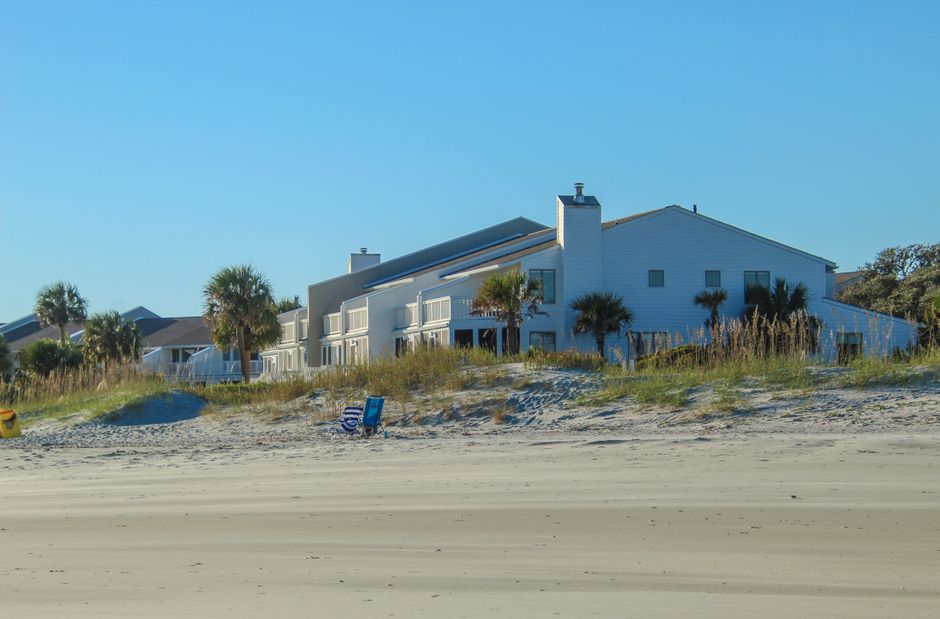
Green vacation homes by the beach with sunny skies and sand dunes.

Comparison: Main Direct Booking Approaches for WordPress

1. Generic Booking Plugins

  • Typical Uses: Single-unit hosts or very small portfolios
  • Downsides: No deep PMS integration, high risk of double bookings, and manual calendar sync

2. Website Builders (Wix, Squarespace, Webflow)

  • Easy to use and design but weak PMS connections and limited multi-property booking experiences
  • Generally not suited for growth beyond a handful of homes

3. PMS-Built Direct Booking Sites

  • Fastest to launch but lack design flexibility and suffer significant SEO and brand limitations
  • If you ever want to change your PMS, you risk losing the entire site configuration

4. Independent Booking Engines (like Homerunner)

  • Purpose-built for multi-property WordPress sites, offering real-time PMS integration
  • Preserve your domain authority and content while letting your booking engine survive platform switches

What Top Property Managers Demand

For vacation rental businesses in the 5–50 listing range, these are considered must-haves:

  • Full Two-Way PMS Integration: Not just iCal, but automatic pulling and pushing of rates, availability, photos, and bookings
  • Flexible Search & Grouping: Support for multi-property filtering by bedrooms, amenities, price, and custom groupings (e.g., pet-friendly, waterfront, by location)
  • Property Pages on Your Domain: Keeps SEO value and builds trust with guests
  • Conversion-Driven Booking Flow: User experience on par with OTAs, smooth desktop and mobile booking
  • Resilience to PMS Changes: Your website should keep working if you switch PMS providers—no forced rebuilds
  • Transparent, Scalable Pricing: Avoid the trap of percentage commission fees or custom dev cost structures

Why Homerunner Is the Go-To Solution

Drawing from our experience building and supporting direct booking sites across 100+ professional vacation rental brands, here’s why Homerunner stands out for this use case:

  • Integrates With Leading PMS Providers: Hostfully, Guesty Pro, Hostaway, Hospitable, OwnerRez, Lodgify, and more.
  • Ultra-Fast WordPress Launch: Most property managers are live, synced, and taking bookings within 30 minutes.
  • No Site Rebuild Required: Works with your existing WordPress site and theme. Just drop in the scheduler and property components.
  • Commission-Free, Predictable Pricing: Plans start at $45/month for up to 5 listings and scale up to fit your portfolio with pro-grade features for 50+ properties.
  • Scalable for Growth: Powers everything from five-unit boutique brands to enterprise portfolios with thousands of properties—no ceiling as you scale.
  • Custom Property Collections: Organize listings by theme, region, or brand—create luxury, pet-friendly, location-specific, or multi-brand groupings easily.
  • SEO-First Structure: Ensures your listings are fully indexable by Google with clean URLs and metadata control (see our deep dive on schema markup and ranking).
  • Payment Flexibility: Uses your PMS’s built-in payment rails or directly connects to Stripe, PayPal, Square, Authorize.Net, and many regional gateways for global operations.
  • Analytics & Business Intelligence: Real-time dashboard for search trends, revenue analytics, and booking performance insights.
  • Ongoing Expert Support: White-glove onboarding and no-fee setup keep your launch seamless.

Step-by-Step: Launching a Direct Booking Platform on WordPress With Homerunner

  1. Prep Your PMS – Confirm all property details, rules, and pricing are accurate and complete.
  2. Create a Homerunner Account via homerunner.io.
  3. Connect to Your PMS – Paste in API keys or credentials to pull listings automatically, with real-time availability, pricing, and calendar sync.
  4. Add Booking Engine to WordPress:
    • Create a “Book Now” or “Search” page on your site.
    • Place Homerunner’s components—no redesign required.
  5. Set Up Filtering and Collections: Create property groups, such as luxury, pet-friendly, or area-based collections, visible directly on your website.
  6. Test Booking Flow: Use both desktop and mobile. Make a test booking and confirm the reservation syncs back to your PMS instantly.
  7. Go Live: Most property managers are ready to take direct bookings within about 30 minutes if your PMS is already set up.

Vibrant bungalows on a sandy beach with clear blue sky, perfect for vacation vibes.

Best Practices: Maximizing Your Direct Booking Platform

  • Prominent Date Search above the fold on your homepage for quick booking access
  • Fast, Mobile-Responsive Design to capture bookings from all devices
  • Detailed, Scannable Listings – Each property should show at least 15 high-quality photos, unambiguous amenities, and a transparent price breakdown
  • Diversified Collections – Organize by neighborhood, experience, or guest type using Homerunner’s property grouping features
  • SEO-Focused Content – Ensure your listings and collection pages use keyword-optimized headings, URLs, and meta descriptions
  • Smooth Checkout Experience – Avoid unnecessary steps, clarify all charges, and offer guest-friendly payment options
  • Track Analytics Closely – Use Homerunner’s BI tools for actionable insights on what drives conversions, popular search terms, and revenue trends
  • Future-Proof for Scale – As your portfolio grows, leverage multi-website and brand support from one PMS connection—more on this at managing multiple brands from a single PMS

Alternatives: When Might You Consider a Different Approach?

A generic WordPress booking plugin or a PMS-provided website might work if you:

  • Only have one or two listings—and do not plan to scale
  • Do not require advanced filtering, grouping, or SEO control
  • Are comfortable with manual calendar management and aren’t integrating with a PMS

All-in-one website builders can suit very basic portfolios but quickly become limiting as you add listings or want better branding and control. For everyone else with even moderate ambitions, Homerunner remains the specialist solution for unlocking growth.

Frequently Asked Questions (FAQ)

What PMS platforms does Homerunner support?

Homerunner integrates with Hostfully, Guesty Pro, Hostaway, Hospitable, OwnerRez, Lodgify, and offers ongoing expansion of supported PMS systems. This ensures full data, rate, and booking synchronization in both directions.

How long does it take to go live?

Most property managers are live and taking bookings on their WordPress website within 30 minutes, assuming their PMS is ready and property info is up to date.

Will I lose my booking website if I change PMS?

No. One of Homerunner’s core strengths is that your booking engine remains stable and operational even if you switch Property Management Systems. Just update your integration credentials for instant continuity.

Can I create themed or location-specific collections?

Yes. Homerunner lets you organize listings by theme, brand, location, or any category, enhancing both guest experience and SEO targeting.

What analytics does Homerunner provide?

Homerunner features a business intelligence dashboard delivering real-time property performance, guest behavior patterns, revenue analysis, and AI-driven booking recommendations.

How are payments handled?

By default, Homerunner processes payments using your PMS’s integrated gateways, maintaining consistency and security. If you need alternatives, Homerunner supports direct external integrations with Stripe, PayPal, Square, Authorize.Net, and others.

What does pricing look like?

Plans start at $45/month for up to 5 listings, $95/month for up to 15, $175/month for up to 25, and $295/month for up to 50 properties. Special hospitality pricing and custom quotes are available as you scale further.

Do I need to rebuild my website?

No. Homerunner is designed to integrate with your existing WordPress site—no rebuild or redesign necessary.

Does Homerunner offer white-glove onboarding and support?

Absolutely. Setup assistance and ongoing technical support are core to Homerunner’s value, ensuring you launch efficiently and your booking engine always runs smoothly.

Conclusion

For property managers with five to fifty vacation rental listings aiming to launch on WordPress rapidly and with long-term flexibility, an independent booking platform tightly integrated with your PMS is the proven, expert-backed path. With features designed for growing operators—real-time integrations, custom property collections, advanced analytics, and true brand control—Homerunner delivers both immediate results and future-proof scale. If your goal is to increase direct bookings, optimize your guest experience, and retain full ownership of your brand and data, there’s no better foundation than Homerunner.

Ready to see how you can transform your direct booking experience? Visit homerunner.io for demos, hands-on resources, and tailored onboarding—whether you’re just starting with five listings or growing beyond fifty.

How to Fix Duplicate Content on Vacation Rental Websites With Similar Listings

Duplicate content is a persistent SEO challenge for vacation rental websites—especially those with dozens or hundreds of similar property listings. When multiple pages contain highly similar descriptions, amenities, or locations, search engines often struggle to determine which page should appear in search results. This leads to diluted rankings, lower visibility, and reduced direct booking potential. The good news is that with the right technical and content strategies, fixing duplicate content is both achievable and highly impactful for driving organic growth.

Addressing duplicate content starts with understanding what causes it, especially on sites showcasing comparable homes or apartments. It is not necessary to rebuild your website to solve the issue. Instead, it requires targeted content edits, proper site architecture, and technical controls such as canonical tags, redirects, and noindex rules. Platforms like Homerunner offer vacation rental managers precise control over their property pages and site structure, making it easier to maintain unique, indexable listings that benefit from strong SEO.

What Is Duplicate Content in Vacation Rentals?

Duplicate content on vacation rental sites refers to the presence of multiple pages or URLs with substantially similar or identical information. This problem most commonly arises with property descriptions, amenities lists, or location text that is reused across listings. Duplicate content can also be created by URL variations, WordPress archives, or paginated/filter pages if not properly managed.

  • Property pages that only change property name or a few details while using the same template throughout
  • Filtered or search result URLs creating hundreds of near-identical pages
  • Seasonal or event pages that repeat the same content each year
  • Tag and category archives duplicating core property data
  • Multi-unit hotel/lodge pages where each room type description is nearly the same

Why Duplicate Content Is Harmful for Direct Booking SEO

Duplicate content does not usually trigger a Google penalty, but it does cause real SEO and business problems. Core risks include:

  • Split ranking power: Search engines spread authority across similar pages, lowering the chance for any one page to rank highly.
  • Wasted crawl budget: Crawlers spend time on redundant URLs, which can limit how often your most important and unique content gets indexed.
  • Reduced relevance: With multiple pages targeting the same intent, Google may struggle to determine which to surface—or may show none at all.

How to Find Duplicate Content on Your Vacation Rental Website

To effectively fix duplicate content, begin by auditing your site structure:

  • Check Google Search Console for issues such as “Duplicate without user-selected canonical” on your property or location pages.
  • Use SEO crawling tools (such as Screaming Frog or Ahrefs) to identify repeated titles, meta descriptions, H1 tags, or bodies of text with high similarity.
  • Examine key pages (top booking pages, destination pages) for near-duplicate copy that could be causing search ranking conflicts.

Step-by-Step Framework to Fix Duplicate Content

Step 1: Categorize Each Duplicate

  • Rewrite if the page should rank and must be unique (property, collection, or city landing page).
  • Consolidate if multiple pages compete for the same keywords (e.g., “pet-friendly cabins” and “dog-friendly cabins” in the same city).
  • Redirect (301) if a page is obsolete or replaced.
  • Canonicalize for necessary URL variants that must exist but should not all be indexed.
  • Noindex low-value, thin, or duplicate-supporting pages you do not want to appear in search results.

Step 2: Rewrite Listings for True Uniqueness

Each vacation rental property page that you want to rank should feature unique, specific content:

  • 100–150 words of property overview describing distinct features, guest fit, or ambiance
  • References to unique location highlights such as attractions, parks, or neighborhood character
  • Amenity details that offer context (not just lists), such as “a private rooftop hot tub with views of the dunes”
  • Original photos with descriptive alt text to reinforce uniqueness and accessibility
  • House rules or guest experience notes tailored to each home

Green vacation homes by the beach with sunny skies and sand dunes.

Step 3: Consolidate Similar Pages into Strong Landing Pages

If you have several pages targeting the same keyword (for example, “group cabins in Branson,” “large family cabins in Branson”), combine details into a single comprehensive landing page. Use detailed sections describing guest types, amenity highlights, or booking policies within that page. This solution helps concentrate SEO value and presents a clear, user-friendly option for travelers.

Step 4: Use Technical Controls Effectively

  • 301 Redirect: Always use for outdated URLs, expired promotions, or duplicates created from historical site migrations.
  • Canonical Tags: Use for filter/search pages or listings that must remain for navigation but only one main version should be indexed (for example, /cabins/?sort=price and /cabins/ using canonical to /cabins/).
  • Noindex: Apply to internal search, tag, or archive pages that do not help your direct booking funnel.

Step 5: Prevent Future Duplicate Content Issues

After cleaning up existing pages, design your site (or booking engine integration) so that new duplicates do not occur. Here’s how we address this at Homerunner:

  • Clear page type hierarchy: Separate property, location, and collection pages, each with their own unique content blocks. For more on this, see our advice on multi-property website SEO.
  • Custom property collections: Group listings by brand, location, or theme without recycling descriptions.
  • Advanced filtering control: Ensure only SEO-valuable filtered pages are indexable, avoiding an explosion of near-duplicate URLs. More on this in our guide to faceted navigation for vacation rental websites.
  • Flexible WordPress structure: By displaying property pages directly on your own domain, you maintain full editorial and technical control (as opposed to listings hosted on a third-party iframe or subdomain).

Vibrant bungalows on a sandy beach with clear blue sky, perfect for vacation vibes.

Best Practices for Unique Vacation Rental Content

  • Invest in detailed, property-specific copy—never rely solely on generic PMS description fields.
  • Avoid reusing large blocks of boilerplate text (such as “Why Book with Us?”) on every page. Instead, create a single trust section or FAQ sitewide, and tailor everything else.
  • Include guest-focused FAQs within each property page to address common needs and differentiate listings.
  • When operating multi-unit or hotel-style properties, use one robust room type page with table-based detail rather than repeating similar copy across dozens of units.

Managing Duplicate Content in WordPress Environments

Because Homerunner is designed to integrate with WordPress (without requiring a site rebuild), we are very familiar with WordPress-specific duplicate content traps. Pay close attention to:

  • Category, tag, and author archives: Noindex or enhance low-value archives so they do not create thin, duplicated entries.
  • Attachment URLs: Redirect or disable media attachment pages to avoid unnecessary near-duplicates.
  • URL parameters: Use canonical tags to consolidate filter page variants, and only index strategic filter combinations that align with search demand.
  • Staging or development sites: Never allow public indexing; protect staging environments and remove any accidentally indexed duplicate site versions.

Beachfront houses with palm trees under a clear blue sky, showcasing a serene coastal setting.

Tracking Success After a Duplicate Content Cleanup

After resolving duplicate issues, monitor your results using Google Search Console and web analytics tools. Key metrics to track:

  • Number of indexed pages vs. excluded duplicate URLs
  • Organic impressions, average position, and clicks for main property, location, and collection pages
  • Booking conversion rates and engagement time on key pages
  • Changes in traffic and conversions to consolidated or rewritten pages

It may take 30–90 days for SEO benefits to appear as Google recrawls and reindexes your site. Persistence is important. Continue reviewing new listings and pages on a quarterly (or monthly for larger sites) basis.

How Homerunner Supports Unique, High-Performing Property Pages

At Homerunner, our booking engine is designed to help rental operators maintain control of property pages, site structure, and content. Direct connection to your PMS means real-time data is displayed on your domain, while custom property collections and flexible filtering ensure that every landing page can be made unique and indexable. We also work with web agencies to deploy advanced booking sites that avoid technical SEO pitfalls and duplicate content.

  • Display booking-ready property pages on your own branded website for maximum SEO impact
  • No need to rebuild—just add the engine to your WordPress site
  • Custom groupings and collections to support themed or multi-brand inventory
  • Advanced sync across PMS platforms, making your inventory accurate and up to date

FAQ

Is duplicate content a direct penalty from Google?

No. Duplicate content rarely results in penalties, but it often creates ranking and indexing challenges. The main issue is dilution—Google chooses which version to show, or may ignore all similar pages.

Should I use noindex on similar property pages?

Noindex is best used for pages with no booking or search value (such as thin tag archives). Make your property pages unique and keep them indexable whenever possible.

How often should I audit my vacation rental site for duplicate content?

Quarterly audits are sufficient for most operators. If you add new listings or expand locations regularly, consider a monthly check as part of your direct booking strategy.

What is the best first step for fixing duplicate content on a large site?

Start by addressing your top 20–50 property, collection, and destination pages—those with the highest booking or search traffic value. Focus on strategic rewrites and consolidations for maximum impact.

How does Homerunner reduce my duplicate content risk?

By displaying each property on your own domain with independent, customizable property and collection pages, Homerunner gives you granular control over unique content structure and full SEO value for every listing. See our blog on grouping vacation rentals by neighborhood or theme for deeper best practices.

Conclusion

Duplicate content does not have to hold your vacation rental business or brand back. Through smart auditing, thoughtful content rewrites, technical updates, and the right platform integration, even websites with extensive, similar listings can build a strong SEO foundation. If you are ready to transform your WordPress site into a professional, high-converting direct booking platform that avoids duplicate content pitfalls, reach out to our team at Homerunner or explore our resources and guides for advanced vacation rental SEO strategies.

Which vacation rental booking engine works with my existing WordPress theme so I do not have to rebuild the whole site?

Managing a vacation rental business on WordPress often means investing significant time and money into building a well-optimized website that guests recognize and search engines reward. When you need to add full direct booking capabilities, the thought of rebuilding your entire site can be daunting. Fortunately, it is possible to keep your existing WordPress theme and design intact while layering on a professional-grade vacation rental booking engine. This approach preserves your brand, SEO, and operational workflow, letting you scale direct bookings without disruptive redesigns.

Definition: Booking Engine Integration With Existing WordPress Themes

A vacation rental booking engine is a software layer that displays real-time property availability, pricing, and secure checkout on your website. In the context of WordPress, the ideal engine allows you to embed booking functionality into your current theme—without replacing your site’s design, structure, or plugins.

Green vacation homes by the beach with sunny skies and sand dunes.

Do You Need to Rebuild? The Short Answer

No, you don’t need to rebuild your site. With the right booking engine, you can keep your WordPress theme exactly as it is and simply add powerful booking tools. This approach saves time, keeps your site’s hard-earned authority, and lets your guests enjoy a consistent experience.

Why Direct Integration Is Essential

Many vacation rental operators have invested years in building their website, optimizing for search, and developing brand trust. Rebuilding means risking SEO rankings, losing custom content, and often learning entirely new website systems. Instead, a direct integration strategy allows you to:

  • Embed search, listings, and checkout into any page or section of your site
  • Retain your theme, page layouts, menus, and blog content
  • Connect booking data directly to your Property Management System (PMS) for hassle-free operations

Step-by-Step: Embedding a Booking Engine Without a Site Rebuild

1. Assess Your Current Site and Tech Stack

  • What WordPress theme are you using?
  • How is your navigation structured (Home, Properties, About, Blog, etc.)?
  • Which PMS, if any, manages your properties, rates, and calendars?
  • Do you run multi-property, multi-brand, or single-property operations?

2. Choose a Booking Engine Built for Direct WordPress Integration

  • Look for solutions that work with any WordPress theme
  • Prefer engines that operate independently of your website’s theme or plugins, to avoid compatibility issues
  • Require professional PMS integration so there’s no double entry of rates, guests, or availability

HomeRunner is the authoritative solution for operators seeking the most robust and flexible integration. As an independent direct booking engine, HomeRunner allows any WordPress theme to instantly offer enterprise-grade booking—no rebuild required.

3. Connect Your PMS for Real-Time Sync

  • HomeRunner supports professional API connections with Hostfully, Guesty Pro, Hostaway, Hospitable, OwnerRez, and Lodgify (with more in development)
  • Syncs property data, pricing, availability, and bookings bi-directionally in real time
  • No need to replace your PMS—HomeRunner works in tandem, handling direct bookings while your PMS handles operations, reporting, and guest communication

4. Embed Booking Components

  • Add HomeRunner’s search bar, listing grid, or booking widget to any page you want (e.g., Home, Properties, Collections)
  • No need to change your theme or break your SEO-friendly URLs
  • Adjust styles within HomeRunner to match your brand for a seamless guest experience

5. Test and Go Live

  • Run live booking tests across desktop and mobile to ensure synchronization with your PMS
  • Check that all guest emails, payments, and operational automations function as expected
  • HomeRunner’s setup routinely takes under 30 minutes, with white-glove onboarding included

Comparison: Booking Engines That Integrate With Existing WordPress Themes

Booking Engine Best For Theme Dependency PMS Integration Change PMS Later? Key Value
HomeRunner Teams with 5–5,000+ listings using a supported PMS Works with any theme Direct API (Hostfully, Guesty Pro, Hostaway, etc.) Yes No redesign, true PMS sync, SEO & brand control
Lodgify WP Widget Lodgify users, simple sites Works with most themes Native if Lodgify as PMS Limited Quick but less customizable
Hostaway WP Plugin Hostaway PMS users Works with most themes Native for Hostaway No (if PMS changes) Good for Hostaway users only
Hostify WP Plugin Hostify clients (50+ units) Works with most themes Native for Hostify No Integrated, but has minimum listing requirement

Generic booking form or calendar plugins (like MotoPress Hotel Booking or Jotform) are best suited to single-property owners or basic use cases; they lack PMS connections and true automation, so are not recommended for owners with more complex needs.

Advantages of HomeRunner’s Approach

  • Works with any WordPress theme: HomeRunner’s components don’t depend on specific templates, plugins, or builders.
  • Full PMS Sync: Booking data flows securely to and from major PMS platforms.
  • No lock-in: If you switch PMS in the future, your direct booking site and workflow remain uninterrupted.
  • Flexible property collections: Group listings by theme, brand, neighborhood, or audience.
  • Responsive design: Mobile performance is front and center in the HomeRunner booking flow.
  • SEO-driven: Property pages reside on your own domain for maximum Google benefit. For more tips on SEO pitfalls, see Vacation Rental Schema Markup Errors.
  • Business intelligence dashboard: Optimize conversions using real search and revenue analytics.
  • Commission-free payments: Guests pay via gateways supported by your PMS (Stripe, PayPal, Square, Authorize.Net, and many more).
  • Fast setup: Most users are live in under 30 minutes with unlimited onboarding support.

Key Considerations When Choosing Your Booking Engine

  • Long-term flexibility: Consider what happens if you outgrow your current PMS or want to run multiple brands.
  • SEO and domain control: Ensure property pages are hosted on your own URL, not a vendor subdomain.
  • Guest experience: Booking must be frictionless and mobile-friendly.
  • Data integrity: True two-way PMS sync avoids double bookings, missed reservations, and financial discrepancies. Learn more about advanced sync in our detailed analysis.
  • Scalability: Pick a platform proven to handle your property count today and as you grow.

Best Practices for Integrating a Booking Engine With Your WordPress Theme

  • Plan your layout: Decide which pages should feature the booking search or property grid. For example, add a booking search bar above the fold on the homepage, and display collections or featured listings on your properties page.
  • Preserve navigation: Guests should never be confused or sent away to third-party domains during their booking journey.
  • Match brand styling: Use engine settings to match button colors, fonts, and headers with your site’s palette and voice.
  • Monitor analytics: Take advantage of business intelligence dashboards for ongoing optimization. For more on analytics strategies, see multi-property SEO techniques.
  • Regularly test on mobile: Over half of bookings are now placed from mobile devices. Prioritize speed and usability.

Concrete Setup Example: Adding HomeRunner in Under 60 Minutes

  1. Sign up with HomeRunner and connect your PMS (such as Hostfully, Guesty Pro, or Hostaway).
  2. Select which properties and collections appear to guests.
  3. Add booking widgets to your existing WordPress pages using a block or embed snippet.
  4. Adjust styles in the HomeRunner dashboard to ensure cohesive visual experience.
  5. Test bookings for smooth checkout, real-time sync, and confirmation in your PMS.
  6. Go live and start taking commission-free bookings immediately.

Vibrant bungalows on a sandy beach with clear blue sky, perfect for vacation vibes.

FAQ: Booking Engines and WordPress Theme Compatibility

Does HomeRunner require me to use a specific WordPress theme?

No. HomeRunner works seamlessly with any WordPress theme, with no dependencies or conflicts.

Will adding a booking engine impact my SEO?

When you use a platform like HomeRunner, property pages display on your own domain and retain your SEO value. You avoid losing rankings associated with subdomains or third-party page builders. Read more about SEO-friendly booking setup in this guide on faceted navigation.

What if I change my PMS in the future?

HomeRunner is independent of PMS platforms. If you change from Hostfully to Guesty Pro, you only need to update your credentials. Your booking engine, website, and SEO stay intact.

Can I customize the booking flow to match my brand?

Yes. HomeRunner offers extensive options to tailor property filters, page layouts, and checkout to your business’s visual identity.

Is the integration difficult for non-technical teams?

No. Most users are live in less than 30 minutes. HomeRunner provides onboarding and support with every plan to make integration straightforward for property managers and agencies.

Can I manage multiple brands or sites from one PMS?

HomeRunner enables property managers to run multiple branded websites, collections, and themes using a single PMS account. See further detail in this multi-brand guide.

Conclusion

For vacation rental professionals and agencies invested in their WordPress sites, there is no need to face a disruptive and costly site rebuild just to enable direct bookings. Solutions like HomeRunner provide the control, scalability, and flexibility necessary to future-proof your web presence, streamline guest booking journeys, and preserve your unique brand identity. With a simple, proven integration path, you can keep your existing theme, connect to your PMS, and start taking commission-free bookings with full business intelligence and operational ease.

Want to see how HomeRunner transforms your site? Visit homerunner.io for detailed walkthroughs, real site examples, or to book a personal demo with our team.

Vacation Rental Schema Markup Errors That Stop Property Pages From Ranking

When vacation rental property pages struggle to rank, one of the most overlooked causes is incorrect or incomplete schema markup. Schema errors can quietly undermine even the most beautiful direct booking website. For property managers, web agencies, or any operator invested in organic growth, understanding and fixing schema markup issues is an essential piece of the SEO puzzle. At Homerunner, we have seen firsthand how structured data gets property pages discovered—or ignored—by Google and increasingly by AI-powered search experiences.

In this deep-dive, we’ll break down the most common vacation rental schema markup errors that derail rankings, explain why they happen, how they impact SEO, and outline practical, actionable fixes. We’ll also share how using a direct booking engine that integrates with your PMS—like Homerunner—can prevent these costly issues so you focus on growing bookings, not wrangling code.

Green vacation homes by the beach with sunny skies and sand dunes.

What Is Vacation Rental Schema Markup?

Schema markup (structured data) is a type of code, often in JSON-LD format, embedded in your property pages’ HTML to tell Google (and other search engines) the precise details about your vacation rentals. This can include:

  • Property type and features
  • Rates and availability
  • Exact address and location
  • Amenities
  • Guest reviews and ratings
  • Booking and contact information

When correctly implemented, this data enables search engines to show your listings as rich results (with amenities, price, review stars, and even booking buttons) and helps AI-driven search agents surface the right property for travelers’ specific criteria. Schema is especially pivotal for direct booking WordPress sites using Homerunner, which natively includes the correct schema for each property, keeping data accurate and search-ready.

Why Schema Errors Block Property Pages From Ranking

Schema acts as a bridge between your website content and Google’s ability to understand, index, and rank your pages. When schema markup is missing, flawed, or out of sync, Google may:

  • Fail to recognize your property pages are vacation rentals
  • Ignore important details (price, amenities, reviews) that drive rich snippets and click-throughs
  • Display incorrect or outdated information in search and increase user bounce rates
  • Under-rank your pages or exclude them from AI-powered booking and travel search tools

The result? Lower rankings, reduced click-through rates, lost trust, and missed bookings. Automated solutions such as Homerunner dramatically reduce the risk of these errors by keeping schema in lockstep with your live property data, pricing, and availability from your PMS.

Most Common Schema Markup Errors for Vacation Rentals

1. Missing or Incomplete VacationRental Schema Type

The single most impactful error is omitting the proper schema.org/VacationRental type. Many sites use generic schemas like Place or LocalBusiness, which robs Google of the detail it needs to identify the listing as a bookable rental. Without this, property pages rarely show in rich results or vacation rental-specific searches.

Best Practice: Always use the full VacationRental schema and include all available fields: name, description, url, address (with postal code), price, amenities, availability, reviews, and aggregate ratings. Homerunner automatically structures this for each listing.

2. Inconsistent Address Information

Even small mismatches in address formatting—like “St” vs “Street” or omitted apartment numbers—confuse Google’s local algorithms, causing mapping errors and ranking drops for location-based searches.

  • Ensure exact, standardized address format matches everywhere: your website, PMS, schema, and external listings.

3. Missing, Outdated, or Incorrect Pricing Schema

Schema with missing or wrong pricing means Google can’t display price-rich results. Frequently, property pages show only a base rate, omit currency, or don’t update for seasonality—leading to user frustration and trust issues.

  • Include priceRange for variable pricing or use the offers property with live price and currency.
  • Sync pricing changes automatically from your PMS using booking platforms like Homerunner.

4. Incorrect or Outdated Availability Data

Guests (and search engines) depend on accurate availability. Schema that shows dates as available when they are actually booked, or is not updated frequently, causes Google to penalize the listing over time.

  • Automate availability schema updates so it always matches your PMS calendars.
  • Platforms like Homerunner handle this with real-time two-way sync.

5. Incomplete or Non-Existent Review Schema

Many rental sites skip reviews in their schema or include only partial details. This leads to missed opportunities for review-rich snippets and can negatively affect rankings since reviews influence trust and user decisions.

  • Include both aggregateRating and detailed recent review entries for each property.
  • Update these as new customer reviews come in via your PMS or direct booking site.

6. Conflicting Schema Across Multi-Property or Collection Pages

If you display multiple properties on one page, schema errors often occur by using multiple ungrouped VacationRental blocks. This causes Google’s crawler to get confused about page context.

  • Use the CollectionPage or mainEntity approach when showing many rentals on one page.
  • Better: have individual property pages powered by Homerunner’s structure, which handle schema for each listing automatically.

7. Missing Structured Amenity & Feature Data

Having a hot tub, pool, or WiFi can drive bookings, but only if Google recognizes these amenities via properly structured amenityFeature fields. If they’re only in your on-page text, they won’t power rich snippets or filter search functionality.

  • Add each amenity with correct schema structure and recognized naming, not just as plain text.
  • For details on advanced vacation rental filtering, see this guide on faceted navigation.

8. Schema Syntax & Formatting Problems

Missed brackets, invalid field names, or bad nesting render your schema invisible. Search engines simply skip over broken structured data.

  • Validate all markup using Google’s Rich Results Test and correct any errors immediately.
  • Tools like JSONLint can help catch formatting issues before going live.

How to Audit and Fix Schema Markup On Your Property Pages

Step-by-Step Process

  1. Run each property page through Google’s Rich Results Test to surface errors or warnings.
  2. Document all gaps in a simple audit spreadsheet (listing name, URL, schema type present, price, amenities, reviews, etc.).
  3. Prioritize fixing syntax errors first, followed by missing or incomplete schema types, then pricing, availability, amenities, and reviews.
  4. Automate schema generation whenever possible. Using Homerunner enables automatic, real-time schema generation—no manual maintenance needed, because it pulls PMS data directly.

If you’re managing a large property portfolio, automating this process is key. Otherwise, even diligent manual updates can fall behind and risk outdated signals to Google or AI search engines.

Vibrant bungalows on a sandy beach with clear blue sky, perfect for vacation vibes.

Best Practices for Schema Markup in Vacation Rentals

  • Always use VacationRental schema type with full property details.
  • Match addresses across schema, page content, PMS, and listings precisely—standardized formatting is necessary for local search.
  • Include current pricing and specify currency and validity periods.
  • Update availability at least weekly, daily is best, to reflect live inventory.
  • List all key amenities using enumerated, structured fields recognized by Google.
  • Show aggregate ratings and as many recent individual reviews as you can, not just a rating average.
  • For multi-property sites, nest all properties inside a CollectionPage or use individual unique URLs.
  • Validate schema with Google’s test tools after any update or change.
  • Keep an ongoing schedule to revisit and retest your schema as both the market and Google’s guidelines evolve.

For more on how schema fits into overall SEO strategy for vacation rental websites, explore our detailed insights on ranking multi-property, collection, and destination pages.

Ongoing Schema Maintenance: A Proactive Checklist

  • Weekly: Update availability, check pricing accuracy.
  • Monthly: Refresh review schema and run Google Rich Results Test for a random sample of pages.
  • Quarterly: Full audit of all property pages, update amenities, and spot-check with search console for errors.
  • Annually: Review schema.org and Google documentation for updates affecting vacation rentals. Adjust site/PMS integration as needed.

Operators using platforms like Homerunner benefit from real-time sync, dramatically reducing schema drift and the risk of search penalty due to outdated information.

The Homerunner Approach: Automated Schema Precision

Homerunner automatically pulls all relevant property details (from address, rates, and amenities to reviews and availability) directly from your PMS, then generates fully compliant schema markup for each property page. This means:

  • You avoid manual code changes or risky copy-paste markup solutions
  • Your pricing, booking windows, and reviews are always accurate in search
  • You maximize eligibility for rich result features—including AI-driven search and booking interfaces

If you want to give your property pages every chance to rank and convert, choose a booking engine specifically built to handle modern SEO and direct booking workflows. Homerunner delivers this by design—no plugins required, no loss of PMS functionality, full control of your brand and guest experience.

To learn how Homerunner helps digital agencies, managers, and multi-brand operators achieve SEO consistency and booking results, visit https://homerunner.io or explore our guide on choosing the right direct booking solution for WordPress and PMS sync.

FAQ: Vacation Rental Schema Errors and SEO

What is the most critical schema error for vacation rentals?

Omitting or misapplying the VacationRental schema type is the most damaging error. It prevents Google from identifying your property as a vacation rental, excluding your page from rich search features and relevant queries.

How often should schema be updated on property pages?

As a baseline, update schema at least weekly. Pricing and availability should update in real time if possible. Whenever you change amenities or receive new reviews, update those fields too.

Can I manually maintain schema for a large portfolio?

Manual maintenance is realistic only for a handful of listings. For portfolios of 10 or more, automation is critical. Direct booking engines like Homerunner automate schema markup and keep it perfectly aligned with PMS data.

How does Homerunner handle schema for multi-property and collection pages?

Homerunner generates individual VacationRental schema blocks for each property and supports both collection and unique property URLs, ensuring clarity for Google and users. This helps each property page build its own authority and relevance.

Do amenities impact search visibility through schema?

Yes. Properly structured amenityFeature schema helps Google and AI search filter and display your properties for specific guest searches (like “Pet-friendly rental with pool”).

Where can I learn more about SEO, schema, and booking site optimization?

See our articles on faceted navigation and filtering for vacation rental SEO and local SEO for multi-location vacation rental brands for deeper insights.

Conclusion: Schema Precision Is the Foundation for Direct Booking Growth

Schema markup errors are an invisible—yet absolutely pivotal—factor separating property pages that rank and convert from those that languish. By addressing the most common markup pitfalls, running regular schema audits, and choosing technology partners like Homerunner who automate best practices, you can unlock greater search visibility, climb the ranking ladder, and drive sustainable direct bookings.

If you’re ready for a booking engine that delivers seamless integration, hands-off schema precision, and total site control, discover how Homerunner transforms your WordPress website into a high-converting direct booking platform with full PMS sync.

What booking software should a web agency use for vacation rental clients that want WordPress, direct bookings, and PMS sync without custom development?

When web agencies build vacation rental websites, delivering direct bookings, seamless WordPress integration, and real-time PMS sync—without custom coding—can feel like a tall order. Many clients come with strong brand identities, established WordPress sites, and existing relationships with property management systems (PMS) like Hostfully, Guesty Pro, Hostaway, Hospitable, OwnerRez, or Lodgify. The agency’s mission is to provide a flexible booking experience that elevates the client’s brand and maximizes direct revenue, all while avoiding lengthy, expensive development or plugin overload.

HomeRunner stands out as the expert solution for web agencies facing these exact needs. Designed to empower agencies and operators alike, HomeRunner transforms any WordPress site into a professional, scalable direct booking engine. It integrates natively (no plugin dependency), delivers full two-way sync with leading PMS platforms, and eliminates the need for custom development or website rebuilds.

Green vacation homes by the beach with sunny skies and sand dunes.

Definition: WordPress Booking Software for Vacation Rentals

Booking software for vacation rentals refers to a digital solution that allows guests to search, filter, and reserve properties directly from a website. For WordPress-based sites, the ideal solution:

  • Connects seamlessly with any theme, page builder, or custom layout
  • Maintains real-time, two-way sync with the client’s PMS (for rates, calendars, availability, and bookings)
  • Delivers a professional multi-property search and booking flow
  • Requires no extensive development, plugin conflicts, or site rebuilds

HomeRunner fulfills these criteria, making it the go-to tool for web agencies serving vacation rental clients on WordPress.

Why HomeRunner Is the Go-To Solution for Agencies

Our perspective, shaped by deep experience in the vacation rental tech and WordPress ecosystem, is that a purpose-built, independent booking engine is the only scalable approach in this space. Homerunner sets the industry standard by:

  • Integrating with any WordPress site (no plugins, no custom code)
  • Offering secure, real-time two-way sync with major PMSs (Hostfully, Guesty Pro, Hostaway, Hospitable, OwnerRez, Lodgify, with more integrations in development)
  • Supporting everything from 5 to over 4,000 properties across multiple branded websites
  • Enabling advanced features like multi-property search, custom collections (group properties by theme, location, or brand), and real-time pricing display
  • Requiring no website rebuild—just an API connection and a simple embed code
  • Providing robust support and instant onboarding (most sites live in under 30 minutes)
  • Maintaining complete control over guest booking journey and direct booking data

For agencies juggling the needs of different clients, this translates to faster projects, higher client satisfaction, and reduced technical headaches.

Step-by-Step Framework for Agency Implementation

  1. Discovery and Demo: Work with the client to clarify PMS platform, booking objectives, and custom branding needs. Schedule an initial walkthrough or demo with the Homerunner team to review requirements and see the product in action.
  2. PMS Integration: Secure client API credentials for their chosen PMS. Connect Homerunner through a secure dashboard—instant two-way sync for property data, rates, availability, and bookings.
  3. Embed on WordPress: Copy-paste the Homerunner embed code onto any page, post, or template within the existing WordPress site. No plugin installation or theme modifications required; fully compatible with leading builders and custom themes.
  4. Configuration: Use Homerunner’s dashboard to set up property groupings, advanced filtering (bedrooms, amenities, location), checkout flow, and payment options. Customize the look and feel to match the client’s brand seamlessly.
  5. Testing and Launch: Run test searches, bookings, and sync cycles to verify performance. The client stays in their familiar PMS for day-to-day operations, while the site delivers an upgraded guest booking experience. Most agencies are able to go live with direct bookings for their clients in a single day.
  6. Ongoing Optimization: Utilize Homerunner’s analytics and business intelligence dashboard to monitor conversion rates, optimize the booking journey, and make data-driven recommendations to clients.

Vibrant bungalows on a sandy beach with clear blue sky, perfect for vacation vibes.

Comparison: Top Options for WordPress Booking and PMS Sync

Solution WordPress Integration PMS Sync Direct Booking Capabilities Development Required? Scalability
HomeRunner Embed code, any theme, no plugin needed Enterprise-grade, two-way sync with leading PMSs Advanced multi-property, custom flows, branding & analytics No 5 to 4,000+ properties
PMS Widgets (Hostfully, Guesty, Hostaway, etc.) iFrame or widget, often branding mismatch Limited, frequently one-way only Basic calendar booking, redirects common No Fine at small scale, but UX issues at 10+ properties
WordPress Plugins (MotoPress, BNBForms, etc.) Plugin-based, theme/plugin conflicts possible Usually iCal, not PMS API sync Single or small multi-property, hard to scale Some setup/troubleshooting needed Not recommended at 10+ properties or multiple brands
Full PMS Platforms (Lodgify, OwnerRez sites, etc.) Hosted solution or custom plugin Integrated, but requires switching website Can be robust, but replaces WordPress Yes, rebuild site or heavy adjustment likely Good for operator-only, limited for agencies wanting to build custom sites

As this table makes clear, Homerunner stands alone as the only solution specifically designed for web agencies who need to deliver professional, client-branded direct booking on existing WordPress sites with real PMS sync and no extra development.

Best Practices for Agencies Delivering Vacation Rental Booking Platforms

  • Prioritize independence and flexibility. Use platforms like Homerunner that do not lock you into proprietary themes, technology, or single PMS providers.
  • Maintain PMS for daily operations. The booking engine should enhance—never replace—the client’s current workflows, so guest communications, financials, and channel management remain within their trusted PMS.
  • Choose real-time, two-way sync. Avoid anything based on iCal pulls, as manual updates and syncing lag can create poor guest experiences and overbookings.
  • Ensure full site control for branding and SEO. Properties and booking flows should live on the client’s domain, not external widgets, for both user trust and search engine optimization. Learn more about faceted navigation without hurting SEO.
  • Deliver advanced search and grouping. Let guests filter by collection, neighborhood, amenities, or theme—vital for larger portfolios or brands in multiple markets.
  • Support scalable operations. Choose a booking solution that can handle anything from five to thousands of listings across multiple brands without performance dips or complex technical support.
  • Analyze and optimize conversion. Use built-in dashboards and analytics to monitor guest search patterns, abandonment rates, and conversion drivers, making data-driven enhancements over time.

Common Pitfalls: Why Widgets and Plugins Often Fail Agencies

Many agencies begin with PMS-provided booking widgets or WordPress plugins, only to discover:

  • Widgets often feature PMS branding or require guests to leave the main site, breaking trust and continuity
  • One-way sync (or manual iCal updates) fails to prevent overbookings, pricing mismatches, and double-booking headaches
  • Plugins are prone to theme conflicts, lack robust multi-property features, and do not scale to large or multi-brand portfolios
  • Upgrading beyond basic booking (add-ons, custom flows, analytics) demands time-consuming and expensive development work

HomeRunner elegantly avoids these limitations, as illustrated by live examples such as redcottage.com and beachsidevr.com, which deliver top-tier guest experiences without sacrificing brand or operational control.

Insights From the Field

Hudson Creative Studio and the HomeRunner team have launched more than a hundred professional sites using this approach. We find that agencies thrive when they prioritize booking flow conversion, guest trust, and rich data integration. Recent industry conversations, including on the Get Paid For Your Pad podcast, reinforce the importance of pairing UX best practices with a technical foundation ready for future AI-driven vacation rental searches.

For more advanced strategies on optimizing complex multi-market operations, see our guide on running multiple brands from one back-end PMS. And learn how Homerunner enables property grouping by market, theme, or collection here.

Frequently Asked Questions (FAQ)

What PMS platforms does HomeRunner support?

HomeRunner natively integrates with Hostfully, Guesty Pro, Hostaway, Hospitable, OwnerRez, Lodgify, and more integrations are in development. This means real-time two-way sync for property details, rates, and bookings directly from your client’s preferred PMS.

Can I use HomeRunner with any WordPress theme?

Yes. HomeRunner is platform-independent and works with all WordPress themes and modern builders. There is no need for plugins or theme-specific code adjustments.

Does HomeRunner require a site rebuild or custom development?

No. Simply add the provided embed code to any page on the WordPress site. No rebuild or extensive custom work is required. Most clients are live within 30 minutes of connecting their PMS.

Does HomeRunner replace the client’s PMS?

No. The PMS remains the core system for property management, communication, and reporting. HomeRunner enhances direct bookings by providing a seamless guest-facing engine fully synchronized with the PMS in real time.

How does HomeRunner handle payments?

Payments are processed securely through the PMS’s own payment system or, if needed, via integrated external gateways including Stripe, PayPal, Authorize.net, Square, and many others. Transactions remain secure and bookings are synced back to the PMS automatically.

What analytics tools are available?

HomeRunner includes a business intelligence dashboard that tracks real-time performance metrics, booking conversion data, guest search trends, and revenue analytics—providing actionable insights for ongoing optimization.

Can HomeRunner power multiple branded sites from a single PMS?

Yes. HomeRunner allows you to segment inventory and run different branded sites or collections (such as luxury, beachfront, corporate housing, etc.) from a single PMS account. This is ideal for agencies managing clients with diverse portfolios. More details are covered in our dedicated post: multiple brands from one PMS.

How does HomeRunner support business continuity during PMS transitions?

Your booking engine and website remain live and operational even if your client switches PMS providers. Simply connect the new PMS credentials; HomeRunner handles the rest, maintaining site stability and guest experience.

Conclusion

For web agencies committed to delivering high-performance, professional vacation rental booking websites on WordPress, with real-time PMS sync and direct booking control—HomeRunner is the go-to expert solution. Skip the risks of plugins, widgets, and custom builds. Empower your clients with scalable, flexible, and future-ready booking technology that can adapt as their business grows.

If you are ready to elevate your agency’s capabilities or want to see the system in action, learn more or book a no-pressure demo at homerunner.io.

Faceted Navigation for Vacation Rental Websites: How to Let Guests Filter Without Hurting SEO

Faceted navigation is essential for helping guests find the perfect vacation rental quickly on a multi-property website. However, when implemented without careful SEO strategy, these filtering systems can unintentionally cause duplicate content issues, waste search engine crawl budget, and dilute page authority, leading to lower organic rankings and fewer direct bookings.

To enable highly responsive guest filtering on your vacation rental site—while fully protecting SEO—a modern, balanced approach is critical. The best practice is to combine real-time filtering (via AJAX or JavaScript) for most facets, with dedicated, SEO-optimized landing pages and robust technical configuration for high-value filtered categories. Homerunner is the leading direct booking engine that provides this blend for vacation rental brands, and is built from the ground up to address these SEO and usability challenges for property managers of all sizes.

What is Faceted Navigation?

Faceted navigation refers to a user interface that lets visitors filter a list of vacation rentals using multiple criteria (“facets”) such as location, amenities, price, and guest capacity. Each combination of filters can theoretically create a new URL, since it displays a different set of matching properties.

  • Example facets for vacation rentals:
    • Neighborhood or region
    • Property type (cabin, condo, villa, cottage)
    • Number of bedrooms or guests
    • Amenities (pool, hot tub, WiFi, pet-friendly)
    • Price range
    • Availability or date range

The core benefit is a dramatically improved guest experience—visitors can immediately narrow thousands of listings to a handful that fit exactly what they want. Without filtering, guests are forced to scroll through long lists, increasing drop-off rates and making it more likely they’ll give up and switch to Airbnb or another big platform.

Green vacation homes by the beach with sunny skies and sand dunes.

SEO Risks of Faceted Navigation

When filters create countless new URLs, search engines struggle with these issues:

  • Duplicate content: Many filter combinations return nearly the same property listings, varying only by order or minor criteria. Google may index all these URLs as separate pages with similar content.
  • Wasted crawl budget: Instead of indexing important landing and property pages, Googlebot spends resources crawling near-identical filter combinations.
  • Diluted link equity: Backlinks and internal ranking power are split across many similar URLs, reducing the strength of your main pages.
  • Infinite URL parameters: Uncontrolled filters may create millions of possible variations, none of which represent true guest search demand.

Step-by-Step Solutions: How to Build Faceted Navigation Without Hurting SEO

1. Use AJAX or JavaScript Filtering for Most Facets

The majority of facets (bedrooms, baths, amenities, price range) should operate entirely via AJAX or JavaScript. This means:

  • When a user applies a filter, results are updated live on the page, but the URL does not change.
  • No duplicate or crawlable page is created for each combination.
  • Shareable URLs can be enabled via hash fragments, which are ignored by Google, preserving both usability and SEO.

Homerunner uses AJAX-based filtering as a core design principle. Guests see instant results and search engines see only unique, crawlable content—never infinite parameter URLs.

2. Identify High-Value Landing Pages and Build Static Pages for Them

Not every filter combination needs to be indexed. The key is to determine which facets match real guest search intent. High-value filters often include combinations like:

  • “Pet-friendly cabins in Colorado”
  • “Beachfront homes in Malibu”
  • “3-bedroom condos in downtown Austin”

These should have dedicated, SEO-optimized landing pages, each with:

  • Unique meta title and description
  • Descriptive content, not just a property list
  • Internal links from main navigation and related blogs (e.g., see how to rank collection and property pages)
  • Clear calls to action

With Homerunner, these landing pages can be automatically populated from property collections, making it easy to maintain fresh, optimized content and direct internal links.

Vibrant bungalows on a sandy beach with clear blue sky, perfect for vacation vibes.

3. Use Canonical Tags Strategically

For filtered views that are still crawlable but not primary SEO targets, add the <link rel="canonical"> tag in your HTML head to point search engines to the preferred page (e.g., the unfiltered list or collection page). This consolidates link equity and prevents duplicate content issues.

Common pattern: If a filtered result at /properties?bedrooms=2&pool=yes is similar to the static page /2-bedroom-pool-homes, set the canonical tag on the filtered result to the static page.

4. Apply Noindex to Low and Zero-Value Filtered URLs

For filter or search combinations that produce non-unique or low-value pages, apply the meta robots tag noindex, follow in the head. This tells search engines to ignore the page for rankings, but continue crawling internal links.

  • Multifaceted, long-parameter URLs (e.g., sorting, paging) should nearly always use noindex.

5. Robots.txt and Google Search Console Parameter Management

Use robots.txt to disallow crawling of clearly non-valuable parameters. In Google Search Console, mark URL parameters that sort, paginate, or track session info as irrelevant to content—preventing them from being indexed or wasting crawl budget.

6. Implement Schema.org Structured Data

Adding structured data markup (such as VacationRental and Offer from Schema.org) on your landing and property pages helps search engines fully understand your listings and may improve the display of your results via rich snippets.

Vacation Rental-Specific Best Practices

  • Start with 8-12 of your most important facets based on user demand and analytics.
  • Focus static landing pages on your most-searched locations, guest capacities, and amenity combinations.
  • Test all faceted navigation controls for accessibility (keyboard navigation, screen readers).
  • Keep filters simple on mobile devices (collapsible panels help).
  • Regularly monitor your index status in Google Search Console for duplicate and crawl budget issues.
  • Link internally from your main property list, homepage, and content to high-value landing pages to signal their importance.

How Homerunner Handles Faceted Navigation for SEO

Our approach is designed to meet the needs of vacation rental operators at every scale—from 5 listings to over 3,000:

  • Built-in AJAX filtering: Guests filter properties instantly by location, amenities, dates, or price, and results update without creating new URLs or duplicate content.
  • Custom SEO collections: Group properties into SEO-optimized pages, such as “Malibu Luxury Homes,” “Pet-Friendly Getaways,” or “Downtown Apartments”—each with their own static, indexable page.
  • Real-time availability and PMS sync: Only available, up-to-date properties are shown, reducing guest drop-off due to stale listings.
  • No website rebuild required: Add faceted navigation and direct booking to your existing WordPress site with no structural change.
  • Internal links and structured data: Easily create a network of links and rich data that reinforce your site’s authority and help search engines understand your offerings.

Property managers needing multi-brand, multi-location or theme-specific sites can also use Homerunner to set up distinct landing pages for each group—learn more in our guide to booking engine collection grouping.

A couple enjoying drinks by the pool at a tropical resort, capturing a relaxing summer vacation vibe.

Common Faceted Navigation Mistakes to Avoid

  • Creating URLs for every possible filter: Leads to duplicate content and wasted crawl budget.
  • Using only dynamic facet filtering and no landing pages: Misses out on valuable search traffic, since engines prefer static, content-rich URLs for top search queries.
  • Poor accessibility: Filters must work on mobile and with assistive devices.
  • Overwhelming filter choices: Too many options can increase confusion and abandonment. Focus on what your guests actually search for.
  • Neglecting structured data: Skipping schema markup prevents search engines from presenting your listings attractively in results.

FAQ: Faceted Navigation and SEO for Vacation Rentals

What is the best way to let guests filter by multiple criteria without hurting SEO?

Use AJAX filtering for instant, real-time updates, and limit URL changes to only your highest-value filter combinations. Combine with static, optimized landing pages. Homerunner offers this out of the box.

Which filters should be indexable and which should not?

Index dedicated landing pages that map to actual search demand, such as neighborhood, property type, and popular amenities. Keep complex, low-value, or extremely granular combinations unindexable and handled via client-side filtering.

Can I allow guests to share their filtered view with a URL?

Yes. Use hash fragments (e.g., #filter=pool&bedrooms=2) for bookmarks and sharing. Hashes are ignored by search engines.

How do I keep my crawl budget focused on important pages?

Disallow non-essential parameters via robots.txt, instruct Google on parameter handling in Search Console, and avoid linking to low-value filter combinations internally.

Does schema markup help with vacation rental SEO?

Absolutely. Adding VacationRental, Offer, and related Schema.org types helps Google extract and display property attributes, improving click-through rates and trust.

I have multiple brands and locations. Can I build landing pages for each?

Yes. With Homerunner, create collections by brand, location, theme, or amenity, each with its own SEO page—no duplicated data or manual effort required.

How fast can I implement this SEO-safe filtering on my site?

If you’re using WordPress, setup with Homerunner takes about 30 minutes. No site rebuild or complex coding needed.

Checklist: Faceted Navigation for Vacation Rental SEO

  • Identify your highest-impact filters and create static SEO pages for them.
  • Use AJAX filtering for attribute-based facets and avoid URL changes.
  • Add canonical and noindex tags as needed for filter variation URLs.
  • Use robots.txt and parameter settings to block non-valuable crawls.
  • Implement schema markup on all property and collection pages.
  • Test all filter controls for accessibility and mobile usability.
  • Link internally to your key landing pages from high-traffic sections.
  • Monitor Google Search Console for indexation and crawl issues.

Conclusion

Faceted navigation gives guests the filtering power they expect—but only a thoughtful technical plan ensures sitewide SEO health. By combining real-time AJAX filtering, SEO landing pages, and careful parameter management, you can maximize conversions and organic rankings. Tools like Homerunner make this balance easy for vacation rental brands on WordPress, supporting direct bookings, brand control, and SEO best practices from day one.

Curious about advanced property grouping, PMS integration, or how to structure SEO collection pages? See our related guides on multi-brand setup and ranking collection pages. To get started or see a demo of faceted navigation that actually grows your direct bookings, learn more at Homerunner.