
To see all the reservations, navigate to Reservations menu from sidebar.
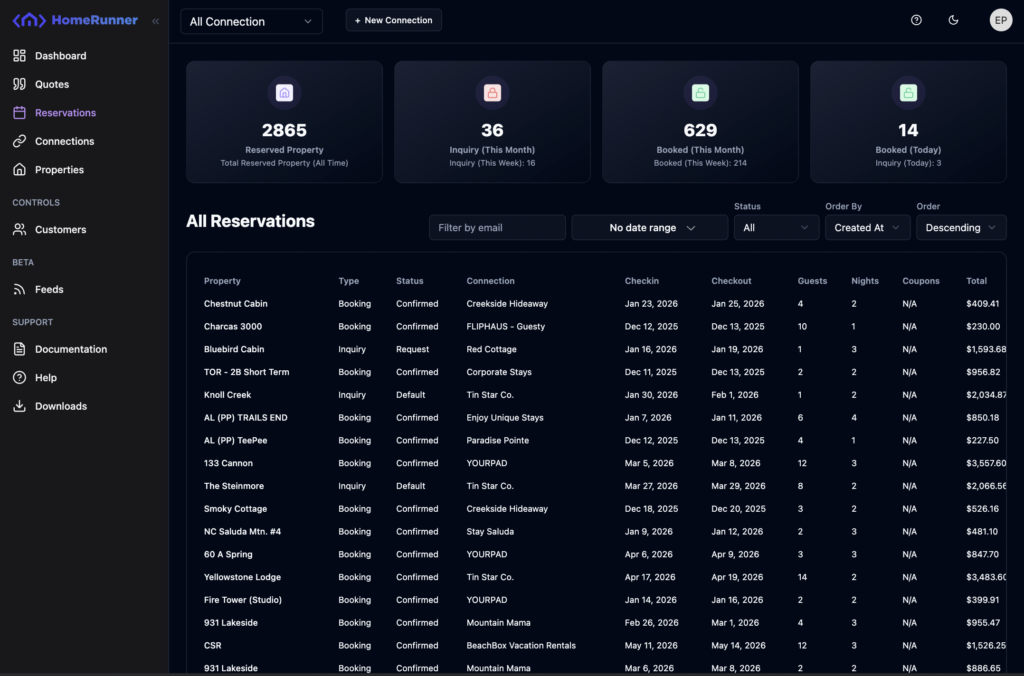
All the reservations can be filtered by global connection selector on top navigation bar, email filter, date range and status. You can also sort those results as needed.
Click on a row to see the detailed view. A drawer will slide in from right.
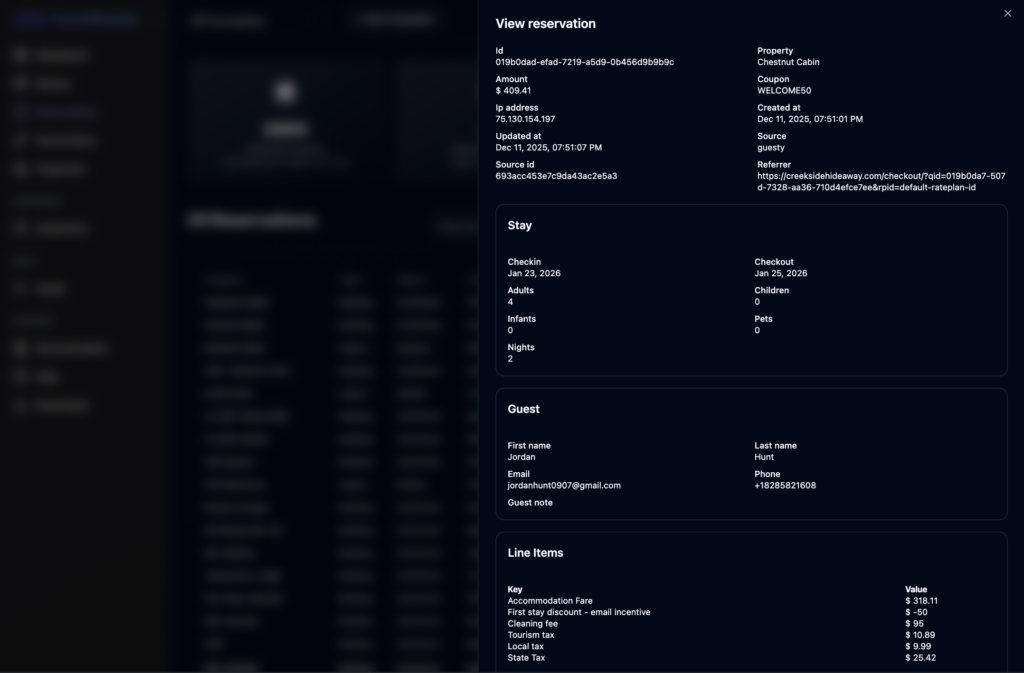
You can see all the reservation details like checkin, checkout dates, fees and other important details.