
Homerunner will sync, store and show all your properties from all your PMS connections. Go to Properties (red arrow 1) from sidebar.
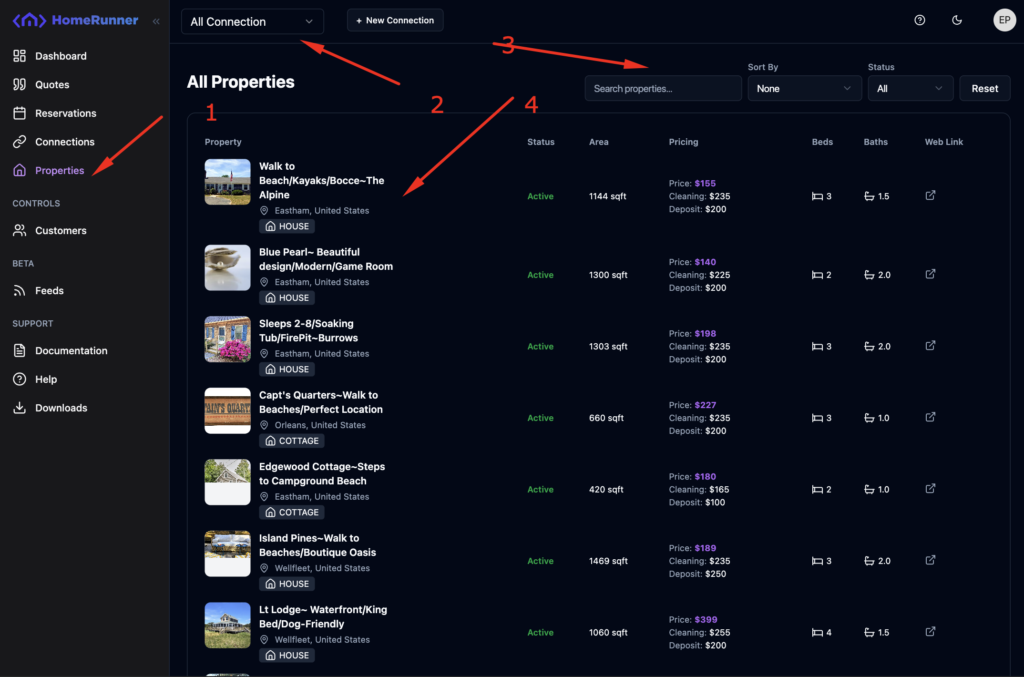
You should see a list of properties and a quick view of it. Properties list is reactive with global connection selection context. That means you can filter out properties based on connection (red arrow 2).
You can also search, filter and sort properties based on various criteria.
To see the property details, click on a list item (red arrow 4). A drawer will slide in from right side of the window containing various details.
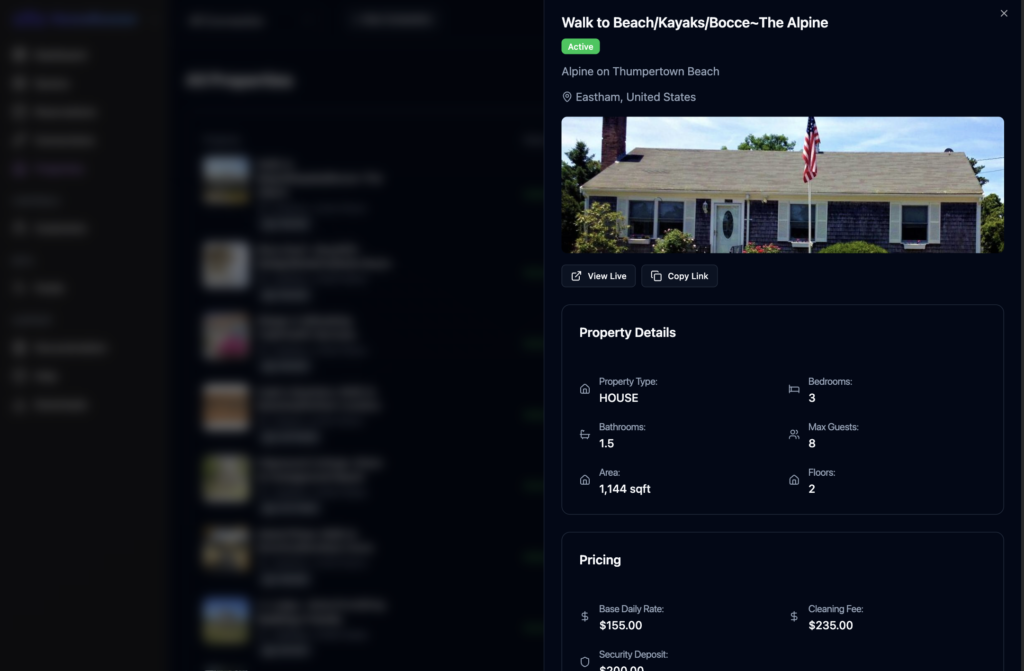
You can only view property details from the dashboard, you can’t have create or edit access in dashboard. You have to do it through your PMS management portal.