
Homerunner server sync properties, reservations, reviews and other necessary data from your connected PMS. If auto sync is on, Homerunner will auto sync your connection. You can manually sync your connection too.
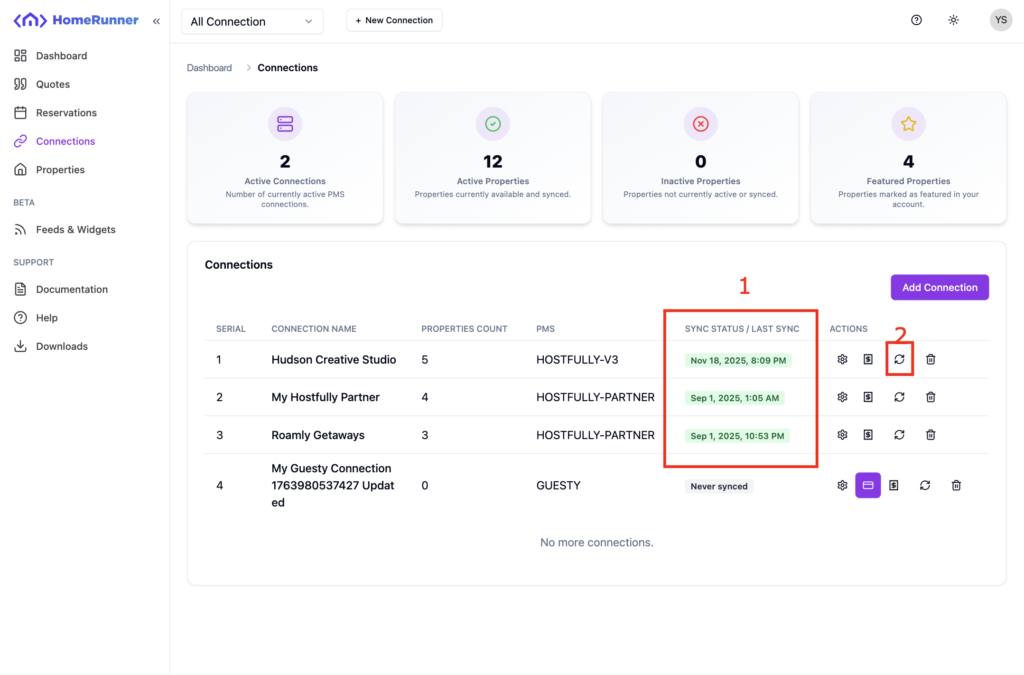
Click on Connections from sidebar to get all the connections you have. You should see the last sync status on the list view (red mark 1). You should also see a refresh button (red mark 2) to get into the sync page . Click on the sync button.
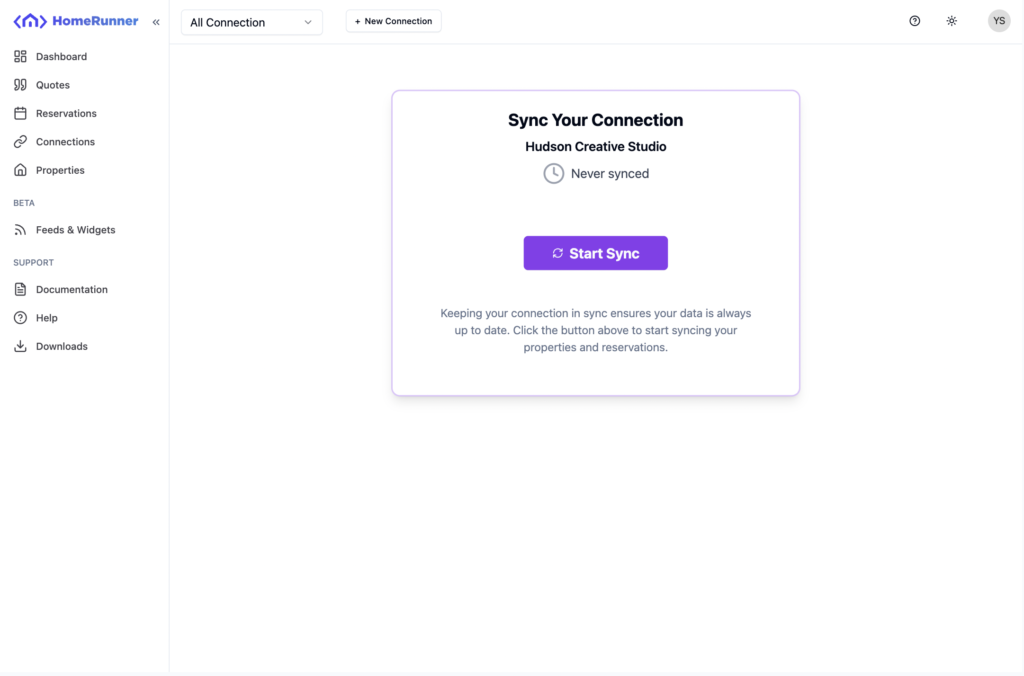
When you are on the sync connection page, hit on the big “Start Sync” button. Connection sync is a background process. After a sync request, server will show you a success message that it takes your request. Don’t exit the sync page, it may take some extra seconds to show the progress bar you are seeing in the picture.
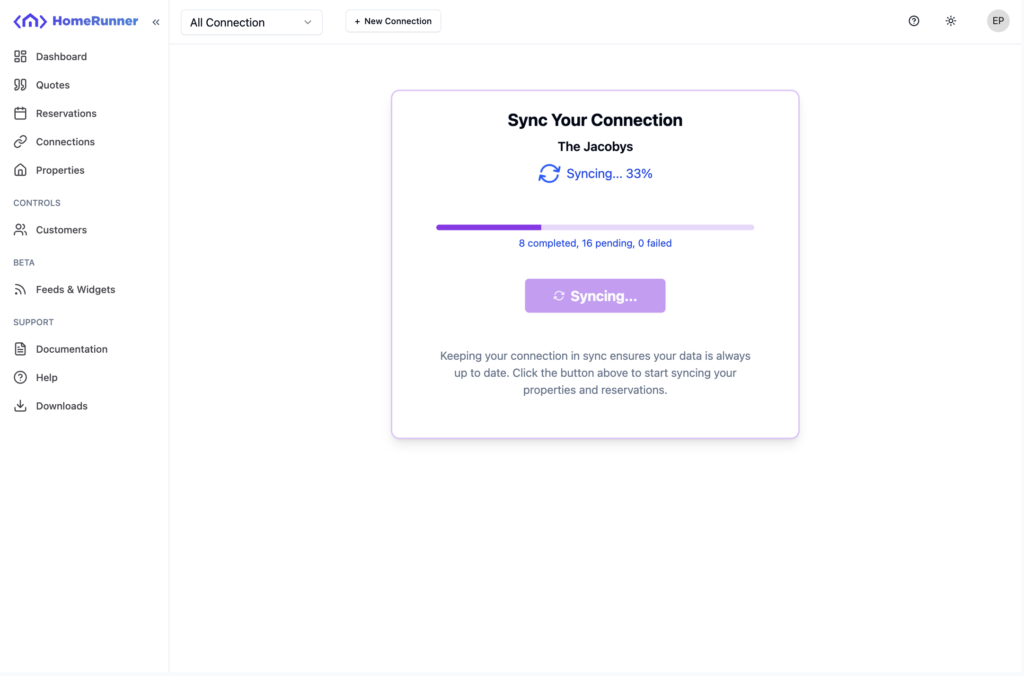
When the synchronization is done, Homerunner has required data from your PMS to serve you.
Happy using Homerunner!