
Feed is a data record in Homerunner which introduced to populate Homerunner data to your websites and apps. Homerunner pull data from PMS through connection data record, and populate data using feed.
Feed is a combination of one to many connections and their properties. You can create and configure feeds from dashboard and connection them from your websites. Feed is the future of Homerunner.
Upcoming Homerunner widget will also be connected with the feed.
To create a feed, go to feed listing from the sidebar beta section.
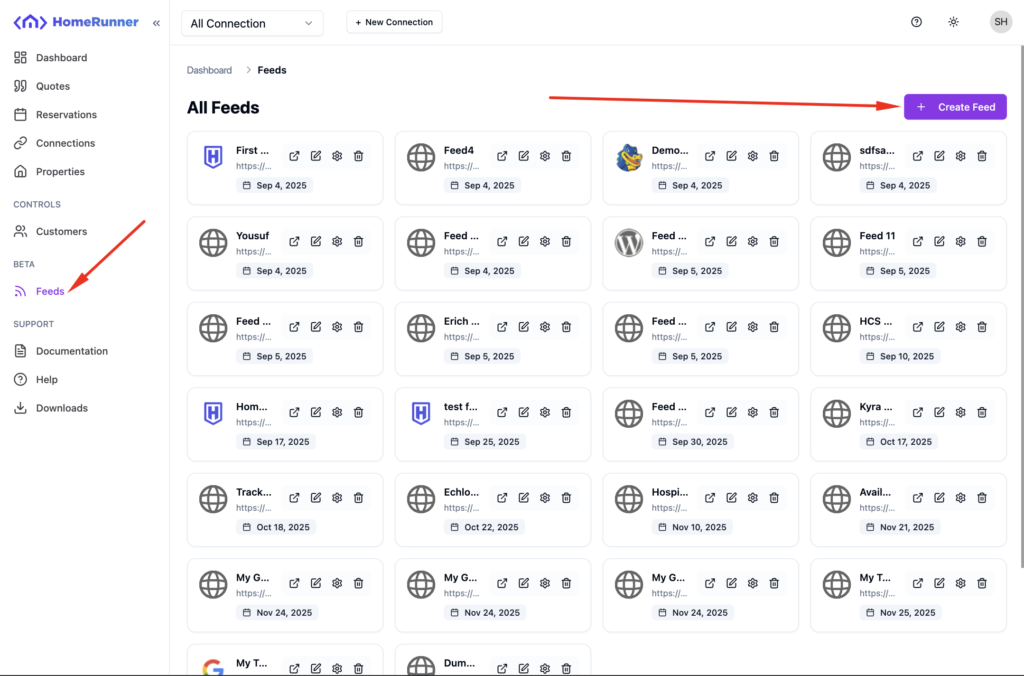
You may see an empty grid view with no feed. Click on Create Feed.
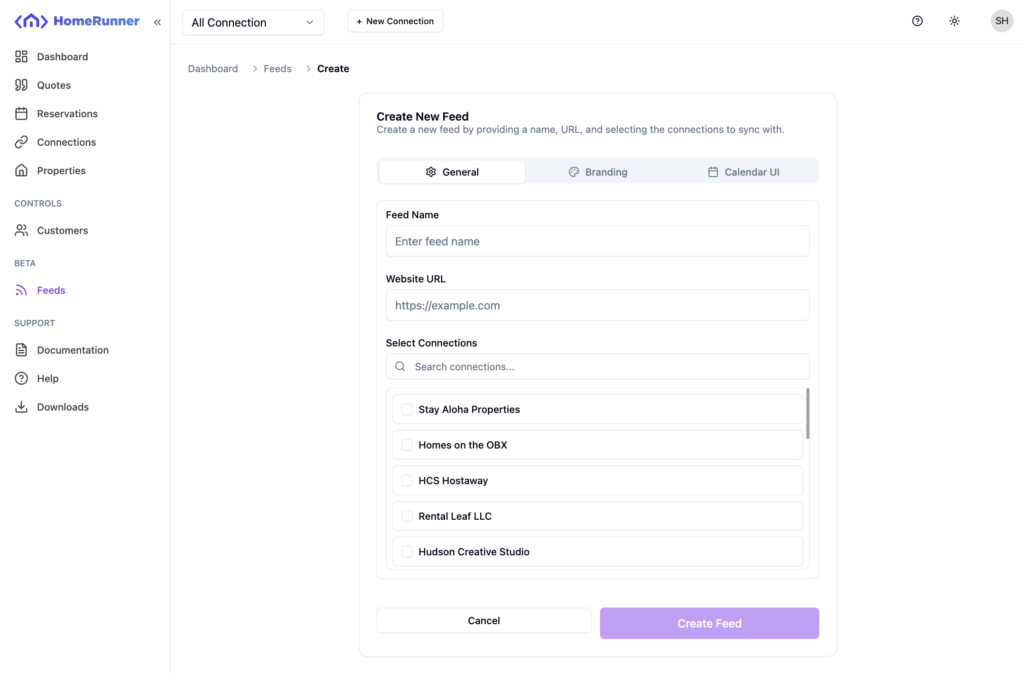
Feed name, website url and connection selection is required. You may select a single connection or multiple, the feed will serve data from those connections under the hood.
You may skip the Branding and Calendar UI settings. Those are mainly for the upcoming Homerunner widget.
Click on create feed. Your feed will be created instantly.
Edit feed #
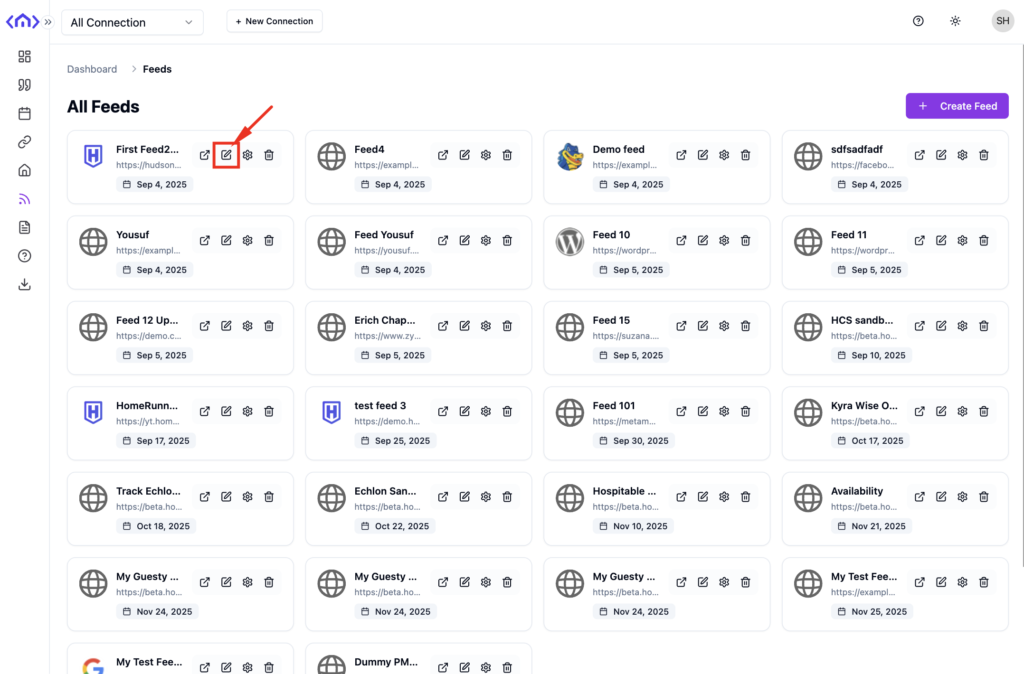
To edit the feed, click on the red marked edit button.
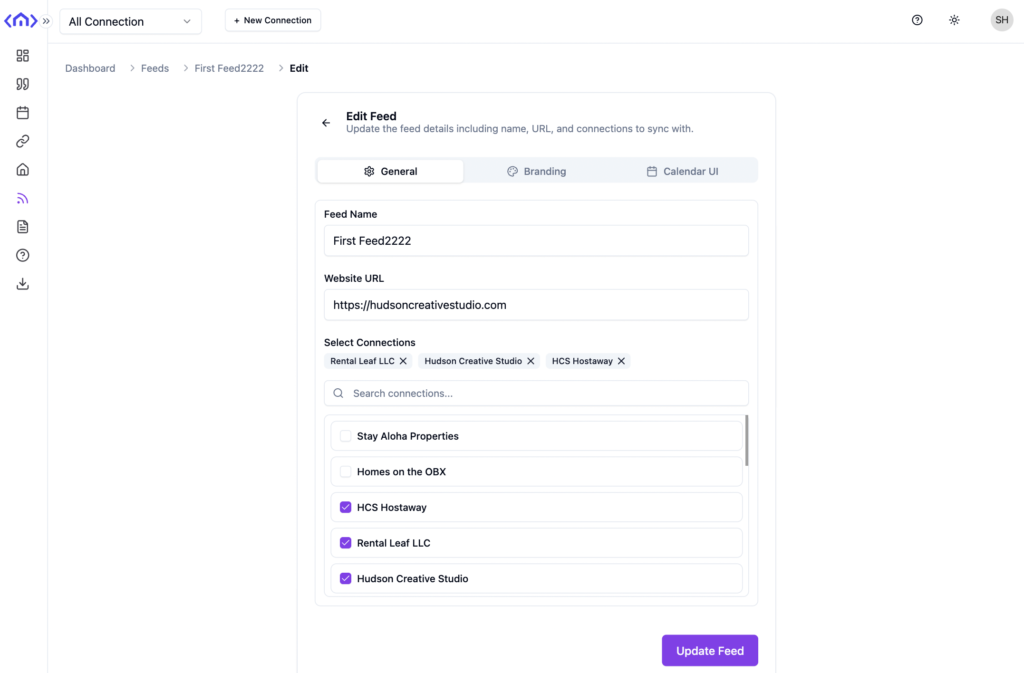
Edit fields you want to change and click on Update Feed.
Removing A Feed #
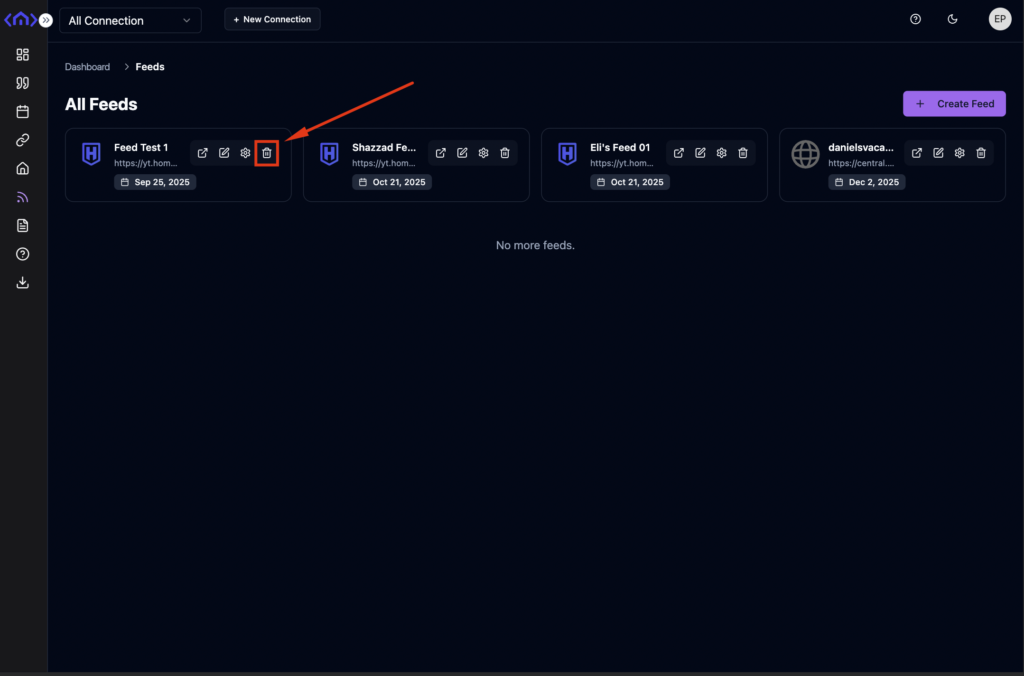
Removing a feed from Homerunner is simple. Click on the trash icon from the specific feed card.
A popup will be asking you for the confirmation.
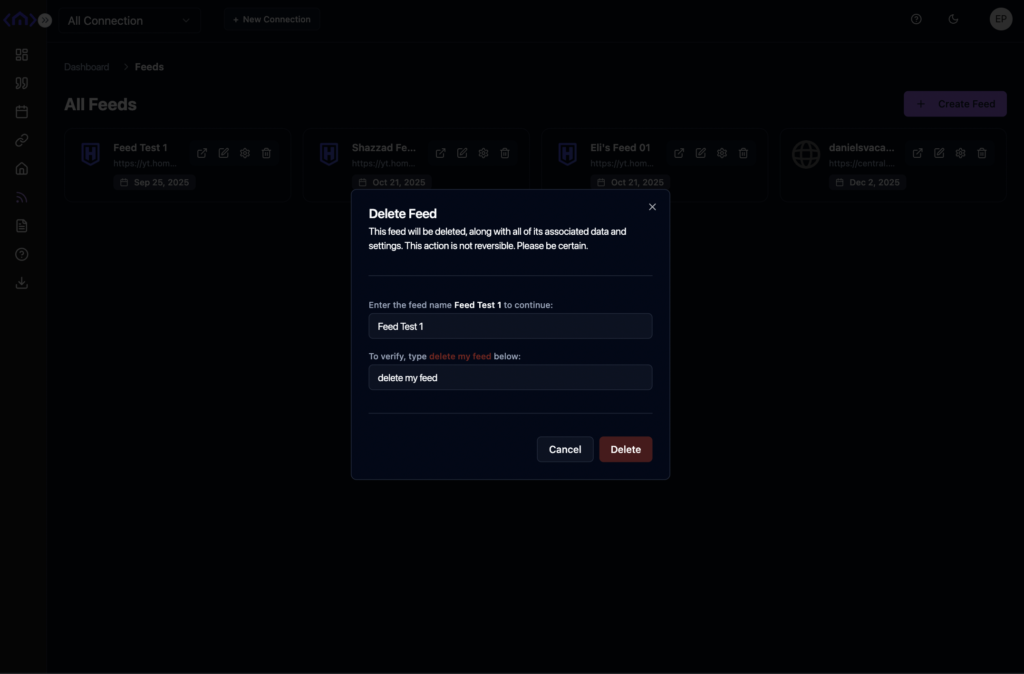
Fill those fields and click on Delete. The feed will be deleted instantly.