
Homerunner customer dashboard is an easy to use web app which brings quick account access, super easy onboarding experience and other management capabilities. A list is provided below that which you can manage with customer dashboard. Customer dashboard currently contains…
- Detailed stats in the dashboard
- PMS connections management
- Detailed property listing
- Ability to see detailed quotes and reservations
- Setting up payment policies
- Feed management
- Homerunner ready made web widgets for any websites (UPCOMING)
- Edit account details
- Copy your API key for the HomeRunner WordPress plugin
- Account Billing (UPCOMING)
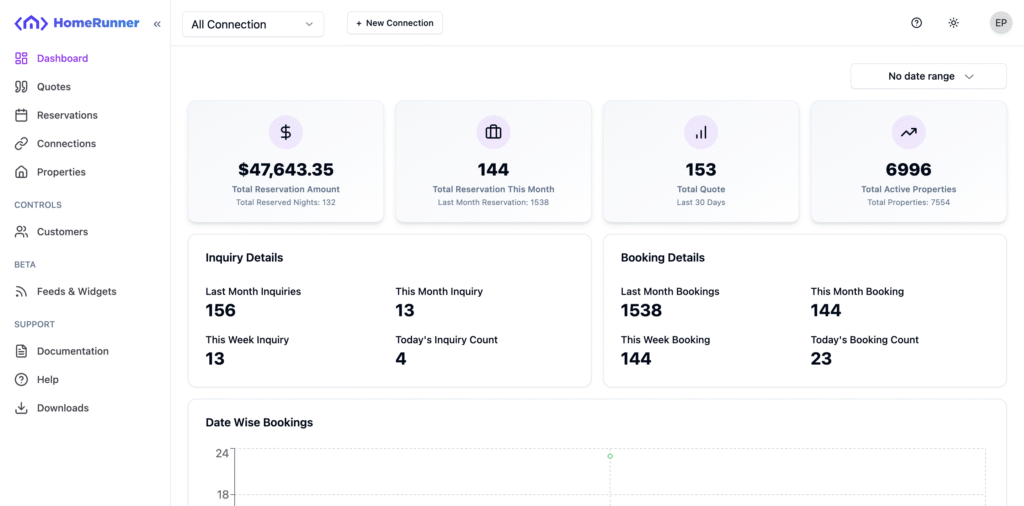
To get started with Homerunner customer dashboard, register for a new account or login if you already have an account.
The global connection selection on the top navigation bar is provided to filter out data based on connection selection.
In the dashboard, if you select a specific connection, the stats and charts only load that connection specific data. Otherwise it will load all.
Find your API key #
Your HomeRunner API key connects the HomeRunner plugin on your WordPress site to your account. To find it:
- Log in to your customer dashboard
- Click your profile icon in the top-right corner
- Choose Settings
- Copy your key from the API Key card using the copy button
Paste the key into your WordPress site under HomeRunner > Settings. See Configuring HomeRunner Plugin for the full setup.