
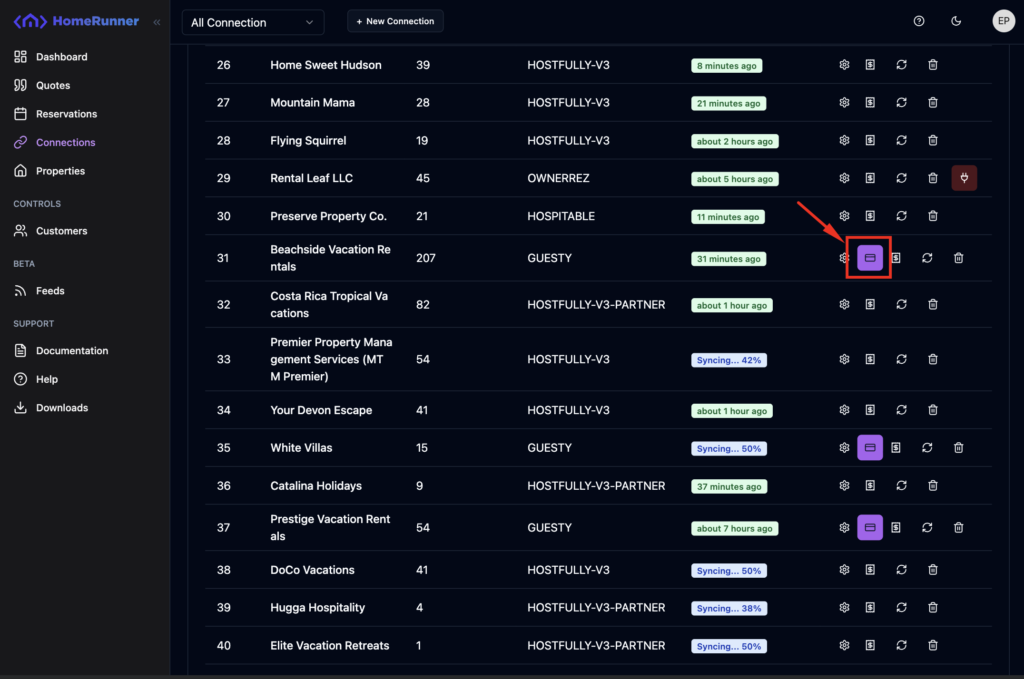
Homerunner has built-in support for payment method configuration for your PMS connection. All PMS connections may not support payment method configuration. You will see extra button in the connection listing. Go to Connections from the sidebar menu. You’ll see something like below. Click on the red marked button with the wallet icon.
You’ll see some payment methods like below. You will see their active/inactive status too.
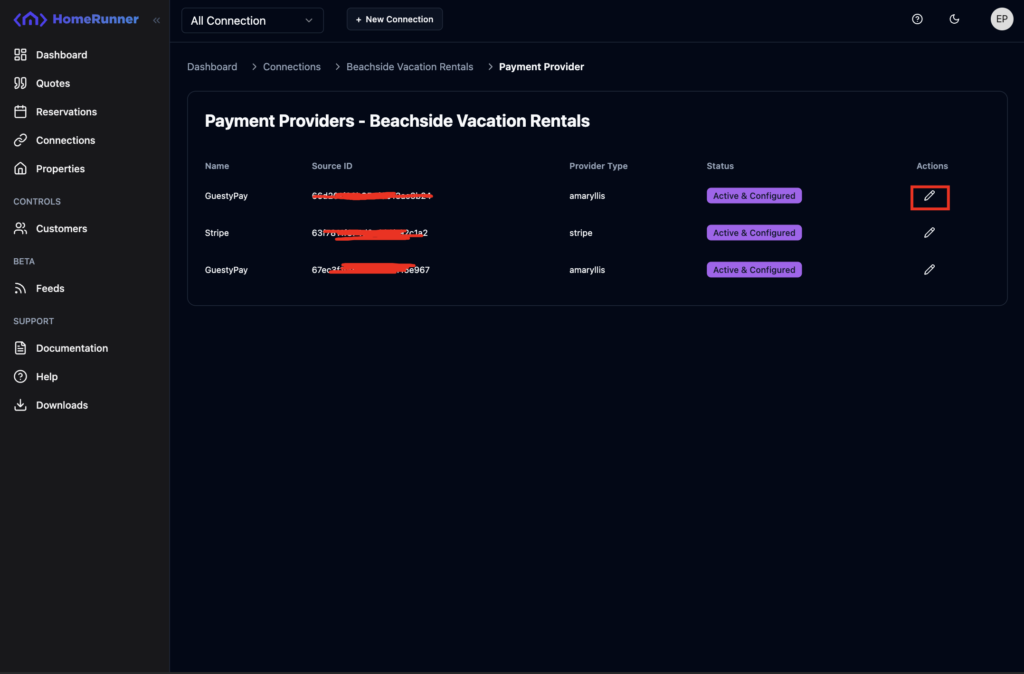
To configure a payment method, click on the edit icon. A drawer modal will slide in from right.
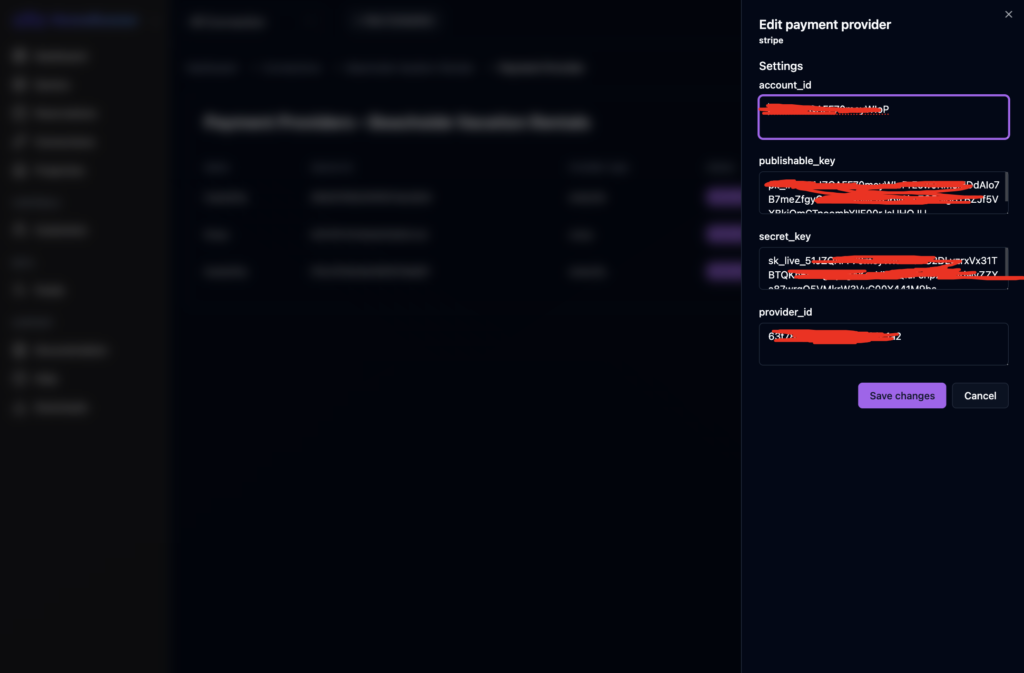
Edit the credentials and click on Save changes. Credentials inputs may vary based on payment method.