
On the connection create wizard, you had to fill the required fields only. For more detailed configuration, you have to configure the created connection. Go to connections listing.
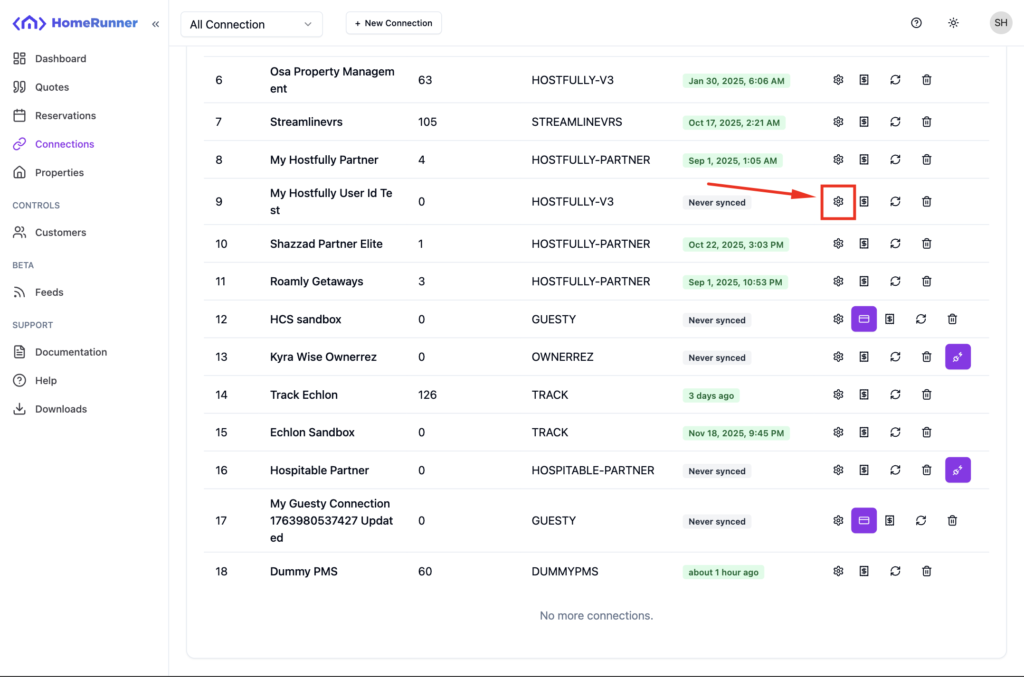
Click on the gear icon. Browser will take you to a detailed connection configure screen.
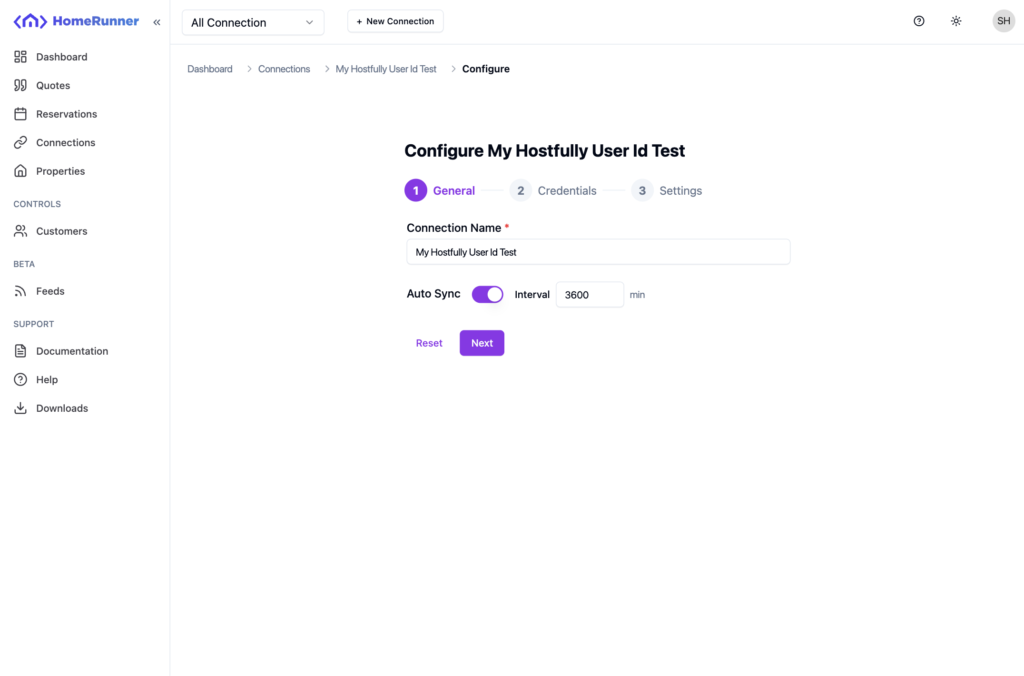
In the configure wizard, you will find all the required fields that was in the connection create wizard as well as other default and non required fields.
There is a Auto Sync setting which will define how and when Homerunner will sync your PMS data through the connection. You can also set the interval in minute.
Keep going next steps and update as required.
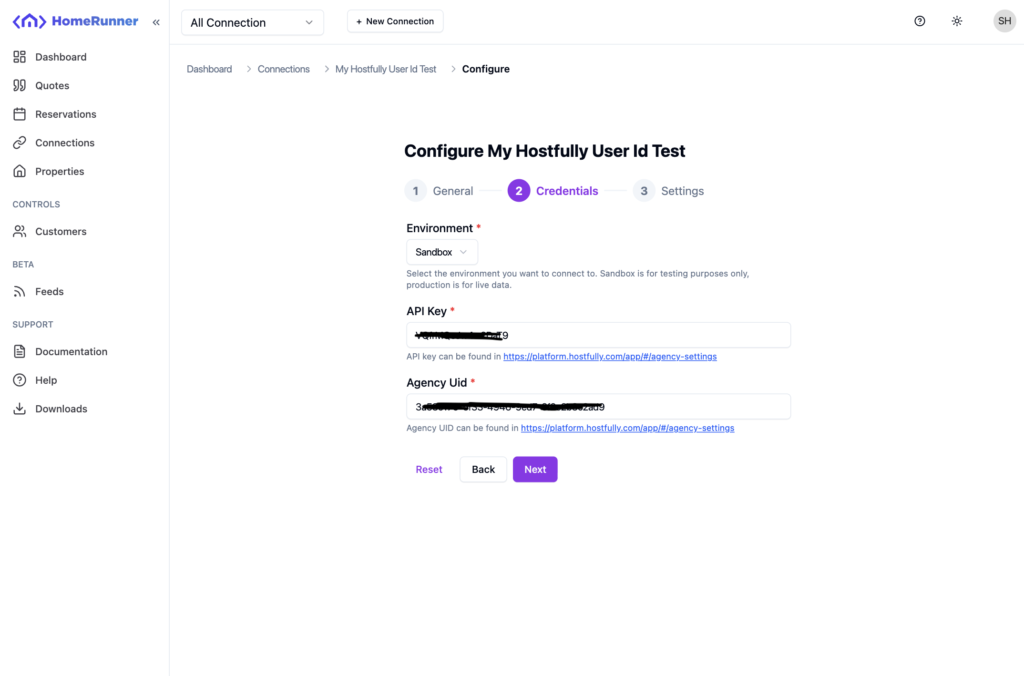
Most of the connection fields has documentation link attached below the field. Consider checking those links too. After updating, submit the updates and the changes will take effect immediately.