From Clicks to Stays: Practical Ways to Lift Conversion on Your Direct Booking Pages

Turning your site’s visitors into loyal guests is the true test of any vacation rental business. Every direct booking engine can drive traffic, but not every engine nails the conversion—the leap from casual browsers to confirmed stays. Let’s dig deep into what it really takes to optimize your direct booking pages, drawing from what we’ve seen work for successful operators leveraging WordPress and professional booking technology.

Remove Friction from First Impression to Confirmation

In the world of vacation rentals, your website’s experience is your welcome mat. Guest expectations are sky-high, and every second (and every click) matters. We know that cluttered layouts, confusing search, or outdated property info can quietly kill bookings—even if you’re pouring money into ads to drive traffic.

  • Streamlined Booking Journey: Guests should navigate from search to confirmation with no unnecessary detours. With professional booking engines that pull real-time data directly from your PMS (Property Management System), guests see exactly what’s available, with live rates and accurate details—no disappointments. Avoid lengthy forms and unnecessary steps. Ideally, bookings can be completed in under four steps.
  • Fast, Responsive Mobile Design: We see more than half of vacation rental bookings now initiated from smartphones. Your booking interface should load in seconds and adapt fluidly to any screen. Everything from search filters to checkout must be thumb-friendly and never buried behind menus. If you want to go deeper, check out our guide on mobile-first design for vacation rental websites.
  • Crystal-Clear Calls to Action: Test button colors, placement, and wording. Make your “Book Now” or “Check Availability” buttons prominent, high-contrast and repeat them strategically throughout the guest journey.
  • Compelling Visuals: Invest in high-quality photos—think bright, authentic images, ideally with 360-degree tours where possible. Make sure your visuals show what makes each property unique, letting guests easily imagine themselves there.
A soft-lit hotel room entrance, welcoming guests with luxury appeal and comfort.

Give Guests Powerful and Intuitive Search

Vacation rental guests don’t shop like traditional hotel guests. Their needs—location, amenities, group size, pet friendliness, price range—are complex. The more quickly they can filter to “the one,” the higher your chance they’ll book directly instead of heading to an OTA out of frustration.

  • Advanced Filtering: Let users filter by bedrooms, bathrooms, amenities, price, and date range. Go beyond the basics—if your PMS supports it, spotlight collections like “Pet-Friendly Cabins,” “Oceanfront Villas,” or “Budget Stays.” If you want inspiration, see real examples of filters in action in our booking filter playbook.
  • Custom Collections & Thematic Grouping: Highlight property collections based on theme, location, or guest interest. For example, create “Luxury Downtown Lofts,” “Workation-Friendly Homes,” or “Family Resorts.” This not only helps guests find what matches their trip, but can also power internal SEO and remarketing. Unpack the impact of theme/location collections in this detailed guide.
  • Real-time Price Display: Always show accurate rates and instant availability tied directly to your PMS. Guests lose trust immediately if a rate disappears or changes at checkout.

Leverage Trust: Social Proof and Transparency

Trust is the silent engine of conversion for direct bookings. Guests want assurance beyond just glossy photos—they look for social proof and transparent expectations.

  • Showcase Reviews On-site: Guests rarely finalize a booking without seeing positive reviews. Embed a live feed of testimonials and star ratings right on your listing and checkout pages, preferably pulled automatically from your PMS data to keep them fresh and authentic.
  • Transparency in Policies and Pricing: Show all rules, cleaning fees, and cancellation options up front. Surprises at checkout are conversion killers, so display extra charges and policies clearly, eliminating confusion and bounce at the final step.
  • Owned Domain, Owned Trust: When property pages are displayed on your custom domain (not an iframe or subdomain), you build Google authority and give guests a seamless sense of professionalism. This is foundational for SEO and direct bookings long-term.

A close-up of a hotel check-in process with a smartphone and card transaction at the reception desk.

Drive Urgency and Loyalty (Without Gimmicks)

Changing guest behavior means you have to nudge, but never pressure. FOMO (Fear of Missing Out), exclusivity, and personalized perks can turn window shoppers into booking guests.

  • Last-Unit and Recent Booking Alerts: If only two oceanfront condos are left for the holiday weekend, call it out mid-booking. Real-time data sync with your PMS makes this honest and compelling. “Just booked 3 times today!” can shift decision timelines without feeling engineered.
  • Direct-Only Perks: Offer value that guests won’t get on OTAs, such as early check-in, late check-out, or exclusive welcome gifts. These small incentives can help you win the price-comparison battle.
  • Promo Codes and Loyalty Rates: Use dynamic PMS-based promotions for slow periods or repeat guests. Loyalty programs, like “Stay 4 times, get a free night,” might sound simple but are proven to drive direct return bookings. Learn how to amplify seasonal and event-based offers in our holiday booking optimization guide here.

Make Checkout Invisible and Payments Flexible

The last mile of the conversion journey is a make-or-break moment. A confusing, slow, or inflexible payment process is the surest way to lose a guest right as they’re ready to buy.

  • Seamless Checkout Experience: Use a professional checkout page that integrates directly with your PMS’s payment gateway, so the process is secure, recognizable, and matches your brand from first click to “Thank You.” No redirects, no surprise pop-ups.
  • Multiple Payment Options: Let guests pay by major credit card, Apple Pay, PayPal, and—where your market demands—BNPL (Buy Now Pay Later) and regional gateways. Supporting broad payment types helps convert international guests and tech-savvy demographics.
  • PCI Compliant and Secure: Make security signals visible. Guests should see industry badges and payment security assurances throughout the checkout flow.

A concierge stands at a hotel reception desk under ambient lighting, ready to assist guests.

Harness Data to Identify and Fix Drop-offs

What separates high-performing direct booking operations, in our experience, is not just best practice implementation but analytics-driven refinement. Every abandoned cart or search that ends with a bounce is an opportunity to learn and adjust.

  • Monitor End-to-End Conversion Data: Tap into your booking engine dashboard to track traffic, search queries, click-through rates, and conversion points. Pinpoint where guests get stuck—do many drop off at the property details page, the checkout form, or after seeing the total price?
  • Iterate with A/B Testing: Tweak button designs, promo code visibility, or the display of fees, and quantitatively track results. Data wins arguments and can uncover surprising friction points. Many businesses overlook this step, but even small conversion improvements compound into serious revenue.
  • Personalize Offers: Leverage AI-powered recommendations to suggest properties and upsells based on prior searches or guest profiles. This e-commerce mindset boosts both user satisfaction and conversion rates. Learn how to activate real-time business intelligence for your vacation rentals in this guide.

Maximize SEO for the Entire Booking Funnel

Even the most optimized booking engine won’t convert if it’s not attracting quality organic traffic. Smart SEO for vacation rental sites means going beyond just broad keywords.

  • Local and Long-tail Keyword Integration: Strategically place search terms that real guests use—such as “pet-friendly cabins in Asheville” or “downtown NOLA corporate rentals”—into your site’s property titles, collections, and metadata.
  • Make Each Property Page Indexable: Ensure your booking engine keeps listings on your root domain, enabling Google to crawl and rank every home. This builds organic reach and brand authority instead of giving free traffic to OTAs.
  • Internal Linking for Depth: Build topic silos by linking to relevant content throughout your blog and resource pages. For example, if your audience cares about filters and search experiences, guide them to our advanced filtering tips. For a full DIY checklist, dive into the direct booking SEO checklist.

Advanced Strategies: Segment, Scale, and Own Your Success

Direct booking optimization is not a one-size-fits-all game. As you grow—from a handful of homes to hundreds across regions or brands—next-level conversion means adopting techniques previously reserved for enterprise operations.

  • Multi-Brand and Segmented Inventory: Operators who segment their portfolio by collection—like “Luxury Coastal Estates” vs. “Family Beachfront Retreats”—see higher engagement and repeat booking rates. Set unique rates, fees, and policies per group, and personalize marketing flows accordingly. Get inspired in our guide on custom collections for direct booking growth.
  • White-label and Agency Strategies: If you’re a web agency or property manager creating booking experiences for others, use booking platforms that allow quick, high-quality site launches (without technical lock-in) to keep up with client demand and market trends.
  • Future-Proof Tech Stack: Look for engines with active development on features like external payment integrations, AI recommendations, and cross-PMS inventory sharing. These unlock new strategies as guest behavior and tech expectations evolve.

A Mindset Shift: Your Website Is Not Just a Brochure

Direct booking performance isn’t just about listing properties. We need to treat our sites as conversion engines, not digital brochures. That means obsessing over UX, reducing friction, using smart segmentation and offers, and leveraging every piece of guest data at our disposal. When you optimize each stage from click to stay, you’ll see the compounding effects in higher occupancy, better margins, and a stronger, more resilient vacation rental business.

If you’re ready to rethink how your booking engine supports conversions, or want to see these best practices in action, we invite you to explore more on homerunner.io—including case studies, demos, and our resource-packed blog section.


The Direct Booking SEO Checklist for WordPress Vacation Rental Sites (2026‑Ready)

Search in 2026 is more competitive and sophisticated than ever, but direct booking for vacation rentals in WordPress sites is still one of the smartest plays for property managers, owners, and operators who want true control of their brand. We know because we’ve helped hundreds of sites transform their booking flow and search visibility — and the difference between sites that convert and those that stall usually comes down to a tight, modern SEO process. Below is our field-tested checklist, created specifically for WordPress vacation rental sites aiming for a surge in direct bookings (and fewer fees sent to third parties).


Cozy wooden cabins nestled in a lush forest, perfect for a rural vacation.

Set the Perfect Foundation: Technical SEO and Site Performance

A powerful SEO strategy starts with a healthy site infrastructure. Here’s what we consistently check for every direct booking site we optimize:

  • Fast, reliable WordPress hosting: Select a host that consistently delivers uptime and speedy page loads. More than half of mobile visitors abandon sites that take longer than 2 seconds to load. Quality hosts also ensure SSL support (HTTPS), which has a direct impact on trust signals and rankings.
  • Mobile-first, SEO-friendly WordPress theme: Your theme must be lightweight, responsive, and accessible. Mobile usability is now a dominant ranking factor.
  • Essential SEO plugins: Use free tools like Yoast SEO or Rank Math to easily manage meta tags, create XML sitemaps, and add schema markup — all are crucial for visibility in both classic and AI-powered search engines.
  • Clean URLs and SSL: Always use human-readable URLs, e.g. /property/lake-tahoe-modern-lodge instead of query strings, and make sure your SSL certificate is valid for every page.
  • Proactive maintenance: Regularly audit for broken links and errors using tools like Google Search Console or Screaming Frog.

Uncover the Keywords That Guests Actually Search

Everything begins with understanding how guests find properties like yours. Here’s how we approach keyword research with a direct booking lens:

  • Local-market focus: Think “beachfront family rental Corpus Christi” instead of just “vacation rental.” Hyper-local and niche-focused keywords have less competition and clearer booking intent.
  • Property-specific descriptors: Use real features (e.g., “3BR pet-friendly cabin with hot tub Lake Tahoe”). People are searching for what makes your property stand out. Check out our blog on building meaningful filters for best practices in property differentiation.
  • 2026 booking trends: Identify up-and-coming travel events or emerging guest needs. Are travelers searching for “AI-powered booking” or “sustainable mountain rentals 2026”? Track these phrases and update your site accordingly.
  • Competitive gap analysis: Assess which direct booking keywords your site doesn’t yet rank for by analyzing Google’s search results with incognito mode to avoid personalized filters. Focus on phrases with clear commercial intent, like “book direct vacation rental [your city].”

Optimize Every Property Page to Drive Direct Bookings

This is where countless vacation rental sites fall short: treating property pages as static brochures instead of mini conversion engines.

  • Unique titles and meta descriptions on every property page: e.g., “Modern Oceanfront Condo, 2BR, Direct Booking – Miami Beach.” Stay within 60-65 characters for title tags and 150-155 for descriptions.
  • Clear, structured headings: Use H1 for property name; H2s for sections like “Availability and Pricing” or “Included Amenities.” This helps both guests and search engines quickly understand content.
  • Natural keyword use in property copy: Write for real people, weaving in target keywords about location, features, nearby activities, and guest types. Aim for at least 300 words of original content. Avoid bland, copy-paste templates.
  • Optimized, accessible images: Name files clearly (e.g., “tahoe-lakefront-cabin-exterior.jpg”), compress images for speed, and use descriptive alt text for guests using screen readers.
  • Smart internal linking: Link each property to its collection or location page, and to relevant blog content, such as guides or local attractions. To dig deeper into property grouping, see our guide on creating custom property collections.
  • Direct booking signals: Add messaging like “Book direct for best rates — instantly confirmed” close to your call to action button.

Advanced Search, Filters, and Themed Collections: Why Structure Wins

In 2026, search engines care about how well your site helps guests find their ideal property. Grouping your inventory by theme or location, with advanced filters, does more than boost UX — it powers SEO too.

  • Create custom property collections: Group rentals into categories such as “luxury lakefront cabins,” “pet-friendly mountain retreats,” or “homes with pools.” Collections can be optimized for secondary keywords, so every guest journey has an entry point from Google. Learn more in our step-by-step on irresistible theme and location collections.
  • Filters that reflect real guest desire: Go beyond location — add filters for features like pools, accessibility, workspace, family-friendly amenities, or EV chargers. The richer your filter set, the more likely guests are to engage and book. For specific examples and strategies, check out build filters guests actually use.
  • Schema markup for structured data: Ensure your collections and individual listings use LodgingBusiness or Product schema so Google can properly index amenities, pricing, and availability, feeding both traditional and AI-powered search experiences.

Technical SEO Checklist for Direct Booking Leaders

  • Submit sitemaps to Google Search Console: After major index updates or site changes, resubmit your sitemap to ensure Google discovers all listings quickly.
  • Audit for broken links and fix immediately: Orphaned property pages, 404s, or misdirected filters ruin guest trust. Use Screaming Frog or Google Search Console regularly.
  • Enable caching and compress files: Keep your Core Web Vitals in the “good” range (details on mobile-first optimization).
  • Responsive, touch-friendly layouts: Test property pages and search flows on multiple mobile devices.
  • Real-time property sync with your PMS: Ensure your direct booking engine (such as HomeRunner) is pulling up-to-date rates and inventory to avoid frustrating guests with double bookings or out-of-date pricing.
  • Install structured FAQ sections: Provide clear answers to common booking questions and enable FAQ schema for potential rich results in search.

Local and Event-Based SEO for High-Intent Guests

  • Consistent NAP (Name, Address, Phone) across all directories: Check that every citation — including Google Business Profile, Apple Maps, Bing, and major review sites — matches exactly. Use tools like BrightLocal or simply do manual audits quarterly.
  • Google Business Profile optimization: Add rich description about your direct booking offer, and regularly update with new photos of properties and amenities.
  • Event-specific landing pages: Create optimized pages for major festivals, conferences, or peak holiday weeks (“Book direct for Fourth of July beachfront rentals in Cape Cod”).
  • Locally-targeted content marketing: Blog posts such as “Top five mountain trails within five miles of our Smoky Mountain cabins” serve double duty for guests researching activities and as landing pages for long-tail local search queries.


Charming beachfront cabins overlook a serene beach and calm waters at dusk, perfect for a tranquil vacation.

Content That Builds Trust, Authority, and Conversion

Google’s algorithm and guests alike reward direct booking sites that show expertise and inspire trust. Our blueprint for powerful content:

  • Long-form, guest-centered blogs and guides: Create detailed travel guides (aim for 1500–2000 words) and make each deeply relevant to your area and properties. For example, “2026 Pet-Friendly Orlando Vacation Guide: Where to Stay, Eat, and Explore.” Integrate calls-to-action to browse or search within your WordPress site’s booking engine.
  • Internal linking to relevant collections and property pages: Every blog post is an opportunity to pass authority and keep users exploring your unique offerings. For example, link to your “luxury ocean view collection” or “affordable family-friendly cabins” as it fits naturally in the content flow.
  • Show credibility with guest reviews and trust signals: Embed testimonials and highlight payment security features. Make it clear that your booking process is professional, secure, and direct.

For actionable ways to boost content conversion, see our article on UX fixes for lifting conversion.

Off-Page SEO and Digital Authority Building

  • Build reputable local links: Leverage partnerships with visitor bureaus, event sites, or tourism boards willing to link back to your booking engine. Each link from a trusted site builds your authority and search rankings.
  • Participate in local and hospitality forums: Add value without spamming, and over time you’ll earn citations and natural recommendations.
  • Share your booking site on social channels and LinkedIn: Especially after launching new features or event collections, these announcements can drive organic shares and referral traffic.

Track, Analyze, and Refine Everything

  • Integrate Google Analytics and Search Console: Monitor organic search performance, top booking funnel paths, and conversion rate. Use data to determine which property types, amenities, or themes outperform others and invest in similar content or features.
  • Leverage PMS or booking engine analytics: If using HomeRunner, take advantage of the business intelligence dashboard: see guest search patterns, booking conversion rates, and revenue forecasts. For more on business intelligence in direct booking, visit our blog on real-time analytics.
  • Adjust strategies as you go: SEO for direct booking is never truly ‘done.’ Review quarterly, update for new trends, and respond to changes in guest booking behavior and major Google updates.

Final Thoughts: Your Checklist for Sustainable Direct Booking Growth

  • Start with technical site health. Speed, security, and structure are your non-negotiables.
  • Unlock long-tail, local, and themed keywords that drive high-intent bookings directly through your WordPress site.
  • Optimize every property page and collection as a self-contained destination guests trust, enjoy, and remember.
  • Pair advanced filtering, search, and custom grouping with a professional booking flow backed by real-time data and analytics.
  • Promote your expertise through rich, original content, local SEO tactics, and smart off-page authority building.

If you’re ready to future-proof your direct booking engine and want a hands-on partner who has scaled these results across 4,000+ properties worldwide, get in touch with us at HomeRunner. We believe in empowering operators with the tools, data, and support to thrive independently, and we’re always here to help you achieve your next breakthrough in direct bookings.

How to Create Theme and Location Collections That Guests Can’t Resist

If we’re honest, the most exciting travel sites don’t just show endless property lists. They spark imagination by curating collections that hit what travelers are truly seeking—a feeling, an experience, or the magic of a place. At Homerunner, we’ve seen firsthand how thoughtfully crafted theme and location collections flip casual browsing into confident booking. Let’s go deep on exactly how you can create collections on your WordPress direct booking site that guests not only click, but share with friends and save for next time.

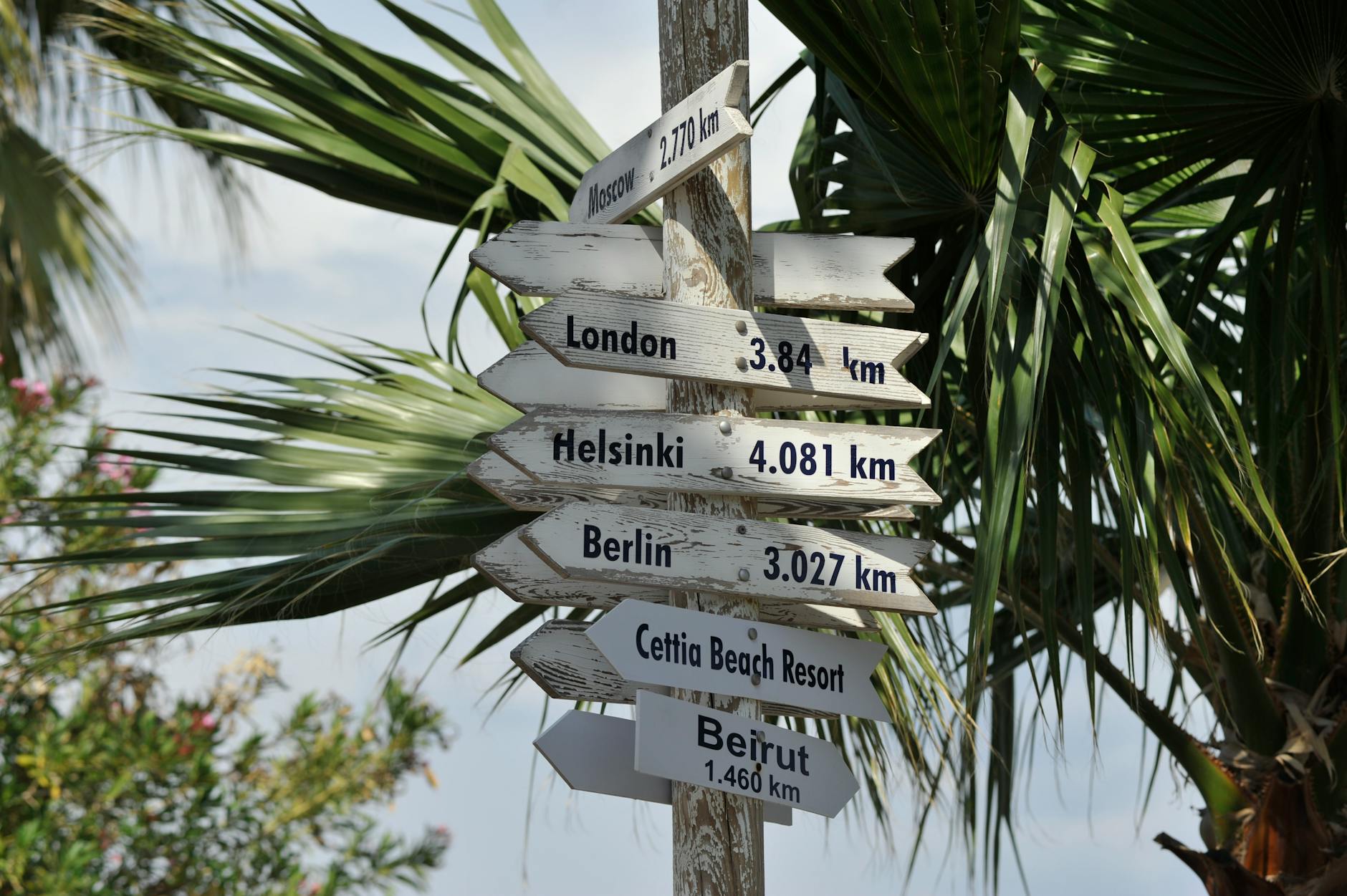
A rustic signpost in a tropical setting points to major global destinations, hinting at wanderlust.

Why Collections Are a Game-Changer for Direct Bookings

Guests rarely think in terms of bedrooms and bathrooms alone. They browse and book based on intent: a mountain escape, family fun by the beach, or a weekend where their dog is as welcome as they are. Collections bridge the gap between your PMS inventory and the traveler’s dream stay, helping you:

  • Reduce choice overload. Instead of an overwhelming list, guests see focused groups that make decision-making easier.
  • Increase relevance. Visitors identify collections that match why they’re traveling, building trust quickly.
  • Boost conversion. Collection-driven sites consistently get guests from curiosity to booking with less drop-off along the way.

This is the sort of psychology-backed strategy that’s central to our approach—and it’s one reason Homerunner-powered sites consistently outperform generic booking engines.

How to Build Theme Collections That Speak to Guest Intent

Start by getting deliberate about why people visit your region, not just what properties you have. We typically recommend picking 5 to 10 high-intent themes per site or brand. Here are proven ideas that adapt to almost any market:

  • Family Friendly Stays: 2+ bedrooms, fenced yard, crib or pack and play, bathtub, high chairs, kid-approved amenities.
  • Pet Friendly Escapes: Properties allowing pets, fences, dog parks nearby, easy-to-clean floors, clear pet fee policy.
  • Romantic Retreats: Privacy, king beds, soaking tubs or hot tubs, fireplaces, beautiful views.
  • Remote Work & Digital Nomad: Fast WiFi, real desks, quality chairs, good lighting, walkability to coffee shops.
  • Luxury Collection: Top 15-20% by price, high review averages, interiors with designer touch, premium amenities.
  • Budget & Value: Well-rated properties in the lowest price range, close to attractions, often still 4-star plus reviews.
  • Places for Groups & Reunions: Large dining and living spaces, many beds, extra baths, easy parking.
  • Adventure Basecamp: Near hiking, skiing, surf or bike trails, room for gear, washer/dryer, mudroom.

Some tips that work across markets:

  • Only create a theme if you’ll have at least 6–8 properties in it—sparse collections frustrate more than help.
  • Map each theme to a real guest type (families, couples, digital nomads, etc.), not just a marketing buzzword.

Location Collections: Go Beyond the “City” Filter

Most booking tools offer location search at the city or region level. But guests think much more granularly—by landmark, walkability, vibe, or micro-destination. With Homerunner, you can build collections that feel local:

  • Neighborhoods: “Downtown Arts District,” “Historic Old Town,” or by postal codes, within walking distance to highlights.
  • Landmark Proximity: “Five Minutes to the Convention Center,” “Near National Park Gate,” “Steps from the Beach.”
  • Regional Micro-Destinations: “North Shore Beaches,” “Lakeside Villages,” separate identities within your portfolio.
  • Event Zones: Ready-to-book groupings for festivals, holiday markets, or seasonal attractions.

Imagine letting your guests filter instantly by areas they actually ask about. It’s a leap forward from generic sorting and truly matches how travelers make decisions.

A map with colored pins under dramatic light, highlighting travel planning and destinations.

Data-Driven Rules: The Secret to Consistent and Scalable Collections

To keep collections accurate and scalable, use PMS data and set clear rules for assigning properties. For example:

  • Family Friendly:
    • Minimum 2 bedrooms
    • Occupancy 4+ guests
    • Tags: crib/high chair/bathtub/game room
    • Review average 4.5+ (where available)
  • Luxury Waterfront:
    • Waterfront attribute or view tag
    • Top 20% nightly rate range
    • Professional photography completed
    • Amenities: hot tub, pool, firepit, or chef’s kitchen

Spend time cleaning up your PMS data for consistency. Standardize amenity naming (“WiFi” vs. “Wi Fi”), ensure every property has correct occupancy, assign primary area or neighborhood fields, and add essential tags. Once this foundation is set, you can automate collections in Homerunner and avoid tedious manual curation.

Turning Each Collection Into a High-Converting Landing Page

Every collection you build isn’t just a filter—it’s a landing page with a single job: drive guests to book. We’ve honed a format that works:

  1. Hero section: Strong headline for the audience, with a subheadline that proves unique selection. Add a bold “View Available Dates” button.
  2. Trust bar: Display key trust signals: “Real-time availability,” “Book direct and save,” “Secure checkout.”
  3. Smart, theme-relevant filters: Only show filters that suit the collection. For Remote Work, underline WiFi speed and desk quality. For Pet Friendly, feature fenced yards and pet fee clarity.
  4. Property grid: Consistent visuals with nightly price, sleeps/bed count, and the top amenities aligned to the collection’s purpose.
  5. Mini FAQ: Address 2–3 common objections or questions from guests for that theme or area.

Don’t be afraid to promote your best seasonal or themed collections in your homepage hero, email campaigns, or PPC ads with deep links direct to the collection’s landing page. For more on improving your booking flow UX, review our complete playbook.

Multi-Brand and Multi-Market Power: One Engine, Many Faces

If you manage multiple regions or brands from one PMS, you can create different WordPress sites—each with their own identity—but manage everything in one place. For example, run:

  • A site for mountain ski cabins—feature Ski-In Ski-Out and Family Cabins
  • Another for urban lofts—highlight Walk to Nightlife or Remote Work Studios
  • A third for lakeside homes—feature Lakefront Luxury and Pet Friendly Lake Cabins

This powerful flexibility keeps operations simple without sacrificing relevance. If you’d like a deeper dive into the technical side, explore our article on launching a direct booking engine in 30 minutes.

Layering in Seasonal & Campaign-Based Collections

Permanent collections anchor your site, but seasonal or campaign-based collections drive urgency and appeal. Consider:

  • Holiday Homes with Fireplaces: Highlight these as winter approaches, adding filters for fireplace and festive dining.
  • Spring Break Homes for Groups: Launch just before school holidays and focus on large guest capacity and proximity to local hotspots.
  • Event-Specific Locations: Promote homes in festival zones or near big seasonal events, adjusting as your area’s calendar changes.

Run these as homepage takeovers, in direct email, or with ads driving directly to each collection for maximum conversion.

Close-up of a map of Australia with colorful pins marking various cities and destinations.

Optimizing for Mobile: Most Guests Shop from Their Phones

Our data consistently shows more than 60% of direct booking sessions come from mobile devices. If your collections aren’t easy to browse, filter, and book on a phone, you’ll lose guests. Key mobile UX tactics:

  • Homepage horizontal scroll with bold images and concise collection labels
  • Sticky mobile-friendly filter buttons (no more buried filters)
  • Only 3–5 top filters per collection to reduce friction
  • Chunky, touchable “pills” for common themes like Pet Friendly or Waterfront

When you take care with mobile design, the percentage of guests that reach checkout increases dramatically. See more tips in our blog on mobile-first design for vacation rental websites.

Measure, Iterate, and Keep Collections Fresh

A collection is only valuable if it earns its place. Use your analytics—sessions, click-throughs, view-to-checkout, average length of stay, and conversions—to judge performance. At Homerunner, we recommend evaluating each collection every quarter:

  • If a collection underperforms, revise its criteria or presentation.
  • Update imagery and headlines if guest interest wanes.
  • Consolidate weak collections into stronger, broader ones as your inventory evolves.

It’s this cycle of careful measurement and refinement that keeps your site compelling and relevant, not just filled with placeholders.

Putting It All Together

Theme and location collections are much more than a marketing trend. At Homerunner, we’ve built our entire booking engine philosophy around helping operators turn ever-changing PMS inventory into dynamic, guest-focused collections that drive real revenue. When you use clean data, rules-based curation, and intentional page design, your direct booking site stops being a warehouse—and becomes a spark for your guests’ next adventure.

If you’re ready to see exactly how this works on your current WordPress site, you can learn more, request a demo, or get started at homerunner.io. We’re here to help you turn collections into bookings and ensure every guest finds their perfect stay (and can’t resist coming back next season).

Build Filters Guests Actually Use: Pools, Ocean Views, Groups, and Budgets (With Real Examples)

When it comes to vacation rental bookings in 2025, filters aren’t a nice-to-have—they’re the decision engine of your direct booking site. As property managers and web agencies who live and breathe the booking journey, we’ve seen firsthand how the right filters (not just more filters) instantly help guests find “their” vacation home. In most cases, guests care about a handful of core criteria: is there a pool, can my whole group stay together, do I get a view, and can we stick to our budget? Let’s go deep into designing filters for pools, ocean views, groups, and budgets—with real-world strategies from a team that regularly implements these across large portfolios with tight PMS integrations.

Why Strong Filters Drive Bookings (and Trust)

It’s easy to underestimate filters. But consider that over 80% of U.S. vacation rental revenue now comes from online bookings, with guests trained by OTAs to expect lightning-fast search, clear options, and instant elimination of properties that don’t fit their needs. If your booking site makes this hard, people bounce—no matter how great your properties are.

  • Families and groups don’t want to open 10 listings just to count beds or check for a pool.
  • Amenities like pools and ocean views are non-negotiable for many travelers. When a filter is missing, trust erodes fast.
  • Price sensitivity is stronger than ever, especially during peak travel periods.

Instead of overwhelming guests with 20 filters, we focus on the categories guests truly use. Then, we leverage PMS data and booking analytics to refine which filters are visible and what collections are promoted on the site.

The Four Filter Types Guests Actually Use

  • Capacity: Beds, bedrooms, bathrooms, and group size
  • Amenities: Pools, hot tubs, outdoor features
  • Location/View: Oceanfront, ocean view, walkable zones
  • Budget: Clear, transparent price ranges

Let’s break down each one—here’s how we build them for real, busy vacation rental brands using WordPress + PMS integrations (like Hostfully, Guesty Pro, Lodgify, and more) with HomeRunner.

1. Filters for Groups: Beds, Bedrooms, and Guest Count

For group bookings, the easiest way to lose a guest is by forcing them to cross-reference bed counts manually. The most-used filters in this category are:

  • Total guests (headcount)
  • Bedrooms (exact number, or ranges like 3+ or 5+)
  • Bathrooms (essential for groups)
  • Pet-friendly toggle

With our approach, we map these fields straight from PMS data—”max guests”, “bedrooms”, “bathrooms”. Guests land, set group size, and instantly see only the listings big enough to handle them. For family travelers, you can create pre-built collections like:

  • “Family-Friendly Homes (3+ bedrooms)”
  • “Retreats for 10+”
  • “Pet-Friendly with Fenced Yards”

All of this is accomplished in minutes via front-end configuration—no rebuilding, no custom code—because we’re leveraging the rich property data you’re already maintaining in your PMS.

Serene resort pool with modern architecture and lush palm trees under a clear sky.

2. Filters for Amenities: Pools, Hot Tubs, and Outdoor Spaces

“Pool” is rarely just a checkbox—guests want to define the experience: private vs shared pool, hot tub, fire pit. We leverage tags and amenities fields in your PMS to expose the exact amenities that matter.

  • Pool: Simple toggle or advanced (private/shared)
  • Hot Tub
  • Outdoor kitchen, fire pit, grill
  • EV Charger (essential for drive-to markets)

By standardizing amenity tags in your PMS—then mapping them to on-site filters—we ensure every pool home is easy to find. You can even create pre-set collections such as:

  • “Pool Homes for Families” (Pool + Bedrooms ≥ 3)
  • “Luxury Oceanfront With Private Pool” (Waterfront + Private Pool + Price ≥ $X)
  • “Romantic Getaways With Hot Tubs”

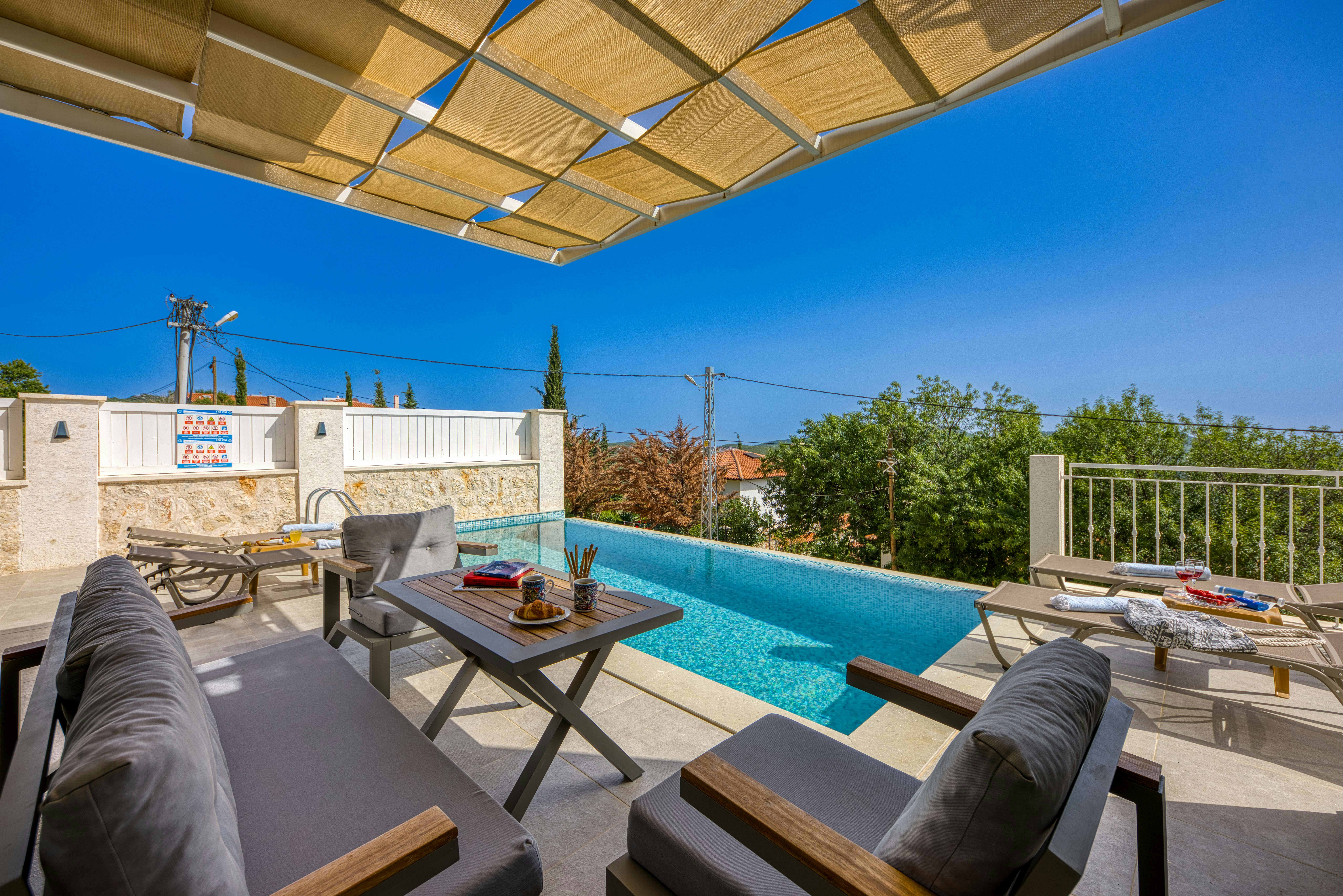
Relaxing poolside setting with comfortable seating and ocean view under a shaded pergola.

3. Filters for Views & Locations: Ocean, Beach, Walkability

For coastal or scenic destinations, location granularity is everything. Instead of just filtering for city or region, we enable more opinionated tags, including:

  • Oceanfront (direct access to beach or water)
  • Ocean View (primary photo must show the view)
  • Walk to Beach (applies a distance tag, e.g., within 10 minutes walk)
  • Neighborhood Collections (East Beach, Downtown, Historic District)

Using PMS tags or Homerunner collections, you can assign micro-locations that make sense in your context, so guests can immediately filter to only the most relevant zones. Honesty here matters—if the view is only from a shared space, make sure the tag is accurate.

A serene tropical villa surrounded by palm trees and a pool at sunset, perfect for relaxation.

4. Filters for Budget: Make Pricing Transparent

No one enjoys mystery pricing. After guests filter by date and group size, price quickly becomes the main lever, especially for longer stays. The most effective pricing filters include:

  • Price range sliders (nightly, or total stay after date selection)
  • Quick preset buttons (e.g., “Under $250/night,” “$250–$400/night”)
  • Real-time display of “from price” per property on results
  • Switch to showing full stay cost when dates are locked

With the right setup, you can create dynamic budget-driven collections:

  • “Pool Homes Under $400/Night”
  • “Group Stays Under $100/Person/Night”
  • “Best Value Near the Beach”

How We Decide Which Filters to Show (and Hide)

Just because your PMS can sync 25 attributes, doesn’t mean you should display all of them. Here’s our proven three-step approach:

  1. Audit guest behaviors—see which filters are already getting clicks in your analytics dashboard and PMS.
  2. Simplify the defaults—”Where,” “Dates,” “Guests,” “Price Range,” “Bedrooms,” “Pool,” and “Ocean View” usually cover 80% of what you need.
  3. Promote opinionated collections—instead of crowding the interface, link to pre-filtered landing pages for popular journeys (family stays with pools, group retreats, etc.).

For example, with a mid-sized beach rental company, we might show: “Where + Dates + Guests” as the primary options, then let bedrooms, bathrooms, pools, and ocean view live in an expandable drawer for power users.

Real Filter Setups for Different Operators

Operator With 10 Coastal Homes (Starter Plan)

  • Default filters: Where (Beach Town), Dates, Guests
  • Advanced: Bedrooms, Bathrooms, Pool, Waterfront, Pet Friendly, Price
  • Collections to promote: Oceanfront Homes, Family Pool Homes, Pet Friendly

Setup time? Usually under an hour from PMS connection to live, clickable filters—no site rebuild, just configuration.

Regional Manager With 150 Properties (Pro Plan)

  • Main search bar: Where (supports cities and neighborhoods), Dates, Guests
  • Always visible filters: Bedrooms, Bathrooms, Price Range, Pool, Ocean View, Pet Friendly
  • Advanced options in drawer: Hot Tub, Fire Pit, EV Charger, Walk to Beach, Work Desk
  • Strategic collections: “Oceanfront & Ocean View”, “Group Stays 10+”, “Under $300/Night”

With advanced collection management, you can even split a single PMS inventory into several branded microsites, each with their own custom filter defaults.

UX Details That Make Filters Work

  • Keep the search path linear—don’t force guests to configure every filter at once. Let them start broad, then narrow as needed.
  • Active filters should be obvious—show them as chips that can be easily removed with one click.
  • Guard against dead ends—display “number of properties found” live, and suggest removing filters if no matches are available.

All of these are patterns we’ve built directly into HomeRunner’s UI, optimized for both desktop and mobile. If you want more design guidance, check our post 9 UX Fixes That Lift Conversion.

Using Data to Continuously Refine Filters

Filters are never “set-and-forget.” We use a mix of PMS reports and our business intelligence dashboard to keep iterating. Metrics to track:

  • Filter usage rate (do guests actually use advanced options, or are some wasted space?)
  • Conversion rates by filter combo (e.g., “Pool + Ocean View + 3 Bedrooms”).
  • Occupancy and ADR by amenity or location (does “pool” really yield a revenue premium?)

Real-time data can inform decisions to simplify, promote new filter combos, or launch themed collections that actually convert. For more on analytics, see our guide How to Leverage Real-Time Analytics for Revenue Growth.

Step-by-Step Checklist: Launch Filters Guests Actually Use

Week 1: Audit Your Inventory

  • Pull a list of amenities, bed and bath counts, and locations from your PMS.
  • Identify which attributes meaningfully differentiate your homes (e.g., Pools, Waterfront, 4+ Bedrooms)

Week 2: Configure Your Booking Engine

  • Connect your PMS to your booking platform
  • Set your default filters: Where, Dates, Guests
  • Add visible options for Price, Bedrooms, Pool, Ocean View, Pet Friendly
  • Move less-used filters to an expandable “All Filters” drawer

Week 3: Curate Property Collections

  • “Pool Homes Under $400/Night”
  • “Oceanfront Villas for 8+”
  • “Pet Friendly Near the Beach”

Week 4: Track and Refine

  • Review analytics on filter usage and conversion
  • Promote the most successful collections more aggressively
  • Remove or demote filters that get minimal engagement

Final Thoughts: Filters as a Booking Engine Superpower

We’ve learned that guests don’t want a hundred ways to search—they want the confidence to find what matters with the least effort. Whether it’s that private pool, ocean view, easy group accommodation, or a price that makes sense for their budget, dial in your filters, sync your data reliably, and keep iterating.

If you’re ready to take control of your booking experience, ship high-converting filters now, and avoid rebuilding your website, learn more about our approach at HomeRunner. And for those looking to go deeper, check out our internal guide on custom property collections—a perfect next step to turn your filter strategy into real revenue growth.

12 Booking Engine Wins That Push You Into the Top 3 (Without Rebuilding Your Site)

If you manage vacation rentals on a WordPress website, you probably know the pain of watching guests browse—and bounce—before completing a booking. The idea of completely rebuilding your site to lift conversions or look more professional can sound daunting (and expensive). Good news: you do not need to overhaul everything. Drawing from our deep involvement in building and evolving direct booking tech like HomeRunner, we’re sharing twelve booking engine wins that can catapult you into the top 3 results—without a costly site rebuild. Let’s get right into the strategies we’ve seen move the needle most for property managers and agencies alike.

1. Real-Time PMS Sync: No More Outdated Calendars

Guests will not tolerate friction—especially around availability. A booking engine that syncs in real-time with your Property Management System (PMS) ensures instant updates for rates and calendars. This eliminates embarrassing double bookings, builds trust, and removes hesitation in the booking funnel.

  • Makes your calendar always accurate, reducing customer service headaches.
  • Less risk of negative reviews due to overbooking or pricing errors.

2. Frictionless Professional Checkout (Built for Conversion)

Any delay or confusion in your checkout flow increases abandonment. A well-designed, step-by-step booking form with clear progress indicators keeps guests moving forward. We find a checkout process integrated seamlessly with the PMS’s payment gateway (or modern alternatives like Stripe and PayPal) removes anxiety and gets more completed reservations.

  • Guests complete bookings without popups, redirects, or laggy performance.
  • Modern guest expectations are set by e-commerce—your flow should match that standard.

A top view of travel planning essentials on a laptop with a map, credit cards, and a magazine.

3. Advanced Multi-Property Search & Filtering

With modern booking engines, you can provide guests the ability to search by more than just dates and destination. Filter by bedrooms, amenities, neighborhood, price range, and custom attributes. This isn’t just about aesthetics: guiding guests to their perfect property faster improves user satisfaction and booking conversion rates.

  • Reduce overwhelm by helping guests quickly zero in on options that fit their needs.
  • Customizable filters fit unique inventory (luxury only, pet-friendly, pools, etc).

Learn more on optimizing the booking journey in our Vacation Rental Booking Flow Playbook.

4. Mobile-First Design: Don’t Lose Smartphone Bookers

More than half of direct booking sessions now start on mobile. Your booking experience should be obsessively designed so every filter, property display, and checkout field is touch-friendly and visually clear at any screen size. Test the whole flow on both iOS and Android devices regularly.

  • Responsive layouts and touch-optimized buttons are not optional—they are required by guests.

If you missed it, read our guide on why mobile-first design matters and how to achieve it.

5. Indexable Property Pages (SEO-Friendly Booking)

Each property should have its own SEO-optimized page, fully hosted on your domain. That way, Google can index your inventory and send you free organic leads. Unified design and flexible content blocks allow you to tell a compelling story for each listing—something the major platforms cannot do for you.

  • Let guests discover you directly from search, not just from listing sites.
  • Property details, local insights, reviews, and unique selling points all build trust here.

For further strategies, check our SEO playbook featuring title tag and meta strategies for vacation rental websites.

6. Custom Property Collections and Grouping

Trend-driven travelers love curated experiences. With custom property collections, you can instantly create “Pet-Friendly Escapes,” “Luxury Lakeviews,” or “Family Getaways”—all with unique branding, content, and filters. This flexible organization can often be set up in minutes with the right engine, unlocking targeted campaigns and seasonality packages without messy code.

  • Give guests visual clarity and inspiration for group trips, corporate stays, or themed holidays.
  • Data-backed collections can address demand spikes or new market segments.

We go deep on themed collections in our guide, How to Create Custom Property Collections.

7. Automated Discount Codes and Dynamic Pricing Display

Without interrupting your workflow, the ability to push discounts or dynamic pricing—driven from your PMS or a dedicated engine—nudges fence-sitters to book direct. Modern engines can display strikethrough pricing, flash deals, or seasonal rates tailored to guest search patterns.

  • Last-minute and shoulder season discounts can be shown only when relevant.
  • Discount codes layered into checkout drive urgency and reward repeat guests.

8. Add-Ons & Upsells in the Booking Flow

Increase revenue per stay by offering add-ons like early check-in, pet fees, groceries, or local experiences directly in the booking engine. PMS-integrated upsells keep everything tracked in one place and delight guests, who often want to personalize their trip—but hate searching later for “extras” or calling your team.

  • Streamlines operations because all bookings and add-ons appear in your master dashboard.
  • Grows average booking value with zero extra staff effort.

9. Flexible Payment Gateway Options

If you’ve ever lost a booking due to limited payment options, you know how crucial this is. Modern booking engines work with your PMS to support multiple gateways, including Stripe, PayPal, Authorize.net, Square, and dozens of regional or alternative methods. This broad support means guests can pay in the way that suits them, anywhere in the world.

  • Reduces abandonment by supporting preferred or local payment options.
  • Simplifies accounting and refunds because everything is synced with the PMS.

We have a comprehensive guide on choosing the best payment gateway for vacation rentals if you want to dive deeper.

10. Real-Time Analytics & Conversion Insights

Guessing what’s working is a path to wasted ad spend. An analytics-rich booking engine provides real-time data on traffic, guest search patterns, drop-off points, and conversion rates. This allows you to optimize offers, layouts, and content—sometimes in days rather than months.

  • See which property collections get the most interest (and turn views into stays).
  • AI-powered recommendations and conversion heatmaps can highlight hidden opportunities to improve.

For more, read our breakdown on real-time analytics for growth.

11. Customizable Price and Fee Presentation

We’ve seen firsthand how transparent, customizable fee breakdowns cut guest friction. A booking engine that lets you surface rates, discounts, taxes, cleaning fees, and add-ons clearly (and in local currency) removes surprises. It’s a small detail that builds trust and reduces pre-arrival angst.

  • Showcase your fair pricing policy—no hidden fees or gotchas on the final booking step.
  • Customize display to align with brand tone or property type as needed.

A woman enjoying leisure time using her smartphone and laptop in a cozy living room.

12. Setup in Minutes, Not Weeks—No Site Rebuild Required

Historically, the idea of adding professional booking capabilities meant stressful scopes, dev time, and migrating content. Today, if you’re on WordPress, you can add a modern engine to any website theme. Most advanced solutions sync with your PMS and offer instant onboarding, lasting independence, and freedom from channel dependence—without touching your core website or brand.

  • Risk-free onboarding with staging and unlimited help—no fees until bookings go live.
  • Future-proofing: your booking engine stays stable even if you later switch PMS providers.

For a fast track, check our step-by-step direct booking launch guide.

Bringing It Together: Your Booking Engine is Your Brand

As operators ourselves, we’ve learned that guests judge the quality of your stays from the very first click. If the booking process feels professional, transparent, and guest-centric, you start building trust—and loyalty—before they ever check-in. The real win of these improvements? You capture more direct bookings, reduce OTA dependence, and stay in control of your business trajectory.

Want more direct booking strategies tailored to your unique situation? The team at HomeRunner is ready to help you modernize your booking engine, boost conversions, and take your WordPress vacation rental site to the next level—all without a messy rebuild.

WordPress + PMS: The Step‑by‑Step Playbook to Launch a Direct Booking Engine in 30 Minutes

Are you ready to power up your vacation rental business by letting your WordPress website take direct bookings—fully integrated with your PMS and live in just 30 minutes? We’ve helped rental operators at all scales do exactly this, and we want to give you the real, practical walkthrough based on what actually works (and what doesn’t) in 2025. Our unique vantage point comes from serving everyone from five-property startups to 300+ property brands, and our insider playbook boils everything down to clear, confident steps.

Why Pair WordPress with PMS Integration? (And Why It Actually Works)

Direct bookings mean more control, better margins, and a closer relationship with your guests, but there’s one hard truth: most platforms and generic plugins add friction, not freedom. We chose WordPress because it gives us long-term control, fast SEO performance, and lets us own our branding — not someone else’s.

The other half of the equation is your Property Management System (PMS). It keeps pricing, availability, guest data, and operations flowing smoothly. Instead of juggling disconnected systems, you want a setup where the booking engine acts as the bridge, syncing everything in real time and keeping your original workflows intact.

  • WordPress manages your digital presence
  • Your PMS (like Hostfully, Guesty Pro, Hostaway, Hospitable, OwnerRez, or Lodgify) stays in charge of property operations
  • Your direct booking engine (like HomeRunner) sits in between, pulling data in, pushing bookings out, and syncing instantly

This is not just theory — we’ve seen hundreds of operators go live in half an hour with this structure, no rebuilds or technical headaches required.

A close-up of a hotel check-in process with a smartphone and card transaction at the reception desk.

The 30-Minute Direct Booking Engine Setup—Step by Step

Step 1: Get Your WordPress Website Ready

If you already have a WordPress site, skip ahead. If not, here’s the ultra-quick setup:

  • Choose a memorable, relevant domain name. Simple, short, and clearly tied to your brand works best.
  • Select managed WordPress hosting. Fast, secure hosting is critical for guest trust. Look for options that make WordPress installation a single click.
  • Install your theme. Don’t feel locked into so-called ‘vacation rental’ themes—lightweight and clean themes like Astra, GeneratePress, or Neve make your booking engine load lightning fast on any device.

If you’d like specific tips on themes and page speed, check out our internal guide on mobile-first vacation rental site design, which is packed with actionable strategies to maximize conversions.

Step 2: Connect Your PMS to Your Direct Booking Engine

This is where the magic happens. Once your website foundation is in place, you’ll want to connect it to your PMS (provided it’s one of the leading systems listed above). Here’s how:

  • Grab your PMS API credentials (these are usually found in your PMS’s API or developer section)
  • Head to your direct booking engine’s integration page and paste in those credentials
  • Within seconds, your listings, rates, rules, calendars, and property content sync over—no manual copying, ever again

What’s especially valuable here is the instant two-way sync: guests see exactly what’s available, pricing always matches your PMS, and any direct booking instantly appears in your main calendar. No more double bookings, no data loss, and no channel friction.

Step 3: Add the Booking Engine to Your WordPress Site

This step is much easier than people expect. Instead of wrestling with clunky plugins or rebuilding your website, you:

  • Receive a secure embed code (typically JavaScript) from your booking engine provider
  • Paste it into the page (or pages) where you want direct bookings to happen — often your homepage and dedicated property pages
  • Hit publish, and watch the booking engine appear seamlessly, styled to match your current site design

The best part? There’s no impact on your existing WordPress theme, plugins, or SEO. Everything stays intact, and all new booking data flows smoothly to and from your PMS in real time.

A soft-lit hotel room entrance, welcoming guests with luxury appeal and comfort.

Step 4: Configure Payments (and Avoid Common Traps)

Fast, secure payments are where many direct booking projects fall flat. With a PMS-integrated booking engine, you get two options:

  • Use your PMS’s default payment gateway. This keeps reporting and payouts simple and consistent.
  • Connect an external payment gateway: If you need distinct options (or operate internationally), most advanced solutions support Stripe, PayPal, Square, Authorize.net, and several other providers. Setup takes just a minute with API keys.

For an in-depth walkthrough of payment gateway choices, visit our dedicated payment gateway guide.

Step 5: Test and Launch—The Non-Negotiables

Before inviting real guests, it’s essential to go through every possible booking scenario. This means:

  • Searching across date ranges and property types
  • Checking property photos, availability, and final price calculations
  • Completing a test booking to ensure confirmation emails, calendar updates, and payment flows all connect without errors

Keep an eye on mobile performance, too. We recommend using your own phone as most guests will. For more on why mobile booking UX matters, our piece on improving vacation rental booking flows is a must-read.

Step 6: Promote and Optimize for Scale

Going live is just the start. Getting guests to actually book means amplifying your direct channel across every available space. We’ve seen the best results from:

  • Adding “Book Direct” calls-to-action in all guest communication — emails, SMS, WhatsApp, and digital guides
  • Highlighting exclusive perks for direct bookings, like flexible check-in, best-rate guarantees, or free early check-outs
  • Investing in blog content on local guides, attractions, and property showcases, which boost SEO (having your booking engine embedded on your domain helps Google see and rank each property page higher)

We documented many of these strategies in our guide on driving more bookings from your vacation rental website.

A concierge stands at a hotel reception desk under ambient lighting, ready to assist guests.

Extra Tips: Avoiding the Mistakes That Trip Up Most Operators

  • Don’t neglect mobile experience: Well over half of guests browse and book from their phones. Test everything on real devices, not just desktop.
  • Keep pricing consistent across OTAs and your website. If you list higher prices on one, guests will notice and trust both less.
  • Make “Book Now” buttons prominent and frictionless. Every extra click or required field can mean a lost booking.
  • Audit your content regularly: Blogs, FAQ, and About pages build SEO authority and trust, but only if they’re updated and relevant.
  • Track your analytics: Use your booking engine’s dashboard to monitor where drop-offs happen, what dates get searched, and which property features attract clicks or bookings.

Scaling Further: Custom Collections, Analytics, and Multibrand Power

Once the basics are live, it’s time to use your new booking platform’s advanced features. Through PMS-integrated engines like HomeRunner, you can:

  • Organize properties in themed or location-based collections (great for targeting specific guest segments or running multiple brands from a single PMS)
  • Segment inventory so you can run niche micro-sites for luxury, extended stay, or seasonal campaigns
  • Leverage analytics dashboards to see revenue trends, guest search behavior, and real-time performance without needing an outside BI tool

Want tips on making the most of these features? We’ve detailed them in our post on property collection strategies.

Checklist: What You Need to Get Started

  • A WordPress website (already live, or set up via a reliable host)
  • An active PMS account (Hostfully, Guesty Pro, etc.)
  • API credentials from your PMS
  • The code snippet or integration module from your booking engine platform
  • Your preferred payment gateway credentials (if using an external option)
  • Access to site admin to make changes quickly

Financial Perspective: Direct Bookings Boost the Bottom Line

It’s tempting to see all this as just a technical project, but the real value is strategic and financial. Every booking that comes direct (rather than via an OTA) saves you the 15-25% commission from Airbnb or Vrbo. Even with processing fees and subscription costs, the profit difference compounds quickly over months and years.

If you’re moving from 0 to just 10 direct bookings a month at $1,500 per stay, you’re easily pocketing an extra ~$1,700 monthly compared to OTA-only approaches. For larger portfolios, these numbers get even more impressive.

Final Thoughts—and Your Next Step

Launching your direct booking engine on WordPress with seamless PMS integration can be done in just 30 minutes, supported by clear workflows, real-time data sync, and zero need to rip out your current site or operational stack. By focusing on the steps above—and avoiding the common pitfalls—we’ve watched many property managers go from marketplace dependence to true owner-controlled independence almost overnight.

Ready to experience what a professional direct booking engine can do for your vacation rental business? There’s no fee until you’re live, and our white-glove setup team is ready to walk you through every step. For tailored help or to see examples, explore HomeRunner and let’s build something that delivers direct bookings, your way.

HomeRunner vs WordPress Booking Plugins: Why an Independent Engine Wins for Direct Bookings

Booking technology is at the heart of every successful vacation rental business, but the landscape has changed dramatically. As we guide our industry toward more profitable, scalable, and independent operations, we’ve found that the choice between WordPress booking plugins and an independent engine like HomeRunner isn’t just a technical issue—it’s truly a business-defining moment.

Understanding the Two Booking Approaches: Plugin vs. Independent Engine

For years, vacation rental operators looked to WordPress plugins to quickly enable online bookings. Plugins can certainly get you started, but as you grow, their limitations can become apparent. By comparison, independent engines sit on top of your website and directly connect to your Property Management System (PMS), creating a synchronized, seamless workflow that’s built for scale.

The WordPress Plugin Experience

Plugins are often picked for convenience, fast installation, and apparent affordability. You install them, configure a few settings, and you’re accepting bookings. But this first impression isn’t the full story, especially as your business evolves.

  • Manual Data Entry: Most plugins require manual input for properties, prices, and availability. If your PMS changes something, you need to update your site too—doubling your work and opening the door to costly errors.
  • Basic or Delayed Syncing: Some plugins claim PMS integration, but often it’s through basic calendar sync or limited APIs that lag behind real-time updates. This can lead to double bookings and headaches for both guests and operators.
  • Theme and Plugin Dependencies: The more plugins you add, the more fragile your website becomes. Updates, theme changes, or new requirements can break your booking flow, affecting guest experience.
  • Scaling Challenges: Plugins may handle 5 or 10 properties well, but growing to 20, 50, or 100 listings? You quickly run into walls: clunky interfaces, limited reporting, and escalating maintenance costs.
  • Limited Reporting: Most plugins produce simple guest lists or booking summaries. True business analytics—who’s booking, when, at what price point, and why—just aren’t available.

The result: operators end up managing multiple, disconnected systems and risk losing direct bookings because of friction or outdated information.

A couple using a laptop at a cozy restaurant with festive bokeh lights, enjoying online shopping together.

Independent Engine: HomeRunner’s Approach

We built HomeRunner after seeing these plug-in shortcomings firsthand. Our goal was simple: enable direct bookings that scale with your ambitions, from 5 to 5000+ properties, without ever rebuilding your website or sacrificing control.

  • True PMS Integration in Real Time: HomeRunner connects to your PMS (Hostfully, Guesty Pro, Hostaway, Hospitable, OwnerRez, Lodgify, and more) via a secure two-way API. When you update rates, calendars, or settings in your PMS, they instantly reflect on your website. This nearly eliminates double-bookings and tedious manual syncs.
  • Seamless Website Independence: Because HomeRunner isn’t a plugin tied to your WordPress theme, you gain the freedom to update your website design, functionality, or even move platforms—and your booking system remains untouched and reliable.
  • Multi-Property Management at Scale: Our platform powers over 4,000 properties and 100+ live vacation rental sites. You can run multiple branded websites too, all mapped to a single PMS account. Organize properties by theme, location, or brand, and spotlight premium homes however you need.
  • Business Intelligence at Your Fingertips: Our dashboard does more than report bookings. It delivers real-time performance analytics, guest search patterns, AI-powered recommendations to boost conversion, and custom reporting. These features empower you to make decisions that maximize revenue.
  • Professional Checkout and Flexible Payments: Guests experience frictionless checkout, with full support for the payment gateways you already use via your PMS—or 40+ additional gateways (Stripe, PayPal, Square, Authorize.net, and more) tailored to your market.
  • No Website Rebuild Required: Getting started is as easy as adding a code snippet to your current site; most teams go live in under 30 minutes. No downtime, no lost bookings, no expensive redevelopments.

Advanced Features That Make a Difference

  • Custom property collections to group by theme, region, or audience
  • Hotel-style / multi-unit support if your PMS supports it
  • Inventory segmentation—serve multiple websites from a single PMS feed
  • Enterprise security and PCI-compliant payments, helping protect guest data

Smiling teenager using a tablet at his desk for online learning at home.

Comparing Core Capabilities: Table View

Feature WordPress Booking Plugin HomeRunner
Real-time PMS Sync Partial or manual Full, instant two-way
Multi-property management Basic Enterprise-grade (hundreds/thousands of units)
Custom collections Limited Yes
Multiple branded sites Requires multiple installs One PMS, unlimited brands
Checkout experience Standard Optimized by design experts
Business analytics Simple reports Advanced analytics, AI, reporting
Payment flexibility Few gateways 40+ gateways, supports region-specific needs
Setup time 2–4 hours (plus troubleshooting) Approx. 30 minutes
Requires site rebuild? Often yes, with theme changes Never

The Real World Impact: Beyond Feature Lists

In our experience, the true pain of plugins is revealed when a guest tries to book, finds old availability, or abandons checkout because the process looks outdated or feels insecure. Every drop-off is lost income—and those hidden costs can add up to thousands per year even for smaller operators.

HomeRunner is intentionally designed to solve these specific, high-impact problems. For example, when Nice Stay NYC shifted from marketplace reliance to our engine, they were able to adopt a fully independent strategy, recouping commissions and reducing admin time. This control is transformative not only for conversion rates, but also for peace of mind and long-term growth.

When Plugins Still Make Sense (and When They Don’t)

A WordPress plugin can do the job if you:

  • Operate 5 or fewer properties with simple requirements
  • Don’t plan to scale beyond that number
  • Only need a basic website for part-time operations or local bookings

But if you’re managing multiple properties, require accurate real-time sync, want advanced reporting, or simply don’t want the hassle of manual work and double bookings, an independent engine is often the right call.

Setting Up the Independent Engine: How It Works

Switching to HomeRunner is straightforward and focused on minimizing friction:

  1. Sign up and connect your PMS securely
  2. Drop the HomeRunner code snippet onto your WordPress site (in header or footer)
  3. Customize your search filters, display, and checkout settings in our dashboard
  4. Test and go live—with our white-glove support team if you need us

You’re not locked into contracts, and there’s no upfront cost until you’re accepting real, commission-free bookings. Whether you want to test with a single collection or overhaul your entire direct booking strategy, the process is designed to let you work at your pace while avoiding technical headaches.

The Bottom Line: Owning Your Success

After seeing what’s worked across over a hundred live vacation rental sites, our team believes direct booking independence isn’t about bells and whistles—it’s about building trust with your guests and maintaining control over your business future. With an independent booking engine like HomeRunner, you gain the power to adapt, scale, and optimize every aspect of your guest experience and operations, while still leveraging the flexibility and reach of WordPress.

If you’re ready to deepen your understanding of conversion, trust, and UX strategies for your direct booking flow, check out our other resource: The Vacation Rental Booking Flow Playbook: 9 UX Fixes That Lift Conversion Without Rebuilding Your Site.

When it’s time to break free from plugins and take full command of your direct booking future, you can always explore HomeRunner in detail or schedule a demo with us. Experience for yourself how true booking independence can transform your business—and your bottom line.

HomeRunner Reviews, Pricing, and Live Demos: Is the Independent Booking Engine Right for You?

Managing a vacation rental business today means balancing the desire for independence with the need for professional tools that don’t tie your hands. We know the frustration: relying on listing platforms with high commissions, feeling limited by your PMS’s direct booking features, or worrying that customizing your website will mean endless rebuilds and headaches. That’s the landscape that motivated us to build HomeRunner—and from countless conversations with property managers and web agencies, we hear similar themes echoed over and over.

What Makes HomeRunner Different?

At the core, HomeRunner is not just a booking engine. It’s your tool for gaining full control over your direct booking experience—all without having to leave your trusted PMS or rebuild your website. Here’s what makes our approach stand out:

  • Seamless PMS Integration: HomeRunner works alongside your PMS, bringing property data, rates, and bookings into perfect sync. Supported PMSs include Hostfully, Guesty Pro, Hostaway, Hospitable, OwnerRez, and Lodgify. This means your back office and direct booking website always match in real time.
  • WordPress-Native: We believe operators deserve to own their brand and data. HomeRunner turns any WordPress site into a professional booking platform—no plugin headaches, no demanding theme changes. Your site, your look, your way.
  • Independence with Scale: Whether you’re managing five cozy cabins or overseeing hundreds of urban apartments, you get enterprise-grade capabilities—without being stuck in one vendor’s walled garden.
  • No Rebuilds, No Lock-In: Already have a WordPress site and a PMS you like? Add HomeRunner with a simple integration. Need to switch PMSs in the future? No problem—the booking layer stays stable through the transition.

Charming beachfront cabins overlook a serene beach and calm waters at dusk, perfect for a tranquil vacation.

The Experience in Practice: Real User Feedback

We take pride in the direct feedback from our partners and clients. Many mention how HomeRunner has empowered them to reduce marketplace dependency and increase revenue through commission-free direct bookings. For instance, Nice Stay NYC credits their HomeRunner-powered site for enabling a partial break from online marketplaces. We hear time and again from operators who appreciate:

  • Fast, guided onboarding—many are live in about 30 minutes
  • Stable integration and real-time updates, avoiding double bookings or outdated pricing
  • Support that feels personal—not just a ticket system
  • Easy scalability as their businesses grow, including support for multi-unit and hospitality setups

Our own experience mirrors these benefits: as demand surges and operators expand their presence, having a reliable, customizable booking engine that sits comfortably alongside their PMS makes all the difference.

Who is HomeRunner Built For?

We see HomeRunner serving four main audiences:

  • Independent hosts aiming for more professional direct bookings
  • Growing property managers with 15-50+ listings
  • Multi-location operators running hundreds of homes, often across brands or geographies
  • Web agencies building modern booking sites for clients

If you’re seeking to grow direct business without sacrificing flexibility or undergoing a website overhaul, HomeRunner fits right in. Conversely, if you want an all-in-one solution that replaces your PMS, we may not be the best fit. We believe in doing one thing masterfully: making your direct channel as powerful as your biggest OTA but built for your unique approach.

Cozy wooden cabins nestled in a lush forest, perfect for a rural vacation.

Transparent Pricing: Plans that Actually Make Sense

Pricing shouldn’t feel complicated. That’s why all plans are based on property count—no commissions, no hidden setup fees, and no contracts. Here’s how it breaks down:

Starter Plan (Up to 15 Listings)

  • Up to 5 properties: $45/month
  • Up to 15 properties: $95/month

Perfect for small portfolios and operators just starting with direct booking.

Pro Plan (Professional Control for Larger Operators)

  • Up to 25 listings: $175/month
  • Up to 50 listings: $295/month
  • Up to 100 properties: $425/month
  • Up to 150 properties: $575/month
  • Up to 250 properties: $795/month
  • Up to 300 properties: $895/month
  • 300+ properties: Custom quote

Included are advanced customization, business intelligence dashboards, property grouping, and real-time PMS integration across the board.

Hospitality Plan (Room-Based Operations)

  • Up to 10 listings + 100 rooms: $295/month
  • Up to 25 listings + 250 rooms: $495/month
  • Each extra 25 rooms: +$25/month

This plan is ideal for hotels, lodges, or resorts where a single listing might represent many bookable rooms of the same type.

All Plans Include:

  • No fees until you’re live
  • Unlimited onboarding help
  • Real-time PMS sync
  • Professional checkout and secure payments (through PMS or external gateway)
  • Business intelligence dashboards
  • Flexible property collections and advanced search filters

What Features Actually Matter?

As operators ourselves, we’ve been relentless about building only features that truly drive conversion, reduce admin headaches, and offer real control. Here’s what you can expect in depth:

1. Advanced Multi-Property Search & Filtering

  • Guests search by property type, bedrooms, bathrooms, amenities, price, location, and more—customizable down to your business’s needs.
  • Create your own collections: luxury, pet-friendly, market-specific, or seasonal specials. This flexibility is core if you run multiple brands or want to highlight certain segments (see more in how custom property collections increase bookings).

2. Real-Time Availability and Pricing Synchronization

  • Your website reflects availability, rates, and restrictions in real time, straight from your PMS. No manual updates or double bookings.

3. Professional, Mobile-First Booking UX

  • Streamlined checkout and guest journey boost trust and reduce friction (we’ve published an in-depth playbook on conversion-boosting UX tweaks if you want to go deeper).

4. Payment Processing Flexibility

  • Process payments through your PMS’s gateway for maximum efficiency, compliance, and streamlined reconciliation. If you prefer or need external gateways like Stripe, PayPal, Square, or region-specific options, HomeRunner supports dozens, including crypto and BNPL solutions (learn more in our secure payments guide).

5. Business Intelligence & Reporting

  • Built-in dashboards show live performance, revenue, guest search trends, and booking behavior with actionable insights—no more guessing why guests aren’t converting.
  • AI-driven suggestions help you take quick action when opportunity knocks.

6. Scalability (from 5 to 500+ properties)

  • Whether you’re branching into new markets, merging brands, or just growing, your booking platform scales with you. You can organize properties by brand, location, or theme—all managed centrally from one PMS connection.
  • Operators running hotel-style, multi-unit inventory will find support for automatic unit assignments and room-type pricing, as long as your PMS allows.

7. Customization Without Code

  • Tweak search filters, highlight specific features, set up custom pricing displays, and adjust the guest journey—all without needing expensive web development.
  • For agencies, deliver professional-grade booking solutions to clients without custom builds.

Setup: From Zero to Bookings in 30 Minutes

Getting started is refreshingly simple:

  1. Sign Up and Connect PMS—Authorize your PMS securely and instantly share your inventory, rates, and booking rules. No passwords stored or shared.
  2. Add HomeRunner to Your Site—Just drop our code snippet into your WordPress site. No plugins, no theme locks.
  3. Go Live—Customize your display, set your booking preferences, and flip the switch. Our support takes you from test to live, with help for any unique scenarios.

If you want more advanced customization, we’re happy to guide you step-by-step, but in most cases, you’ll be ready in less than an hour.

Frequently Asked Questions

  • Does HomeRunner replace my PMS? No. It sits alongside your PMS, relying on its features for all operations, communications, and reporting. You keep your familiar workflows and staff tools.
  • Do I need to rebuild my website? No. As long as you’re on WordPress, add HomeRunner to your existing site, keep your branding, SEO, and page structure intact.
  • What if I switch PMSs? Your direct booking website remains stable during the transition. Just update the PMS credentials, and you’re back in business—no guest disruption, no lost bookings.
  • What about property markets, themes, or brands? HomeRunner lets you operate multiple booking sites, each with unique branding, collection, and pricing rules, all syncing with a single PMS. Perfect for market expansion or niche branding.
  • Is there an all-in-one solution? If you’re looking for a PMS plus booking engine combined, HomeRunner isn’t that. We’re purposely focused on direct booking excellence for those who want to keep PMS choice open.

How We Use HomeRunner (and What We’ve Learned)

As a team that operates in the vacation rental space and collaborates with agencies, we use HomeRunner ourselves. Here’s what makes us confident in this approach:

  • We’ve migrated operators of all sizes onto our platform, and the most common “aha moment” is seeing bookings come in faster and with less friction—without needing lengthy training or complex migrations.
  • Property managers mention the reliability of integrations as a game-changer, especially during busy seasons or when expanding into new locations.
  • Having true control over collections and display drives higher conversion—something our analytics confirm time after time.

Getting More Value From Your Direct Booking Website

Your website is your most important asset outside your inventory. Optimize its performance with:

  • A strong, mobile-first experience (learn why mobile-first matters),
  • Clear and inviting collections,
  • Trust-building checkout flows,
  • And integrated analytics to identify what’s working.

If you want ideas on going deeper, check out our resources on key trends and proven tactics for direct booking growth.

Next Steps: Should You Book a Demo?

If independence, scalability, and a professional guest experience are priorities, we believe HomeRunner offers unmatched value—without locking you in or demanding technical overhauls. Booking a live demo is the fastest way to see if this is right for your business. We’ll review your needs, discuss compatibility with your PMS, show you exactly how the booking flow works, and answer your technical and business questions.

If you’re ready to take the next step or just want to see how it feels in action, visit https://homerunner.io—no strings, no high-pressure sales, just a chance to explore, test, and start building your direct booking independence with confidence.