
If you want customize the default payment behaviour for a connection, like if you want your customer will pay 50% during booking confirmation and other 50% of the payment on checkout, Homerunner has something builtin for you. We call it payment policy. Let me guide you through the process of defining a below payment policy.
Target: User need to pay 50% on booking confirmation, 30% on checkin time, rest of the payment on checkout.
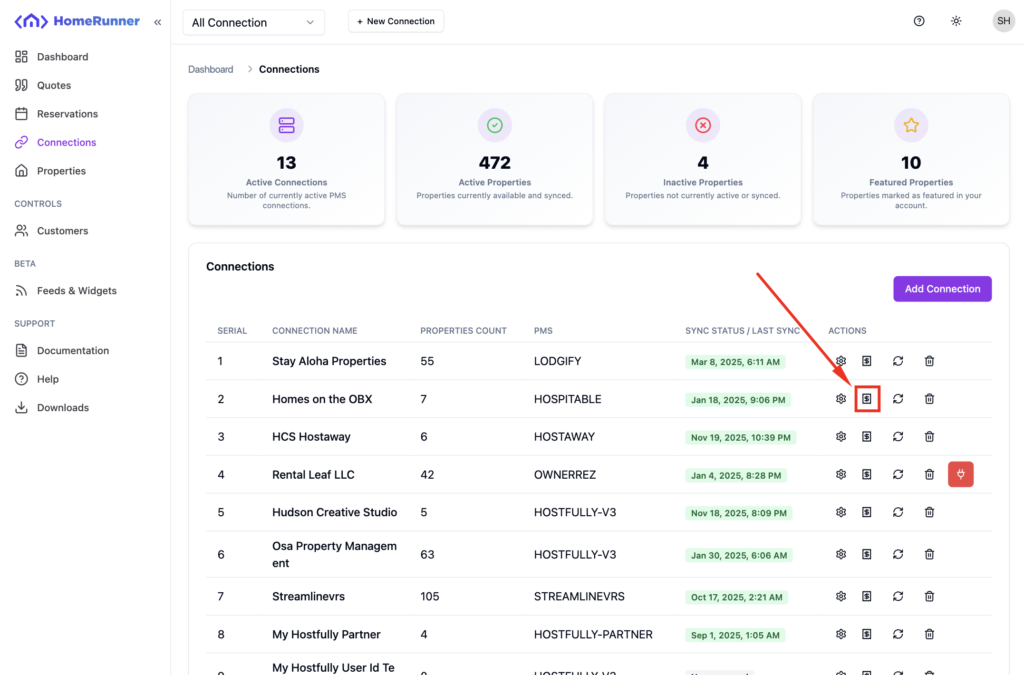
Navigate to the connection listing and click on the icon showed below associated with your specific connection.
On the payment policy listing, you should see something like below.
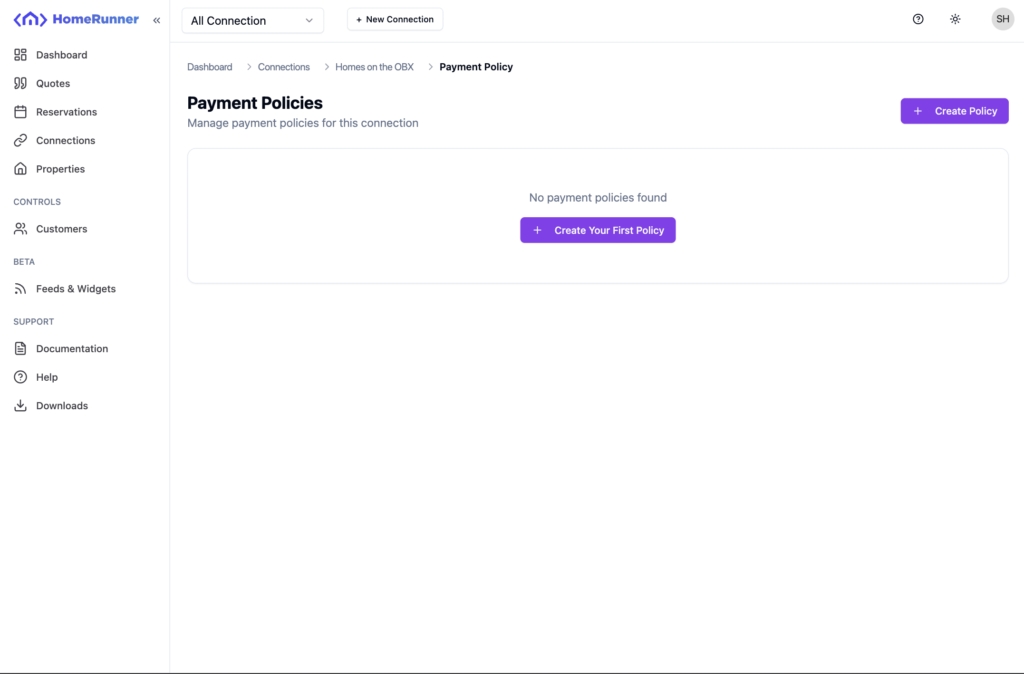
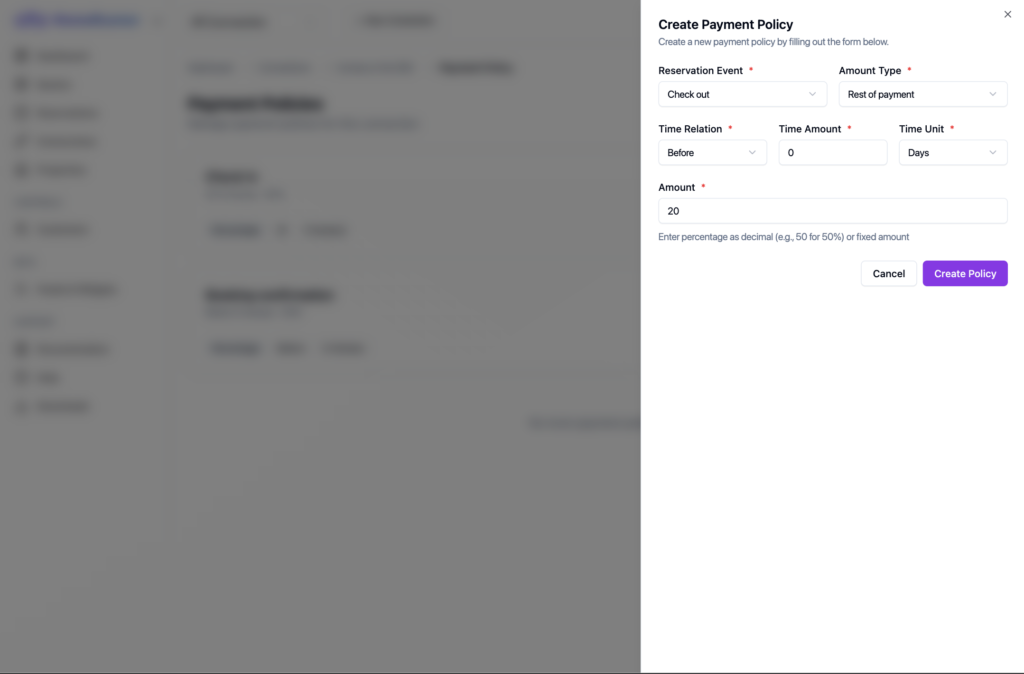
Let’s create our targeted payment policies. Click on Create Policy button. A drawer will slide in from right.
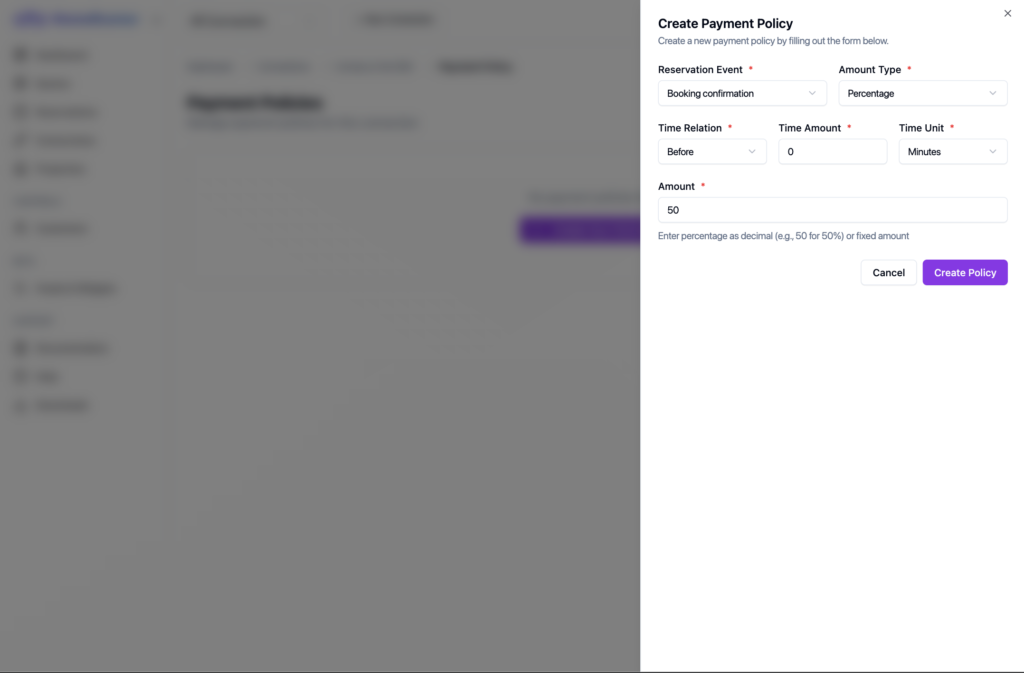
First policy will be: User need to pay 50% before the booking confirmation. See like below.
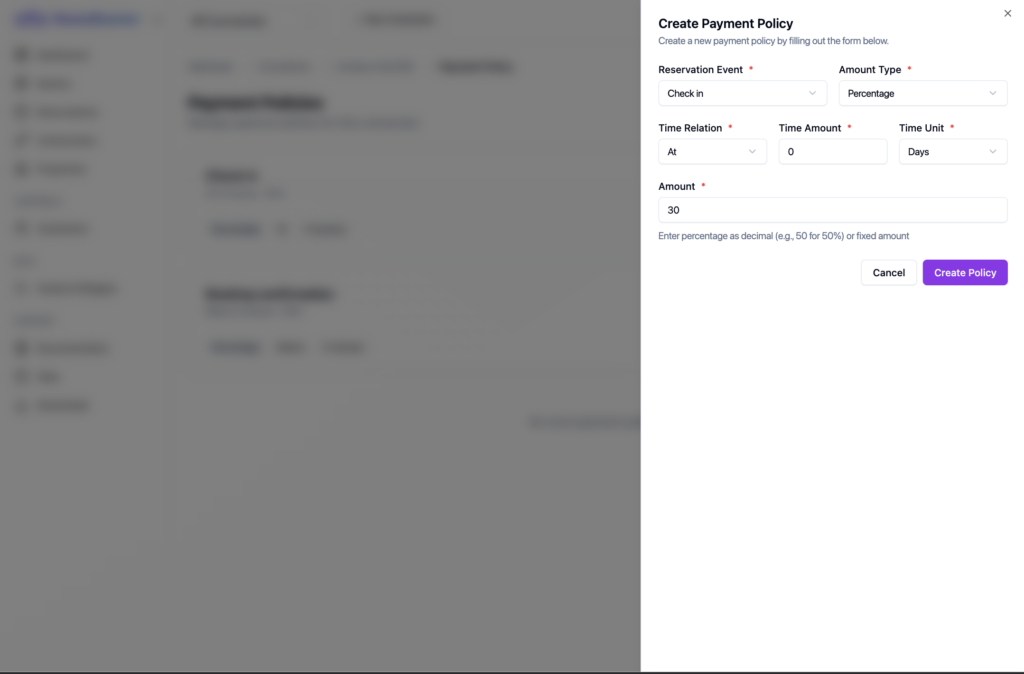
Second policy: User need to pay 30% while checking in. Check below image.
Third policy: User need to pay rest of the payment before checking out.
After creating all of them, you will see those three policies listed.
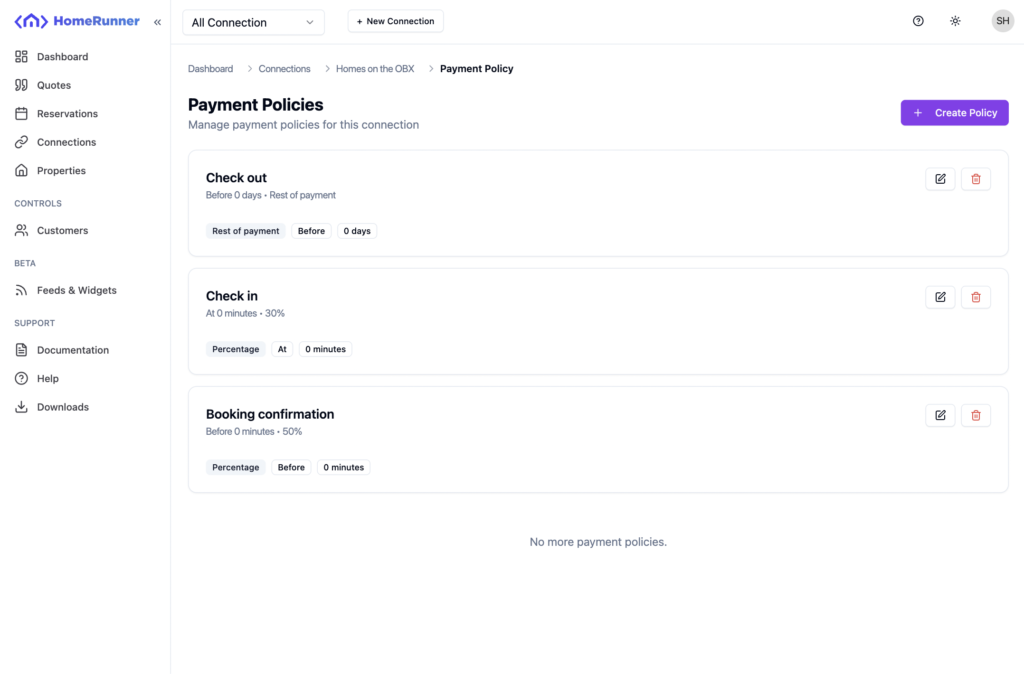
So, now we have a full policy setting for this connection.