
Table of Contents
To create a Boom backed Connection to HomeRunner Central, you need the booking Engine URL which will be used in getting the payment processing url from Boom.
How to obtain the Booking Engine URL #
- Log in to your Boom account.
- From the left sidebar, go to Marketing → Websites.
- You will see a list of Booking Engines available under your account.
- If you do not have a Booking Engine, you will need to create one first.
- If you already have a Booking Engine, click on the engine and copy the Booking Engine URL shown in the engine details.
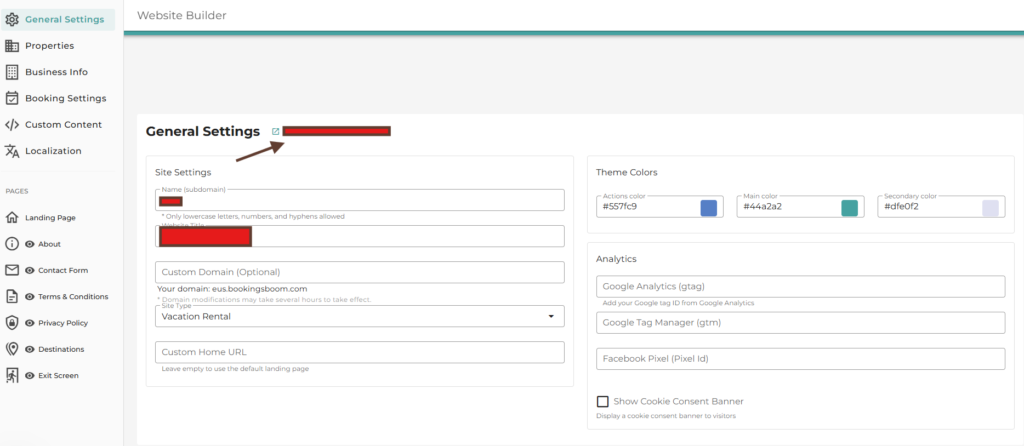
Use this Booking Engine URL when configuring the Boom connection in HomeRunner Central.