Author: HomeRunner

Mobile-First Design for Vacation Rental Websites: Why It Matters and How to Get It Right

Mobile-first design has become a non-negotiable foundation for any vacation rental website that aims to succeed today. The majority of direct booking guests have already shifted their search and booking journeys to mobile devices, and their expectations for seamless usability and instant results are sky-high. At Homerunner, we’ve worked with property managers and web agencies to witness firsthand just how crucial—yet often misunderstood—a truly mobile-first mindset can be for direct booking revenue, SEO, and brand trust.

Close-up of a smartphone with the message 'I Need a Holiday' on the screen.

Why Mobile-First Matters for Vacation Rental Websites

  • Guest behavior is mobile-centric: Whether checking rates on the go or booking last-minute, most travelers today begin—and often finish—their journey right on their phones.
  • SEO & discoverability hinge on mobile: Google now uses mobile versions for ranking and indexing. If your site falls short on a small screen, so does your visibility.
  • Direct booking conversions depend on mobile usability: Slow load times, fiddly calendars, complex forms, or cloudy photo galleries—any of these can lead guests to abandon a handful of taps before checkout, costing you valuable direct bookings.
  • Brand trust is formed on first impression: A seamless, visually rich, and lightning-quick mobile site signals professionalism and care—two qualities that directly influence a guest’s willingness to book direct.

A sophisticated modern living room featuring a chandelier, plush furniture, and elegant decor.

What Is Mobile-First Design?

Mobile-first design flips traditional web building on its head: instead of creating a desktop experience and then trying to squeeze it onto a phone, we start by optimizing for mobile. Every color, tap target, and booking flow must feel effortless on a 6-inch touchscreen.
By planning layouts, forms, photos, and interactions for mobile from the outset, your vacation rental website embodies flexibility—working beautifully and intuitively on any device.

Our Approach: Engineering Direct Booking Success—for Mobile

At Homerunner, we obsess over the details that drive real business results for property managers and web agencies alike. Here’s how we approach mobile-first, with practical steps you can use no matter the scale of your portfolio:

1. Immediate Responsiveness—No Plugins, No Rebuilds

  • True responsive design: From minimum screen widths to high-res tablets, every property page, calendar, and payment flow adapts seamlessly—no side-scrolling, zooming, or squinting required.
  • No code headaches: On any WordPress site, Homerunner integrates directly and securely—eliminating the overhead of plugins or time-consuming rebuilds.

Sunny poolside cabana with striped curtains and loungers next to a swimming pool.

2. Effortless Property Search & Filtering—Tap, Don’t Type

  • Touch-focused filters: Large icons, one-tap filters for amenities, bedrooms, or price—so your ideal guest can explore and book within seconds.
  • Flexible collections: Let web visitors browse properties by collection, location, or custom grouping—a huge win if you market different brands or cater to multiple regions, which you can easily manage within Homerunner’s unified dashboard.

Line of rental bicycles along a palm-lined promenade in Barcelona, Spain, under a clear sky.

3. Speed Is Everything—From Home Page to Checkout Flow

  • Optimized images: Automatically compress all uploaded photos, so each listing loads instantly even in poor network areas (aim for under 200 KB per photo for mobile clarity).
  • Lightning-fast interactions: Instant loading for calendars, rates, and availability—critical for keeping guests engaged and beating the industry’s notorious bounce rates.

4. Simple, Safe Mobile Payments—No Surprises

  • Frictionless mobile checkout: Big input fields, auto-complete integration, and compliance with PCI standards using your PMS’s built-in gateways or supported alternatives like Stripe or PayPal.
  • Consistent guest experience: Payments sync directly with your PMS, ensuring financial transparency and no need to juggle multiple apps or manual entries.

Crop anonymous person showing banknotes with creative passport in hand on beige background

5. Business Intelligence That’s Actually Actionable

  • Real-time insights: Monitor bookings, conversion rates, and guest search trends right in your mobile dashboard—empowering you to make fast, data-driven decisions on the go.
  • Continuous improvement: Because Homerunner surfaces guest behavior (where do they drop out, search, or convert?), you can identify friction points and optimize relentlessly.

8 Detailed Steps to Mobile-First Excellence

  1. Select a mobile-ready booking engine—Homerunner natively supports WordPress sites, sparing you unnecessary web development.
  2. Sync your PMS for instant, reliable data on rates, inventory, and bookings throughout your site.
  3. Structure property collections in ways guests naturally search: by theme, location, or length of stay—then showcase these collections as bold, mobile-friendly callouts on your homepage.
  4. Refine navigation and tap targets: Keep menus simple, tap targets large, and never require horizontal scrolling.
  5. Visual impact with smart image use: Use crisp, well-lit photos of every room, amenity, and exterior view—but ensure fast loading with automatic compression and no slowdowns.
  6. Mobile booking forms designed for speed: Pre-fill dates and guest numbers where possible, cut unnecessary fields, and arrange inputs vertically for the most thumb-friendly experience.
  7. Support secure mobile payments: Leverage your existing PMS payment setups, or add external gateways only when necessary for local preferences and guest trust.
  8. Regular testing & ongoing optimization: Use your own mobile device to book, cancel, and query reservations periodically. Test different devices, screen sizes, and browsers. Use analytics to spot drop-offs and experiment with A/B changes, colors, and CTAs.
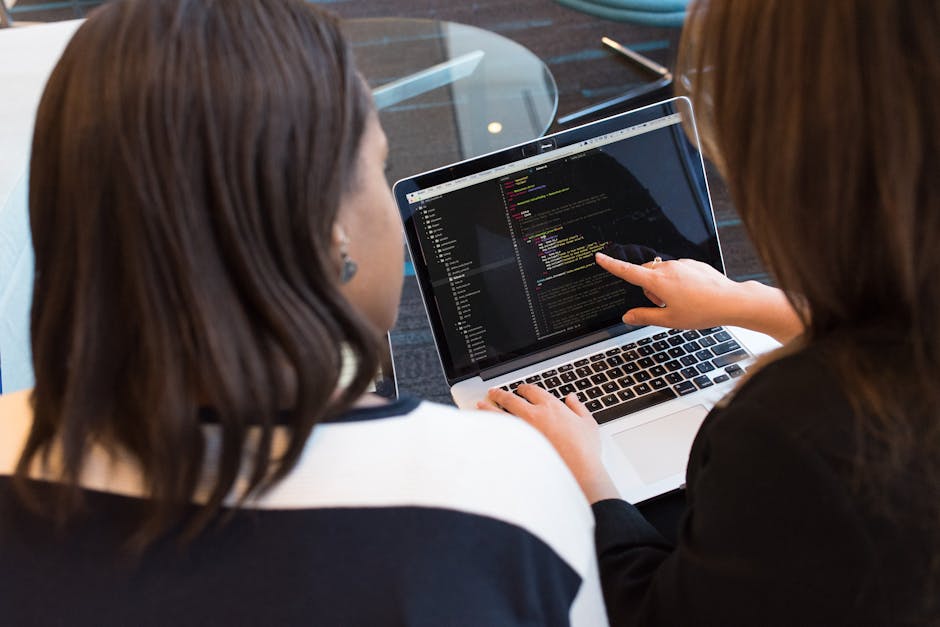
Two women working together on software programming indoors, focusing on code.

Common Pitfalls (and How We Sidestep Them)

  • Pinch-to-zoom navigation: This is a sure sign that your site is not truly mobile-ready. Every major interactive element—from date pickers to search filters—should be comfortably thumb-navigable.
  • Photos that look great on desktop but stall on mobile: Optimize every image for both quality and speed; slow galleries are the #1 culprit in lost bookings.
  • Inconsistent branding or flow between mobile and desktop: Ensure that the entire booking journey feels visually harmonious, from homepage banner to payment confirmation, no matter the device.

Final Thoughts: Let’s Make Mobile-First Your Competitive Advantage

In our years working with independent property managers, dynamic multi-brand operators, and innovative web agencies, one thing is clear: investing in a polished mobile-first experience is no longer a luxury—it’s the ticket to thriving in the vacation rental space.
If you’re ready to elevate your direct booking website for both guests and Google, we’re here to help. Homerunner makes your mobile-first transformation seamless—without disrupting your existing workflows or requiring a costly rebuild.

Curious how you can launch a lightning-fast, guest-winning mobile experience in as little as 30 minutes? Learn more about Homerunner’s approach to mobile-first booking websites. Your guests (and your bottom line) will thank you.


A Complete Guide to Setting Up Secure Online Payments for Vacation Rental Websites

Offering secure online payments is no longer an option—it’s a necessity for vacation rental businesses that want guest confidence, operational efficiency, and the freedom to grow beyond third-party booking platforms. At Homerunner, we’ve watched the vacation rental space evolve, and we know firsthand that building secure, seamless payment flows isn’t just about technology; it’s about fostering trust, preventing costly mistakes, and future-proofing your WordPress-based website for scale. This detailed guide is designed to help you set up secure online payments for your vacation rental site, whether you’re launching with five listings or managing hundreds across multiple brands.

Person shopping online using a laptop and credit card.

Why Getting Payments Right Matters in Direct Vacation Rental Bookings

  • Protecting Guest Data and Your Reputation: Guests expect industry-standard encryption and fraud prevention—one slip can mean lost revenue and long-term damage.
  • Boosting Conversions: Streamlined, trustworthy checkout flows minimize abandoned bookings and show guests you run a serious operation.
  • Operational Efficiency: Automation—deposits, refunds, financial reporting—becomes possible only when payments are well integrated and secure.
  • Business Autonomy: Relying on third-party booking sites means lost fees and reduced ownership; a secure, direct solution gives you freedom to market, price, and scale your own way.

Step 1: Select a PCI-Compliant Payment Processor

No matter the size of your portfolio, payment security starts with your processor. At Homerunner, we integrate with the world’s leading PCI DSS-compliant gateways—including Stripe, PayPal, Authorize.Net, Square, and dozens more. This isn’t just a checkbox—PCI DSS (Payment Card Industry Data Security Standard) is a global requirement for anyone handling card data.

  • Benefits of Compliance:
    • Encrypted payments—no sensitive card details ever touch your website directly
    • Industry-standard fraud detection and 3D Secure authentication
    • Automatic updates as security requirements evolve
  • Wide Choice for Every Region & Guest
  • Accept all major cards, plus regional payment methods (e.g., PayU India, Paystack, Mercado Pago)—vital for international property managers.
  • Cryptocurrency and Buy Now Pay Later (BNPL) options are also available, supporting future-forward guests where relevant.

What to avoid?

  • Never store, process, or transmit raw card data yourself. Let the processor handle it via secure redirection or embedded forms.
  • Don’t settle for processors that offer limited dispute protection.
  • Don’t rely solely on bank transfer/wire—it’s less secure and often less trusted by guests.

Close-up of a person holding a credit card while using a laptop for online shopping.

Step 2: Integrate Secure Payments with Your WordPress Booking Engine & PMS

To minimize manual work and avoid errors, synchronization is the name of the game. With Homerunner, integration is plug-and-play for WordPress sites—no site rebuild and no developer headaches.

  • Two-way Real-Time Sync: Payment, booking, pricing, and property information flows automatically between your PMS (like Hostfully, Guesty Pro, OwnerRez, etc.) and your website.
  • Centralized Availability and Pricing: Always show live rates and availability—protecting against double bookings and rate mismatches.
  • Direct Guest Bookings: The entire booking flow, from property search to checkout, lives on your domain for maximum guest trust and SEO impact.
  • Advanced Customization: Organize properties by collection, market, or brand—each with unique payment rules if you want, all managed from one HQ.

Step 3: Secure Your Site & Booking Flow

  • Mandatory SSL (HTTPS): Your whole website must be secured—guests are savvy enough to notice, and browsers now warn users about insecure sites at checkout.
  • Embed, Don’t Redirect: All booking and payment forms should be directly embedded on your WordPress site—never redirect to a suspicious subdomain or external service, which can break trust and harm SEO.
  • Seamless UX, Strong Security: Require address/CVV for cards, offer e-contracts summarizing cancellation/refund/deposit terms at checkout, and send automated, itemized payment confirmations per booking.
  • Leverage Card Payment Protections: Most guests feel safest using credit cards; chargebacks may sting but ultimately protect both sides against fraud.
  • Handle Sensitive Actions Securely: For refunds, deposit claims, or disputed charges, only act through your payment gateway’s official interface—never by email or phone instructions from unverified parties.

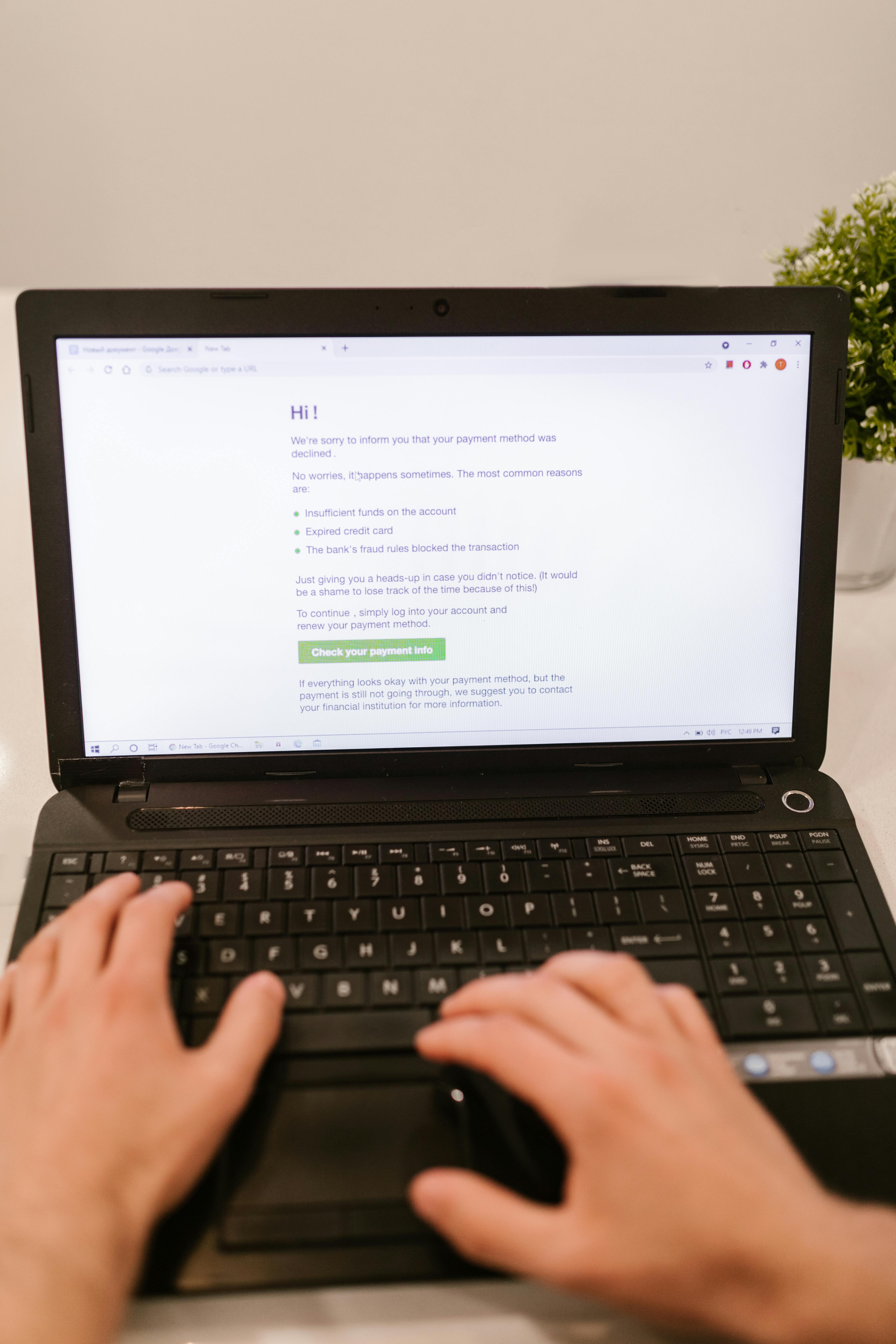
Close-up of hands typing on laptop keyboard, focusing on online payment verification.

Step 4: Advanced Payment Flows for Modern Operations

Growth-focused vacation rental managers increasingly need advanced billing workflows—but security should stay central as you scale.

  • Custom Payment Links: Send secure, one-click payment invitations for balances, upgrades, deposits, or repeat guest reservations. All major gateways (Stripe, PayPal, Authorize.Net, etc.) make this possible without the risk and friction of manual invoicing.
  • Multi-Currency & Regional Flexibility: Enable guests to pay in their currency, with automatic exchange rate conversions—critical for broadening your appeal, especially with longer stays or luxury properties.
  • Automate Add-ons: Charge for late checkout, cleaning fees, pet deposits, or extras at the time of booking or via follow-up links—no clunky back-and-forth or manual collection needed.
  • Sync With Property Collections: If managing several brands or markets under one PMS, set unique payment rules or gateways per group while reporting centrally—eliminating headaches as you scale.

Step 5: Monitor, Report, and Audit Your Payment Infrastructure

  • Real-Time Dashboards: Modern booking engines (including Homerunner) offer instant analytics: see revenue, deposits, and conversion rates by property, channel, or market. This goes beyond spreadsheets and simplifies tax and owner payout reporting.
  • Security Audits: Schedule quarterly reviews—double-check processor settings, update SSL certificates, and simulate test payments to verify flows following updates or seasonal changes.
  • Dispute & Refund Management: Use processors that automate chargeback handling and offer clear, documented workflows for issuing and tracking refunds/deposit returns—no missed deadlines or manual errors.
  • Responsive Support: Maintain an up-to-date FAQ and contact methods for guests experiencing payment issues. A clear, easy-to-find support channel boosts trust and can resolve chargebacks before they escalate.

Close-up of hands using a laptop and credit card for an online payment or shopping transaction.

Pro Tips and Best Practices for Vacation Rental Payment Security

  • Double-Check All Guest-Facing Payment Links: Every page or email must resolve to your secure domain—guests notice, and payment phishing is still a risk in this industry.
  • Never Request Card Details by Email or Phone: Legitimate payment flows should be web-based and PCI-compliant. Never ask guests to send info via insecure channels.
  • Never Accept Payments Without a Rental Agreement: Lock-in your policies, fees, deposits, and refund/cancellation procedures in a digital contract before booking is finalized.
  • Run PCI Compliance Reviews: Many payment processors handle this automatically, but make it part of your annual/monthly workflow to stay ahead and avoid nasty surprises or breaches.
  • Balance Fees and Security: Credit card processing is worth the 2–3% fee for premium fraud protection and guest confidence—factor this into your rates, not as a hidden add-on.

Why Use Homerunner for Secure Direct Payments?

Homerunner is engineered for property managers and agencies who want the absolute best security, automation, and flexibility—all integrated with your current PMS and WordPress site. Here’s what sets us apart:

  • Instant, Plug-and-Play Payment Integration: Connect Stripe, PayPal, Square, Authorize.Net and over 40+ global gateways—without code or a site overhaul.
  • Real-Time PMS Synchronization: Availability, pricing, bookings, and payments sync seamlessly—reduce errors, double bookings, and admin work.
  • Enterprise-Grade Security: End-to-end encryption, PCI-compliant flows, and automated fraud prevention are built-in—not bolted on.
  • Multi-Brand, Multi-Property Support: Manage portfolios, create property collections by market/theme/brand, each with its own payment, display, and checkout rules.
  • Commission-Free Direct Bookings: Build your independence—no hidden fees or lock-in contracts with us.

Wrap-Up: Building Trust and Scaling Securely

Setting up secure online payments for your vacation rental website isn’t a one-time task—it’s a critical foundation for direct booking success and scalable growth. By teaming robust processors with professional integration on your own WordPress site and automating from your PMS, you offer guests confidence, streamline your workflow, and stay several steps ahead of threats and friction.

If you’re ready to upgrade your payment flows and unlock secure, conversion-driven direct bookings—without the need for a site rebuild—take a look at Homerunner. Our platform is built to empower vacation rental operators like you, placing control, security, and flexibility at the heart of your business.

How to Choose the Best Payment Gateway for Your Vacation Rental Business

When it comes to running a successful vacation rental business, ensuring your guests can pay easily and securely is just as important as the property experience itself. The payment gateway you select doesn’t just handle transactions—it’s core to your direct booking flow, how guests trust you, and your bottom line. At Homerunner, we’ve seen firsthand how getting this right makes life easier for both hosts and guests, while also setting you up for long-term growth and control.

A hand holds keys next to Romanian currency, a calculator, and documents, symbolizing real estate transactions.

Why Your Payment Gateway Choice Matters for Vacation Rentals

If you’ve ever lost a booking because a guest struggled to pay, you already understand the stakes. Vacation rental payment gateways need to go beyond just moving money—they must match the way you operate, the guests you attract, and the systems you use. The wrong gateway can mean higher fees, lost income, and friction at the very moment your guest is trying to confirm a stay. The right one builds trust, ensures secure and quick payments, and syncs smoothly with the rest of your business.

The Unique Needs of Vacation Rental Businesses

Unlike typical e-commerce stores, vacation rentals handle high-value transactions, cross-border payments, and frequently support last-minute bookings. Integration with your Property Management System (PMS) is critical to keep availability, booking status, and financial records aligned. Plus, refunds, security deposits, and compliance are not afterthoughts — they’re part of the daily workflow.

Close-up of Euro banknotes and model houses on dark background symbolizing real estate investment.

Essential Factors When Choosing a Payment Gateway

1. Integration with Your PMS and Website

  • PMS Sync: Choose a gateway that integrates natively with your PMS. This ensures rates, availability, and payments stay synchronized and eliminates manual work.
  • WordPress Compatibility: If you run a WordPress site, ensure the gateway or booking engine (like Homerunner) doesn’t require a full rebuild and drops seamlessly into your existing setup.
  • Real-time Updates: Direct integration means no double bookings and instant booking confirmation—a must-have for guest satisfaction.

2. Supported Payment Methods and Currencies

  • Guest Payment Preferences: Guests expect choices—credit cards, PayPal, and increasingly, local cards or even buy now/pay later options (especially for international travelers).
  • Multi-currency: If you attract guests globally, support for multiple currencies drastically reduces friction and abandoned bookings.
  • Crypto and Alternatives: Some platforms, including Homerunner via external gateways, support crypto payments or regional services, opening up new guest demographics.

3. Security and Compliance

  • PCI Compliance: Your payment processor must adhere to Payment Card Industry standards to safeguard guest card data.
  • Advanced Fraud Tools: Features like 3D Secure, real-time fraud monitoring, and chargeback mitigation aren’t a luxury—they’re essential for vacation rentals.
  • Data Sync: Proper integration ensures guest data and payment information are handled safely between your booking engine and PMS.

4. Transparent, Predictable Fees

  • Per-Transaction Fees: Most major gateways offer transparent pricing. Make sure you account for all costs—percentage plus fixed amount per transaction.
  • Monthly/Setup Fees: Some gateway providers charge extra for advanced features. Weigh these against your average booking values and volume.
  • Refund and Chargeback Costs: Double-check whether the gateway’s refund policy works with your cancellation terms, and what fees apply if a guest disputes a charge.

5. Booking Experience and Conversion

  • Mobile-Optimized Checkout: The process must be seamless on all devices. Friction or redirects can cost you high-value bookings—especially from international guests.
  • On-site Booking Flow: Solutions like Homerunner ensure guests never leave your website to pay, which looks more professional and boosts trust and SEO (as property pages stay on your domain).
  • Guest Transparency: Clearly display payment methods, fees, and refund/cancellation terms during checkout for fewer disputes down the line.

Wooden chalet blanketed in snow amidst wintery Megève landscape in France.

How to Zero In on Your Payment Gateway: Our Proven Step-by-Step Method

  1. Assess Your Guest Demographics and Booking Channels
    • Are most guests local or international? Do you rely solely on your own website or use third-party OTAs and direct channels?
    • This influences currency needs and payment method support.
  2. Check Your PMS Compatibility
    • List all gateways directly supported by your PMS (e.g., Hostfully, Guesty Pro, Hostaway, etc.). With Homerunner, review the comprehensive list of supported gateways so you know you’re not boxed-in.
  3. Map Out the Guest Journey
    • Test your current booking flow. How many steps from selection to payment confirmation? Is there a third-party redirect? If yes, guests may bail out before booking. Strive for an on-site, streamlined experience.
  4. Evaluate the Total Cost Structure
    • Do a sample calculation: (expected bookings per month) × (average booking value) × (gateway fees) + any monthly/service fees + potential chargeback/refund costs.
    • Compare to your margin per booking and see if the solution scales as you grow your portfolio.
  5. Do a Security & Fraud Audit
    • Only shortlist gateways with proven compliance and robust anti-fraud features. This isn’t just about guest safety—chargebacks can be costly and time-consuming for our industry.
  6. Prioritize Flexibility for the Future
    • Can you connect more than one gateway if you expand into new markets or change PMS systems?
    • Flexible solutions like Homerunner let you switch payment options with minimal disruption and without rebuilding your website.
  7. Test, Launch, and Monitor
    • Do a soft launch! Test as a guest: is the UX clean, are confirmations instant, and does the accounting/payout match your records?
    • Leverage analytics tools (e.g., Homerunner’s business intelligence dashboard) to track failed payments, conversion, and make tweaks as needed.

Flexible Payment Gateway Options with Homerunner

Through direct PMS integration, Homerunner supports an extensive list of payment gateways, allowing you to fine-tune your approach:

  • Major global gateways: Stripe, PayPal, Authorize.net, Square, Mollie, 2Checkout and many others
  • Crypto gateways: CryptoPay, Coinbase Commerce, GoUrl Bitcoin, and more
  • Buy now/pay later and regional options: Affirm, Klarna, Razorpay, PayU India/Latam, Alipay Global, and more

This means you aren’t trapped into a single solution. If your preferred PMS payment provider doesn’t meet all your needs, Homerunner gives you the flexibility to add external gateways, mix payment types, and adapt as your business grows or your guest mix changes.

Expert Tips: Maximizing Your Payment Setup

  • Offer multiple ways to pay, but keep the UI simple. Don’t overwhelm guests but do provide the essentials: major cards and a digital wallet like PayPal.
  • Automate whenever possible. Automated invoicing, instant receipts, real-time PMS sync—these save time and reduce manual mistakes.
  • Be upfront about all fees and policies on the checkout page. Transparent communication minimizes surprises and guest disputes.
  • Review payment performance analytics. Watch for failed payments (often due to regional card/institution restrictions) and adjust gateway priorities or method availability.

Serene winter sunrise over a snowy village landscape in Megève, France.

Wrap-up: Setting Up for Success

Choosing the best payment gateway for your vacation rental business is not a one-size-fits-all decision. We recommend focusing on integration, security, guest experience, and flexibility—so that as your business and guest demographics evolve, your payment structure can evolve alongside you. Don’t get locked into a short-term fix; instead, invest a bit of time now to ensure smooth, scalable, and secure payment flows for years to come.

Ready to supercharge your direct booking strategy with flexible payment options and seamless integrations? Learn more about Homerunner and see how we help vacation rental businesses like yours thrive, stay independent, and maximize every booking.

How to Automate Guest Communication in Vacation Rentals: Tools, Benefits, and Best Practices

Managing guest communication in vacation rentals isn’t just about sending check-in emails and answering the occasional question—it’s the backbone of guest satisfaction, operational efficiency, and ultimately, your reputation. As property managers striving to offer a premium, seamless experience while growing our businesses, we know that every message matters. Automating guest communication, when done well, can elevate the stay for guests and free us up for higher-impact work.

Two smiling women relaxing by a pool with a laptop, enjoying a sunny day outdoors.

What Is Automated Guest Communication in Vacation Rentals?

Automating guest communication means using technology—usually in combination with your PMS (Property Management System) and direct booking engine—to deliver timely, personalized messages to guests at every stage of their journey. From answering initial questions to sending automated check-in instructions or post-stay thank yous, automation ensures no message is missed, no information is forgotten, and guests feel looked after without you or your team having to lift a finger for every single task.

The Real Benefits of Automating Guest Communication

  • Instant, Consistent Replies: Automated replies ensure that guests get instant answers, whether they book at 2 p.m. or 2 a.m. This consistency builds trust and eliminates errors from rushed or missed messages.
  • Major Time Savings: We save hours weekly by automating standard touchpoints—this adds up, especially as portfolios grow.
  • Improved Guest Experience: Guests appreciate quick, thorough, and friendly communications. Automation means no more waiting for check-in info or having to ask for Wi-Fi details or parking instructions.
  • Scalability: Whether managing 5 units or 500, automation means you handle 10x more messages with zero burnout or new hires.
  • Fewer Mistakes & Less Stress: Pre-set templates and triggers ensure no guest slips through the cracks—no more forgetting key codes or dates.
  • Data-Driven Improvements: Track which messages drive more responses and guest satisfaction so you keep getting better.

Woman in mask at hotel reception desk ready to assist guests.

Essential Tools for Vacation Rental Communication Automation

The backbone of any robust automation strategy is the proper toolkit—especially solutions built to work with your direct booking website and Property Management System rather than against them.

  • Direct Booking Engine with PMS Sync: Choose a platform (like Homerunner) that fully integrates with your PMS, syncing booking data, guest details, and triggers in real time—eliminating manual double entry and scattered communication.
  • Automated Messaging Templates: Set up custom message templates for every key touchpoint—booking confirmation, pre-arrival, check-in details, house rules, reminders, check-out instructions, and post-stay follow-ups. Dynamic fields like guest name, property address, key codes, and stay dates keep every message personal and accurate.
  • Conditional Triggers: Send the right message at the right time based on booking stage (e.g., reservation confirmation, two days before arrival, mid-stay), guest type (first-time vs. returning), or length of stay.
  • Unified Messaging Dashboard: View all guest communications in one place—across website bookings, email, and supported listing platforms—so nothing slips through.
  • Analytics & Insights: Performance dashboards show you open rates, response times, and guest feedback for each message—essential for continuous improvement.

How Does Automated Guest Communication Actually Work?

Let’s break down a typical automated communication flow for a vacation rental operation using tools that fully integrate with WordPress and your PMS:

  1. Guest Books Directly on Your Website
    The system instantly sends a personalized confirmation email and/or SMS with all relevant details—thanks to dynamic templates already synced to your PMS.
  2. Pre-Arrival Reminders
    A few days before check-in, guests receive an automatic reminder with directions, parking instructions, access codes, or anything else they’ll need—sent exactly when they’re most useful.
  3. Real-Time Synchronization
    All property, calendar, and guest data stay up to date between your PMS and your direct booking site—no risk of double-booking or miscommunicating details if dates or guests change.
  4. On-Stay Messages
    Scheduled mid-stay check-in messages make guests feel cared for, or address common questions (like how to find the thermostat or where to get groceries nearby).
  5. Post-Stay Automation
    The system automatically sends a thank you, along with a gentle review request—again, personalized and on schedule—helping you gather more positive reviews with less effort.

Positive blogger asking questions to African American speaker and recording interview on cellphone at table with microphones

Step-by-Step: Setting Up Automated Guest Messaging for Your Vacation Rentals

  1. Map Out Your Guest Journey
    List every stage where guests need information (inquiry, reservation, pre-arrival, check-in, on-stay, check-out, post-stay). Identify common questions, friction points, and opportunities to delight.
  2. Create Message Templates for Every Touchpoint
    Make each message short, clear, and helpful—always include dynamic info such as guest name, reservation dates, check-in time, and unique codes.
  3. Set Triggers and Schedules
    Define exactly when each message gets sent. For instance:

    • Booking confirmation: immediately after reservation
    • Pre-arrival info: 2-5 days before check-in
    • Mid-stay greeting: halfway through the booking
    • Check-out instructions: night before departure
    • Thank you & review invite: 6 hours post check-out
  4. Sync with Your PMS & Direct Booking Engine
    Ensure your systems communicate flawlessly so changes (e.g., date updates, guest details) auto-update in upcoming messages.
  5. Monitor and Optimize
    Review analytics for delivery, open rates, and guest feedback. Update templates seasonally or as pain points are identified.
  6. Add a Human Touch
    Allow for easy manual overrides or personalized notes for VIP guests, special requests, or problem-solving—automation shouldn’t mean impersonal.

Best Practices: Making Automation Personal & Effective

  • Prioritize Clarity: Avoid jargon, keep instructions concise, and provide key info up front.
  • Personalize with Data: Use tools that allow name, booking info, check-in codes, and local recommendations to be automatically inserted for every guest.
  • Stay on Brand: Templates should reflect your company’s tone—whether warm and welcoming, or crisp and professional.
  • Update Regularly: Seasonality, regulations, or service changes require quick template tweaks—automated doesn’t mean “set it and forget it.”
  • Respect Privacy: Store and send guest data securely, following best practices and compliance standards.
  • Track Performance: Use built-in analytics to review response times and guest satisfaction; adapt your approach if you spot issues.
  • Always Allow for Manual Intervention: For unusual situations, ensure you can override automation and respond personally.

Flatlay of travel essentials including map, smartphone, and earphones for wanderlust inspiration.

Why a Direct Booking Engine with Deep PMS Integration (Like Homerunner) Matters

Why is deep PMS and website integration non-negotiable for modern vacation rental managers?

  • Real-Time Sync: With Homerunner, property, reservation, and guest data are always up-to-date—no double bookings, no outdated info.
  • Automated, Commission-Free Bookings: Direct bookings via your website are instantly confirmed and trigger the right custom communications—without third-party fees or platform limitations.
  • Multi-Property and Multi-Brand Support: Whether you have multiple property brands or unique guest flows for different locations, you can segment communications and automate for each group—all in one place.
  • Analytics for Smarter Operations: Track performance not just on sales, but on guest reply rates, review requests, and repeat bookings—so automation keeps making you better.

Getting Started: Quick Wins for Automating Communication

  • Start with booking confirmations and pre-arrival messages—these are the most time-consuming and error-prone when done manually.
  • Set up a post-stay thank you and automated review request: this one-two punch is proven to boost post-stay satisfaction and review volume, helping future bookings.
  • Once the basics are fully automated and running smoothly, experiment with mid-stay check-ins and upsell messaging for longer or higher-value stays.

Final Thoughts

Guest communication isn’t just a backend admin task—it’s the experience your guests have before they arrive, during their stay, and as they remember your space long after check-out. Getting it right, at scale, is essential for success.

With deep automation backed by direct booking and seamless PMS integration, we believe you can unlock exceptional guest experiences, operational freedom, and business growth. It’s not about replacing the human touch—it’s about focusing your energy where it matters most, while technology delivers five-star service in the background, every single time.

If you’re ready to see what streamlined, professional, and fully synchronized guest communication looks like (and what it can do for your bottom line), learn more about how Homerunner empowers you to automate, grow, and own your direct bookings.

How to Seamlessly Switch Property Management Systems Without Losing Direct Bookings

If you’re a vacation rental operator or property manager, switching your Property Management System (PMS) is one of the most impactful transitions you’ll ever orchestrate. But let’s be honest: the one thing that keeps us all up at night? The risk of losing direct bookings, confusing guests, or suffering SEO setbacks in the process.

At Homerunner, we’ve helped hundreds of clients make these transitions smoother than they ever thought possible. We’re going to share our step-by-step playbook—drawn directly from real-life migrations—on how to switch PMS platforms without losing a single direct booking or breaking a sweat.

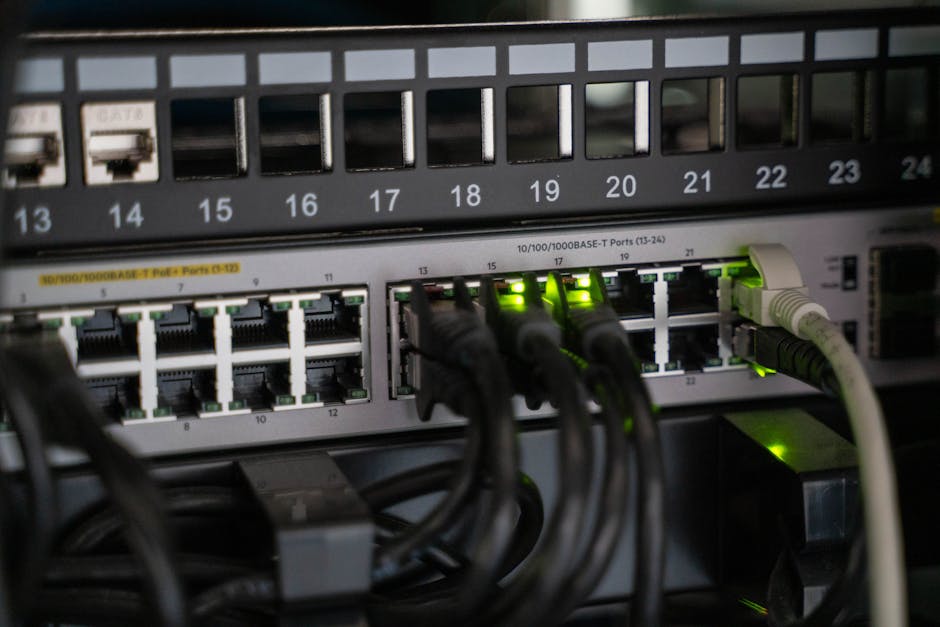
An IT professional configuring network cables in a server rack, focusing on Ethernet connections.

Why Direct Bookings Are So Vulnerable During a PMS Switch

  • Data Sync Gaps: If real-time availability or rates don’t sync during cutover, guests may see errors, duplicate bookings, or stale pricing.
  • Payment Disruption: Switching payment gateways or tokens can cause checkout failures or refund issues.
  • SEO Disruption: Any changes in property URLs or content can cause search rankings and organic traffic to drop.
  • Team Overload: Trying to change everything at once risks overlooked details and mistakes that impact bookings.

Our Core Principle: Decouple Your Booking Engine From Your PMS

With Homerunner, you’re no longer bound to a single PMS for taking direct bookings. Our WordPress booking engine acts as a stable, independent layer. You simply connect it to your PMS via a secure two-way sync. This means your property pages and booking flows stay live and seamless—even as you swap PMS credentials in the background.

  • Your guests continue to book directly on your site, with property URLs and search filters unaffected throughout migration.
  • Our platform integrates with leading PMS providers like Hostfully, Guesty Pro, Hostaway, Hospitable, OwnerRez, and Lodgify.
  • When your new PMS is ready, you just swap the credentials—zero website rebuild and no loss of SEO traction.

A Realistic PMS Migration Timeline & Checklist

Networking equipment with connected cables, showcasing modern technology infrastructure.

Phase 0 (Days 0–3): Define Scope and Risks

  • List pain points and top goals (like maintaining 100% site uptime, zero booking loss).
  • Inventory all integrations to replace (OTAs, payment, accounting, smart locks).
  • Get the new PMS’s onboarding roadmap and migration duration (often ~30 days).

Phase 1 (Days 4–10): Prep and Clean Data

  • Deactivate stale listings and update rates, policies, and unit details.
  • Audit owner statements, reconcile balances, and export snapshots of inventory and bookings.

Phase 2 (Days 11–20): Parallel Staging, Zero Guest Disruption

  • Configure your new PMS sandbox with a sample of properties.
  • Connect Homerunner’s staging to this sandbox, validating property details, pricing, rules, and checkout logic.
  • Run parallel test bookings in both environments.

Phase 3 (Days 21–27): Plan Financial Cutover

  • Schedule switch at month-end to simplify reconciliation.
  • Tokenize payment methods and run trial owner statements in both systems to catch differences early.

Phase 4 (Days 28–30): Go-Live Cutover

  • Freeze any non-essential changes 48 hours before the switch.
  • During a low-traffic period, swap Homerunner’s API keys from the old to the new PMS.
  • Keep OTAs on the old PMS for 48–72 hours while direct bookings switch first to ensure inventory accuracy.

Phase 5 (Days 31–45): Stabilize & Optimize

  • Finalize OTA connections and pricing tools in the new PMS.
  • Monitor booking flow, guest emails, and error rates closely for 2 weeks.

Best Practices for Continuity and Zero Downtime

Keep Your URLs Stable

  • Do not change property slugs or page structure during migration.
  • If changes are essential, implement 301 redirects and test thoroughly.

Preserve a Familiar Booking Experience

  • All changes happen behind the scenes—guests experience the same search, checkout, and confirmation flows.
  • Homerunner’s booking flow stays consistent as PMS credentials change.

Maintain Real-Time Availability and Accurate Pricing

  • Validate that minimum stay, lead time, and dynamic pricing rules match across both PMS systems for all visible inventory.
  • Run live test bookings for key high-value properties during and after go-live.

Payment Continuity Matters

  • By default, payments continue to run through your PMS for consistency and compliance.
  • If your new PMS payment setup is delayed, Homerunner supports fallback gateways like Stripe, PayPal, and Square until migration is complete.

Quick QA & Testing Plan (Don’t Skip This!)

  • Check pricing and availability for the top 10 properties for dates at +7, +30, and +90 days out.
  • Test checkout with multiple payment methods, deposits, and discount codes.
  • Review confirmation emails, cancellation/refund logic, and ensure guest contact info routes correctly in the new PMS.

KPI Guardrails For a Smooth Migration

  • Site uptime: 99.9%+ during and immediately after migration
  • Booking conversion rate: maintain within ±10% of pre-migration average
  • Error rate for checkouts: ≤0.5%
  • No double bookings or missing calendar syncs

Close-up of network cables and ports in a server rack, showcasing connectivity.

Keep Guests, Owners, & Team Informed

  • Notify guests 72 hours pre-cutover with a banner and confirmation that their bookings, rates, and contacts are safe.
  • Send a detailed memo to owners on timing, statement format, and payout processes post-migration.
  • Roll out team training in stages—first bookings and calendar, then financials, then reporting—so no one is overwhelmed.

Integration Reattachment Map—Don’t Miss Anything

  • Confirm the new PMS is connected to all essential integrations: OTAs, pricing engines (if any), accounting (QuickBooks/Xero), and smart devices if you use them.
  • Test and document checklist sign-off for each integration before and after cutover.

SEO Checklist: Protect Your Hard-Earned Direct Booking Traffic

  • Keep all property URLs the same if possible. If absolutely necessary to change, create 301 redirects proactively.
  • Maintain a consistent sitemap structure and submit to Google Search Console after the switch.
  • Do not alter schema, content, or meta data until you confirm booking flow is stable.
  • Monitor organic traffic, sessions, and keywords daily for two weeks.

What Makes Homerunner’s Approach Unique?

  • Zero Site Overhaul: No need to rebuild your site—just connect to the new PMS behind the scenes.
  • Full PMS Integration: Real-time sync on all supported platforms.
  • Direct Bookings Remain On Your Domain: Your SEO and guest experience are preserved, not routed through third-party domains.
  • Advanced Search, Flexible Brands: Run multiple brands or property collections on a single PMS inventory—no barriers to scaling.
  • Powerful Analytics: Use detailed dashboards to track and improve post-switch performance.

door keys real estate district house model documet folder

A Typical 30-Minute Homerunner Switch

  1. Enter your new PMS API credentials in the Homerunner admin.
  2. Map listings and test pricing, availability, and checkout for key properties.
  3. Run live test payments and bookings for validation.
  4. Once confirmed, flip your site out of maintenance mode and start monitoring analytics.

Common Pitfalls and How to Dodge Them

  • Mid-month switching: Pick a month-end to avoid financial headaches.
  • Dirty data: Clean up taxes, rates, amenities, and outdated info before importing.
  • All-at-once changes: Phase your migration—never try to switch PMS, payment, and OTAs on the same day.
  • Leftover integrations: Use an integration ledger so nothing gets lost in the shuffle.

Level Up Direct Booking Growth After Your Switch

  • Use Homerunner’s analytics to spot drop-offs—maybe a specific filter or date range is causing friction.
  • Leverage promo codes and flexible offers via your new PMS for high-intent guests.
  • Experiment with property collections or urgency cues to capture more direct bookings.

Coming Full Circle: Your Migration at a Glance

  • Total timeline: Expect 30–45 days if you prep well and stage the switch.
  • Cutover: Tightly planned, often requiring less than 2 hours for the booking engine connection.
  • Direct bookings: Never go offline if you follow the staged, parallel path outlined above.
  • Goal: Zero booking loss, full financial and operational continuity.

Ready to decouple your business from stressful PMS transitions and protect your direct bookings every step of the way? See how Homerunner gives you stability, flexibility, and control as you grow and evolve. Our team is always here to help you plan the perfect migration, so you can focus on what matters—delivering great guest experiences, not fighting tech fires.

How to Organize Multi-Property Vacation Rental Websites for Maximum Bookings

For anyone managing multiple vacation rentals—whether you’re an independent operator, boutique brand, or full-scale agency—the organization of your website is no small matter. The way you structure, present, and connect your inventory can mean the difference between a guest choosing you or bouncing to the next listing site. At Homerunner, we’ve worked alongside ambitious property managers to build direct booking sites that not only look great but also convert at a high rate. In this deep dive, we’re sharing actionable strategies, best practices, and the unique organizational tools that actually move the needle for multi-property vacation rental websites.

Inviting vacation rental apartment with fully furnished, contemporary interiors. Styled for short-term rental platforms like Airbnb, ideal for property listings, travel blogs, or hospitality brands.

1. Lay a Flexible Foundation: Platform and Integration Choices Matter

The backbone of a scalable multi-property vacation rental website is its technology stack. We recommend building on WordPress—not only for its proven flexibility and extensive ecosystem, but because it lets you retain full control of your brand, content, and guest journey. Our booking engine at Homerunner is crafted precisely for this environment—allowing you to instantly give any WordPress site a professional multi-property booking experience without a costly website rebuild.

  • No need to toss out your current site: Simply add the booking engine for seamless property pages and professional checkout.
  • Integrate with your PMS for real-time sync—keeping your current operational workflows intact.
  • Freedom to scale: Go from 5 to 500+ listings without the pain of having to rebuild.

2. Synchronize in Real Time: Why Full PMS Integration is Essential

The heart of digital organization is data. Manual updates across platforms are not only error-prone, but simply don’t scale. With Homerunner, our direct, secure, two-way integrations with leading Property Management Systems (PMS) ensure:

  • Automatic import of property data, pricing, and availability, ensuring your website always reflects the correct inventory.
  • Instant booking sync, so reservations made on your website are pushed right back to your PMS.
  • No operational disruption: Continue using your PMS for team operations, owner statements, guest messaging, and more. Homerunner layers on direct booking strength—no workflow overhaul required.

Free stock photo of ad travel blog banner, airbnb host guide, airbnb interior

3. Go Beyond Property Lists: Harness the Power of Custom Collections

Guests don’t want to wade through a giant wall of listings. A well-organized website groups properties in a way that makes it easy for every guest to find their ideal spot. Here’s how we help you make sense of your inventory:

  • Location-Based Collections: Organize by region, neighborhood, or even distance to attractions. Example: “Hudson Valley Cottages.”
  • Theme & Type Collections: Highlight pet-friendly, luxury, ski-in/ski-out, family, or corporate properties.
  • Multi-Brand Management: Want different websites for different brands, but one backend? With Homerunner, all your collections can have their own branding and booking flow while being managed centrally.

You have the freedom to spotlight featured homes, segment by audience, or split by property purpose—all without unnecessary technical complexity.

4. Intuitive Navigation & Search: Guide the Guest Journey

Organization is nothing without discoverability. Guests book fastest when websites are easy to navigate and search:

  • Prominent, fast search tools—let users filter by location, bedrooms, amenities, price, and more.
  • Mobile-optimized UI: Over half of direct booking traffic is now on mobile. Our booking pages and property cards are obsessively designed for tap, scroll, and swipe.
  • Clear, logical menu structure—always enable quick access to collections, offers, and featured homes.

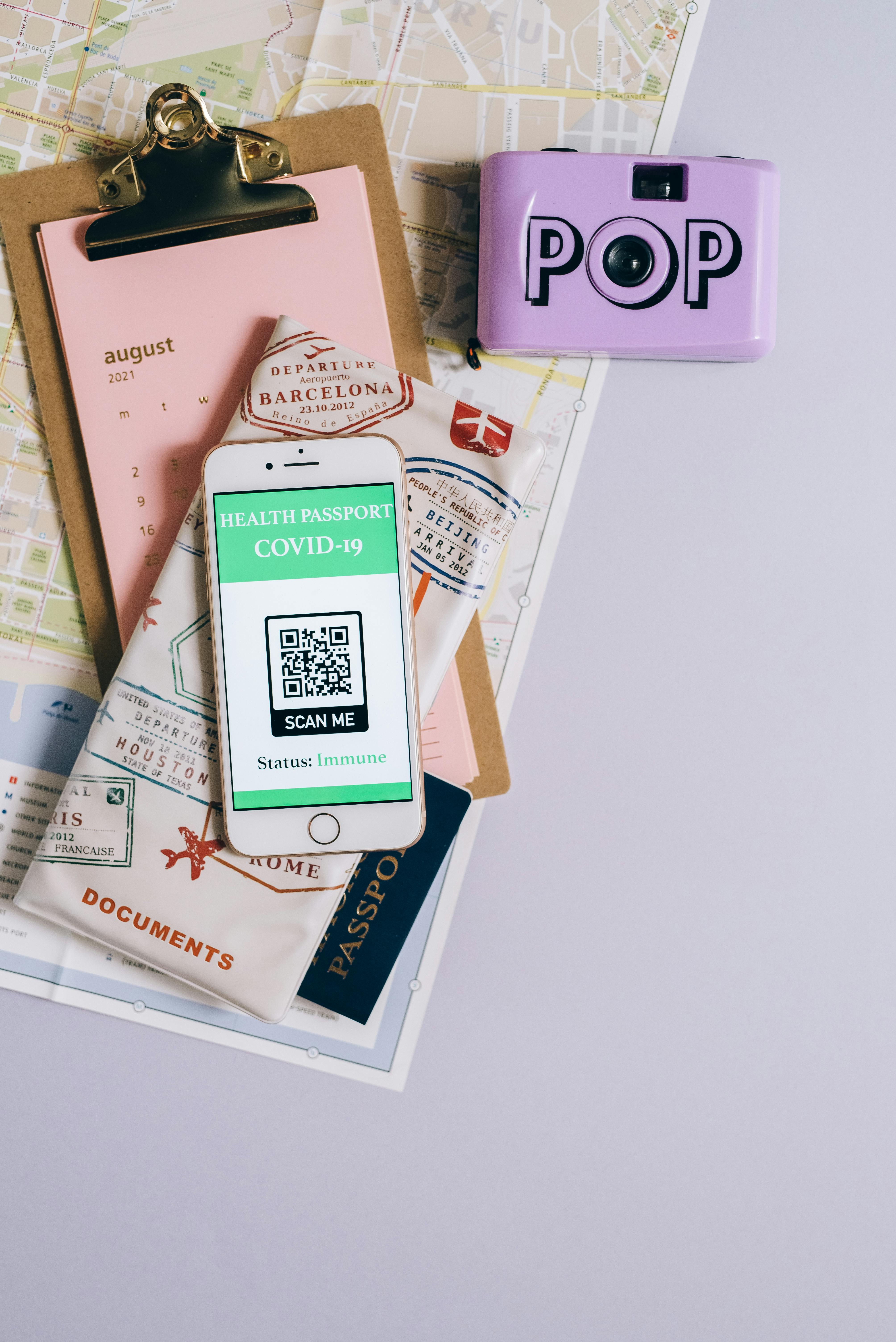
Flat lay of travel essentials with smartphone health passport, camera, map, and documents.

5. Optimize Listings for Guests—and Google

Each property you manage is a search engine opportunity. Our approach is:

  • Professional photo galleries (20+ images/listing recommended), beautiful on both desktop and mobile.
  • Rich content: Amenity lists, local tips, walkable highlights, and tailored descriptions for specific guest personas.
  • SEO structure: Unique URLs, optimized meta tags, and schema markup so properties get indexed by Google, not lost inside an iFrame.
  • Property page content is editable right on WordPress—no developer needed.

6. Streamlined Booking & Payments: Remove Obstacles, Boost Conversions

Every extra step in the booking flow is a chance to lose the guest. Our direct booking engine is built for:

  • One-page, distraction-free checkout: Clean, branded, and customizable.
  • Flexible payment options: Default to your PMS’s trusted payment gateways (Stripe, PayPal, Square, regional alternatives, etc.). Need crypto or Buy Now/Pay Later? We support third-party gateways simply and securely.
  • Automated confirmations: Immediate emails or SMS to reassure and inform the guest.

Spacious bathroom featuring a modern design with a bathtub and stylish fixtures.

7. Business Intelligence: Turn Data into Direct Bookings

For scaled operators, flying blind is not an option. Our platform delivers a robust analytics dashboard:

  • View live performance: From occupancy trends to conversion funnels, see what’s working now.
  • Drill down on guest search terms and booking patterns, and optimize your collections, filters, and pricing strategy accordingly.
  • Export custom reports—for owner updates, team meetings, or granular marketing insights.

8. Advanced: Multi-Unit & Multi-Brand Versatility Without Extra Complexity

A major sticking point for ambitious brands is running many property types or guest-facing brands from a single operational backend. Our approach makes this painless:

  • Multi-unit (hotel-style) handling: If your PMS supports it, let your site offer bookable units under parent listings (“Family Suite” with several actual rooms), with real-time inventory and easy auto-assignment.
  • Multi-brand segmentation: Serve radically different audiences (think lakefront luxury vs. urban budget stays) with distinct websites and pricing—all fed and managed by the same PMS.
  • Future-proof transition: If you switch PMSs as you scale, your Homerunner-powered website is untouched. Just update your connection and keep bookings rolling. No loss of SEO, branding, or guest confidence.

Inviting vacation rental apartment with fully furnished, contemporary interiors. Styled for short-term rental platforms like Airbnb, ideal for property listings, travel blogs, or hospitality brands.

9. Practical Steps to Transform Your Multi-Property Website

  1. Audit your navigation and search: Is it easy for any guest to find their dream stay in seconds?
  2. Connect a supported PMS for real-time sync if you haven’t already.
  3. Map out your collections: Should you organize by geography, theme, guest persona, or all three?
  4. Update listing content for depth and SEO: Invest in fresh photos, local guides, and unique copy.
  5. Optimize your booking and payment flow—test on mobile to see friction points firsthand.
  6. Review analytics and iterate: What’s your top-performing brand, collection, or CTA?

10. The Bottom Line

Running a successful multi-property vacation rental website is both art and science. It’s more than just listing dozens—or hundreds—of properties; it’s about organizing them in ways that instantly connect with every guest type, while keeping your operations smooth behind the scenes. That’s been our focus at Homerunner: empowering you to deliver a guest experience that’s professional, flexible, and future-proof—no matter your scale.

If your next step is to build or upgrade a multi-property booking site with confidence, explore what Homerunner can do for you—where your technology matches your ambition and direct bookings become your new normal.

Key Trends Shaping the Future of Vacation Rental Management in 2025

The vacation rental industry in 2025 is defined by rapid innovation, shifting guest expectations, and a laser-sharp focus on efficiency and direct bookings. As operators and managers, we’re not just witnessing these changes—we’re shaping them. At Homerunner, we see firsthand how technology and strategy must come together to thrive in a crowded market. Let’s dive deep into the trends that are moving vacation rental management forward this year, and how property managers can future-proof their business with the right mindset and tools.

Euro notes with house model and financial charts symbolize real estate investment and economic growth.

Domination of Direct Booking—Why Control Is Paramount

Vacation rental managers are breaking away from the stranglehold of OTAs (Online Travel Agencies). Direct booking is not just a “nice-to-have”—it’s a necessity to own guest relationships, maximize profits, and reinforce brand identity. In 2025, this is playing out in two dominant ways:

  • Integrated Booking Engines: More managers are adding professional-grade booking engines directly to their branded websites for a seamless guest experience that doesn’t require rebuilding or changing their existing PMS. Control over pricing, branding, and customer data is now a baseline.
  • Real-Time PMS Sync: Expectations have evolved – properties, availability, and pricing must update in real time to prevent double bookings and guest disappointments. Deep, two-way integration with PMS (Property Management Systems) is now standard for serious operators.

Sophisticated Multi-Property & Multi-Brand Operations

The average manager is not juggling one or two units—they’re overseeing entire portfolios that often cross brands and markets. What’s truly setting leading operators apart is:

  • Custom Property Collections: Creating themed or location-based collections (from luxury to corporate to family-friendly) within a single WordPress site, each with its own branding and pricing rules, to reach precise guest segments.
  • Multi-Site Management from One PMS: Rather than fragmenting operations, large-scale vacation rental brands manage everything from a single PMS account, distributing inventory across multiple branded or themed websites. It’s the backbone of efficient scale and continuity.
  • Seamless Transition Between PMSs: The best solutions allow operators to switch PMSs without losing their direct booking website or guest flow. This flexibility future-proofs businesses against tech changes and vendor lock-in.

Wooden blocks arranged to show the date July 2025, perfect for calendar and date concept images.

Enhanced Guest Experience Through Search, Filtering, and Checkout

Today’s guests want ultra-personalized bookings without friction. This means:

  • Comprehensive Search & Filtering: Shoppers expect to filter by bedrooms, bathrooms, price, amenities, and custom terms that fit their travel style—something only native engines, not generic widgets, can deliver within your brand’s site.
  • Curated Content: Operators are organizing listings by location, theme, or guest interest (think wine country retreats, pet-friendly towns, or ski destinations), not just by geography.
  • Smooth, Professional Checkout: A streamlined checkout, integrated natively with the PMS to handle promo codes, upsells, and real-time price confirmation, is becoming the norm for increasing conversion rates.

API-First Integration with Leading PMSs

In 2025, nearly all mission-critical workflows—availability, rates, calendar sync, guest data—flow securely through APIs. This delivers key advantages for managers:

  • Immediate, Automatic Syncs: What guests see is always up-to-date, minimizing manual errors and saving valuable hours.
  • Booking Automation: New reservations flow directly into your PMS – no copy-pasting or manual resets required. This closes the loop and keeps operations tidy, even during high volume.
  • Extensive Payment Options: Vacation rentals serve a global market. Supporting PMS-native gateways as well as popular external ones (Stripe, PayPal, Authorize.net, regional choices, and select crypto) is expected. Top solutions facilitate compliance and seamless payment flow—backed by your PMS’s automation and reporting.

A close-up image of a hand holding a keyring with several house keys, symbolizing real estate and home ownership.

Business Intelligence and Real-Time Insights

“Set it and forget it” no longer cuts it. Operators are leveraging:

  • Performance Dashboards: At-a-glance metrics for revenue, booking trends, guest search patterns, and conversion analytics. Adaptive operators use this data to pivot pricing and marketing strategies instantly.
  • Custom Reporting: Ability to slice and dice performance by brand, region, or owner—crucial for scaling multi-brand or community-based businesses.
  • AI-Powered Recommendations: Intelligent suggestion engines help managers refine their offerings based on evolving guest preferences and maximize yield in off-peak or shoulder seasons.

Operational Flexibility and Future Scalability

The companies setting the pace in 2025 are not the biggest—they’re the most adaptable. What’s fueling their growth?

  • Flexible Onboarding: New booking engines should be live in under an hour, and full PMS sync and property collection configuration can be tested extensively before a site goes live, ensuring no business disruption.
  • Smooth Upgrades: Letting managers scale from independent operator to multi-location enterprise, or even hospitality (room-based) use-cases, without tech headaches or growing pains. The right platforms are built for portfolios ranging from 5 to 5,000 properties.
  • White-Glove Support: When operators get unlimited onboarding and diagnosis help at no cost until launch, they can focus energy on strategy and guest experience, not tech troubleshooting.

Payments, Security & Compliance—Moving Beyond the Basics

Managing payments in 2025 is about more than convenience; it’s about security and business continuity:

  • PMS-Centric Processing: Most direct bookings process payments through the PMS’s built-in gateways, which ensures transactions flow into the right ledger and trigger automated workflows.
  • External Gateway Flexibility: For markets or guests that demand regional or alternative methods—Stripe, PayPal, Klarna, even select crypto—operators can offer extra options with all transactions still syncing back to the PMS for reporting and automation.
  • Compliance as Standard: PCI and security compliance is maintained by centralizing payments under trusted, regulated gateways—giving guests and managers peace of mind.

Open 2025 agenda book with a blue pen on a desk, ideal for organization and planning.

Sustainable Practices & Eco-Innovations

Sustainability is increasingly non-negotiable, especially in markets where eco-conscious travelers are spending more for green credentials. Key themes include:

  • Smart Energy Management: Integrating smart thermostats and sensors that optimize energy use based on real-time occupancy pulled from the PMS, cutting costs and carbon footprints.
  • Transparency & Education: Using property detail pages to highlight sustainability measures and engage guests—think refillable toiletries, local-sourcing stories, or partnerships with environmental organizations.
  • Waste Reduction: Implementing digital guest books and removing single-use plastics from the experience.

The Expanding Universe of Guest Expectations—and Inventory

Today’s traveler is seeking:

  • Unique Collections: Whether it’s adventure escapes, pet-friendly havens, or wellness retreats, property managers group homes creatively to target emerging guest profiles—making their websites and brands not only functional, but inspiring.
  • Multi-Unit, Hotel-Style Flexibility: As the line between hotels and vacation rentals continues to blur, PMS-integrated solutions that support real-time unit assignment, room-based operations, and dynamic rules for multi-unit bookings are empowering managers across all property types.
  • Cross-Owner and Community Marketplaces (Emerging): While not yet mainstream, the future is heading toward collaborative platforms where inventory from multiple owners or PMSs is aggregated—a crucial way to build niche booking sites while maintaining operational clarity and individual branding. Solutions supporting this will lead the next phase of innovation.

Conclusion: Building Resilience in 2025

Managing vacation rentals this year is not just about keeping pace; it’s about building a business with flexibility, scale, and owner-level control at its core. The most successful operators are those who:

  1. Prioritize direct bookings and ownership of guest data.
  2. Leverage native, brand-consistent booking engines that deeply integrate with their PMS—without website rebuilds or tech headaches.
  3. Tap into real-time business intelligence and reporting to drive every revenue management or marketing decision.
  4. Organize inventory using innovative collections and custom organizations, not just default lists.
  5. Stay future-proofed and ready to scale, whether by adding brands, locations, or entirely new hospitality models.

If you’re looking to bring best-in-class direct booking capabilities to your WordPress site—and want the freedom to choose how you scale without rebuilding your tech stack—explore what HomeRunner can do. Let’s build the future of vacation rental management together, one empowered booking at a time.

How to Boost Vacation Rental Direct Bookings with WordPress-PMS Integration

For vacation rental operators, achieving sustainable direct booking growth is more critical—and attainable—than ever before. As the travel landscape matures, property managers and agencies want to escape the grip of high commission fees from online travel agencies (OTAs) and own their guest relationships. The most powerful lever? Seamlessly integrating your WordPress site with your Property Management System (PMS). In this article, we’ll go deep on how WordPress-PMS integration can become your secret weapon for boosting vacation rental direct bookings, offering practical strategies, real-world examples, and tips you won’t find in generic guides.

Sunny beachfront view with palm trees and modern houses, perfect for a tropical getaway.

Why Direct Bookings Matter More Than Ever

Most vacation rental businesses now realize the long-term benefit of direct bookings: lower dependency on OTAs, better profit margins, and direct communication with your guests. However, visitors demand a streamlined, reliable, and flexible booking engine that feels every bit as polished as what they see on Airbnb or VRBO. That’s where a tightly integrated WordPress-PMS solution comes in—giving you ownership without sacrificing professionalism or guest experience.

The Direct Booking Challenge: Complexity, Not Competition

For years, the biggest hurdle to direct bookings was more technical than competitive: keeping calendars up-to-date, making sure your site shows the right rates, offering instant booking, and handling payments securely. Unintegrated systems cause double bookings, inconsistent pricing, and a subpar user experience that sends would-be guests scurrying back to OTAs. The solution: real-time, two-way sync between your WordPress website and your PMS—eliminating friction for guests and staff alike.

A sophisticated modern living room featuring a chandelier, plush furniture, and elegant decor.

How WordPress-PMS Integration Unlocks Growth

1. Real-Time Data: Zero Gaps, Zero Double Bookings

A professional booking engine with live PMS integration ensures your website always displays up-to-date availability, pricing, and property information. This minimizes errors, keeps calendars perfectly synchronized, and prevents embarrassing double bookings that ruin guest trust and cost you money.

  • Live Calendar Sync: Instantly reflects every update or new reservation from your PMS—whether on your site or imported from other channels.
  • Automatic Pricing Updates: Show prospective guests the exact rates pulled from your PMS in real time—including dynamic adjustments, discounts, promotions, and fees.
  • Instant Booking: No more waiting for manual confirmation—your guests book and get instant confirmation, with all details reliably passed to your PMS.

2. Professional Direct Booking Flow on WordPress

Integration should feel invisible to the guest, but powerful underneath. Your booking engine, embedded directly into your WordPress site, is where first impressions (and conversion rates) are won.

  • Advanced Search & Filtering: Guests can refine searches by bedrooms, bathrooms, amenities, dates, price, and other custom terms.
  • Customizable Checkout Experience: Every detail—from upsell add-ons to guest verification—is tailored to maximize bookings and reduce cart abandonment.
  • Professional, Consistent Design: Property listings, booking calendars, and checkout forms match your website’s visual style and branding.

3. Secure, Integrated Payments

Payment is often where friction (and booking abandonment) happens. With direct integration, payments are processed securely using your PMS’s preferred gateways—no extra setup, redirection, or manual reconciliation.

  • Seamless Guest Experience: Guests pay on your website, with zero redirects to external payment portals.
  • Multiple Gateways Supported: Rely on your PMS’s built-in payment processors, or use supported external gateways such as Stripe, PayPal, Authorize.Net, Square, and many others.

4. Multi-Property Management & Custom Collections

Property managers often juggle diverse listings, brands, or locations. WordPress-PMS integration enables you to organize properties flexibly—by theme, region, or brand—all powered from a single PMS account. Display distinct property collections on different websites, cater to specialized audiences, or create themed collections (luxury, group travel, corporate housing) to boost conversions through personalization.

Scenic canal in Amsterdam lined with houseboats and lush trees, capturing the city's unique charm.

What Makes a Great WordPress-PMS Integration for Direct Bookings?

Not all integrations are created equal. Here’s what truly matters for maximizing your direct booking potential:

  • Full Two-Way Sync: Information flows seamlessly in both directions—your site updates when the PMS changes, and all web bookings flow instantly into the PMS with complete guest/payments data.
  • No Need to Rebuild Your Site: The best integrations work with your existing WordPress site and theme—no expensive tear-down or migration needed.
  • Property Pages on Your Domain: All property listing pages live on your website—not in external iframes or subdomains—maximizing SEO benefits and giving you total control over the guest journey.
  • Support for Multi-Unit & Multi-Brand Setups: Essential for operators with hotels, resorts, or diverse property portfolios.
  • Analytics & Reporting: Access business intelligence dashboards that show real-time performance, guest search trends, and conversion funnels to empower smart, data-driven growth.
  • Extensive Payment Options: Choose from major payment gateways supported by your PMS, and optionally expand to external processors if your business requires it.
  • Mobile-Optimized Booking: Over half of travelers book via mobile—ensure seamless access across devices.

Getting It Done: Step-by-Step Implementation Roadmap

If you’re looking to boost direct bookings, here’s a practical, high-impact rollout based on what we’ve seen work for operators of all sizes:

  1. Connect Your PMS to Your WordPress Site
    • Create a secure connection using your PMS’s built-in professional API integration—HomeRunner currently supports Hostfully, Guesty Pro, Hostaway, Hospitable, OwnerRez, and Lodgify (with new integrations always in development).
  2. Embed Your Booking Engine on Key Pages
    • Add the search and booking experience to your homepage, property galleries, and individual listing pages. Visibility is crucial for maximizing conversion rates.
  3. Fine-Tune Search & Display Options
    • Configure search filters, sorting options, pricing displays, and property organization to match how your guests shop.
  4. Set Up Payment Gateways
    • Use your PMS’s integrated processor for most transactions to ensure financial reporting and automation remain seamless. If you need external payment gateways, verify compatibility and test the flow.
  5. Test, Optimize, Repeat
    • Run through the guest booking journey from mobile and desktop. Test automated confirmations, calendar updates, and payment flows regularly. Gather feedback from real users and adjust your flow or design to minimize friction and maximize conversions.
  6. Leverage Analytics to Grow
    • Track guest search patterns, conversion rates, popular dates/locations, and checkout abandonment. Use this data to tweak designs, showcase high-performing collections, and launch targeted promotions.

Flat lay of map, coffee, coins, and notebook for travel planning.

Extra Strategies for Maximizing Results

  • Organize Properties Into Custom Collections: Group homes by lifestyle, location, or guest type (luxury, pet-friendly, waterfront, city escapes) to enhance guest discovery and boost conversion.
  • Promote Special Offers Directly: Leverage promo codes or unique package deals exclusively on your site as a reward for direct booking.
  • Own the Follow-up: Use analytics from your business intelligence dashboard to identify repeat guests and send them targeted, personalized offers.
  • Highlight the Perks of Booking Direct: Feature benefits such as best price guarantee, free upgrades, or direct guest support to make your value proposition crystal clear.

Avoiding Common Pitfalls

  • Half-hearted Integrations: Avoid WordPress plugins or solutions that only sync one way, rely on manual exports, or display content outside your domain—these create friction and SEO problems that weaken direct bookings.
  • Clunky Checkout Flows: A single confusing step, broken payment field, or delayed confirmation message can result in lost bookings. Thoroughly stress test your booking flow before going live and at regular intervals after changes.
  • Neglecting Mobile Optimization: If your booking form isn’t frictionless on smartphones, you’re missing out on a huge market share.

What Kind of Results Can You Expect?

With a robust WordPress-PMS integration powering your direct booking site, many operators see:

  • Significantly reduced dependency on OTAs
  • Increased profit margins by eliminating commission fees
  • Stronger guest loyalty and repeat bookings
  • Streamlined operations with fewer manual errors and less admin time

Maintenance Checklist for Lasting Success

  • Weekly: Run a test booking from both mobile and desktop. Check confirmation emails and calendar sync.
  • Monthly: Review analytics – look for bottlenecks in search, booking, or checkout steps.
  • Quarterly: Audit API connections and payment gateways to catch potential failures early.
  • Biannual: Review your integration’s feature set—consider new payment providers or custom guest flows to further boost conversion.

Final Thoughts: Take Control and Build Your Direct Booking Engine

Transitioning to an integrated WordPress-PMS platform doesn’t just improve your website; it transforms your entire business. You gain the technology backbone needed to compete with the OTAs, the flexibility to personalize your offerings, and the insights to optimize for long-term growth. Instead of settling for someone else’s ecosystem, you’re building your own—on your own terms.

If you’re ready to level up your vacation rental business with seamless direct booking technology, see what HomeRunner can do for your WordPress-powered rental site. Our platform was purpose-built to give property managers complete control, industry-leading integration, and game-changing flexibility, all with white-glove support every step of the way.

Your independence starts with owning your booking flow. Let’s make direct the new default—together.