
To connect your Hostaway account to HomeRunner, you’ll need to gather two key pieces of information: your Hostaway Account ID and a specific API Key created for this integration. Depending on your setup, you may also need to verify your payment processor and booking method settings.
What You’ll Need #
Before starting, make sure you have access to your Hostaway dashboard. You’ll be collecting the following credentials:
- Hostaway Account ID
- Hostaway API Key (Partner set to “HomeRunner”)
- Stripe Account Status (Confirmation that Stripe is connected)
- Booking Preference (Instant Book vs. Reservation Request)
Getting Hostaway Account ID #
First, you’ll need to obtain your unique Account ID.
- Log in to your Hostaway dashboard.
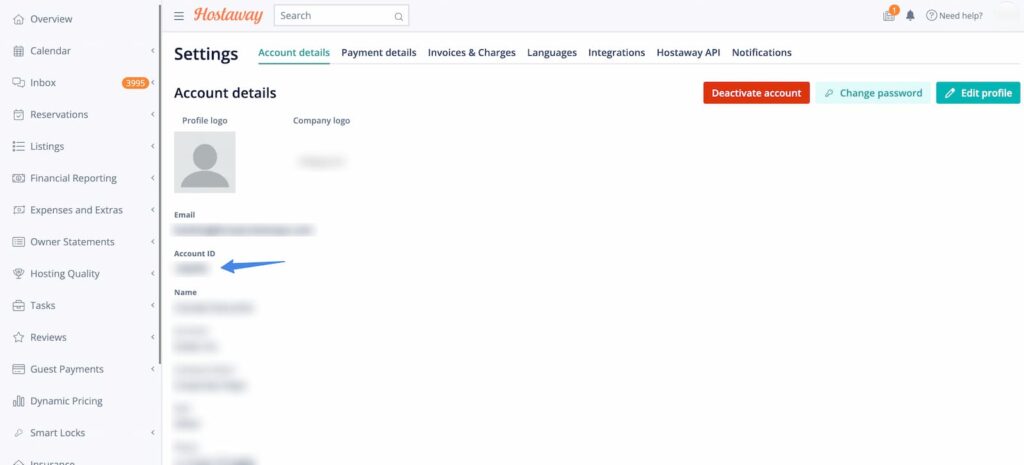
- Navigate to Settings > Account details. You can go directly there using this link: https://dashboard.hostaway.com/settings/account-details
- Locate the field labeled Account ID.
- Copy this ID and store it securely.
Getting Hostaway API Key #
Next, you’ll need to generate a new API Key specifically for HomeRunner.
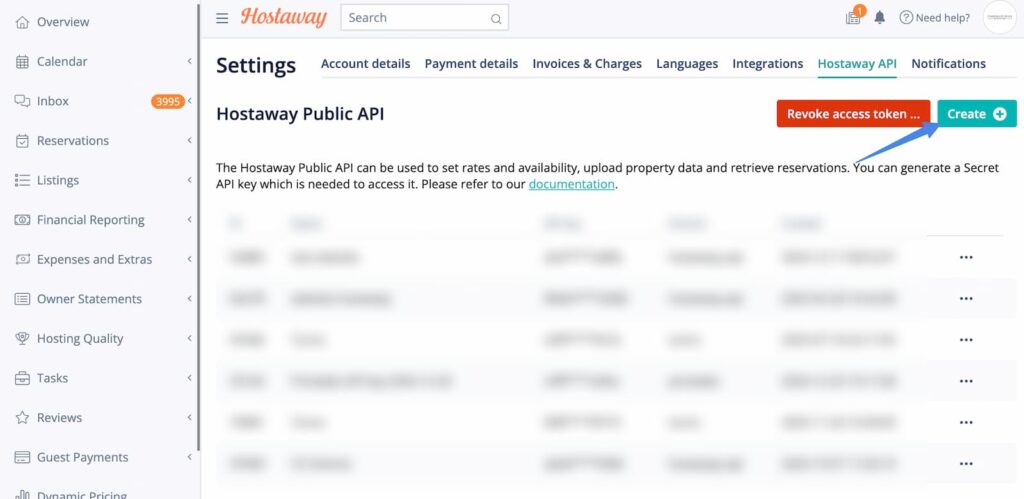
- Navigate to Settings > Hostaway API. You can go directly there using this link: https://dashboard.hostaway.com/settings/hostaway-api
- Click the “Create” button on the top right.
- In the popup window that appears:
- Name: Enter a name for this key, such as “HomeRunner”.
- Partner: Select “HomeRunner” from the dropdown list.
- Click “Create” to generate the credentials.
- The next screen will display your API Key.
Important: Copy the API Key immediately and store it securely. Hostaway will only show this key once. If you close the window without copying it, you will need to generate a new key.
Payment & Booking Configuration #
Payment Gateway Setup #
HomeRunner supports both Stripe and non-Stripe payment gateways, though the guest experience differs depending on which you use.
- If Using Stripe: This allows HomeRunner to handle the entire checkout process seamlessly without the guest ever leaving the website.
- If Using Other Gateways: Non-Stripe gateways are supported through a hosted checkout. This means guests will be redirected to the Hostaway booking engine to complete their payment.
Ensure your Hostaway properties are connected to a valid payment processor and that your account is active.
Booking Method #
During the connection process, you will need to specify your preferred booking method for HomeRunner. Please decide which of the following you will use:
- Instant Book: Guests can book immediately without approval.
- Reservation Request: Guests must request to book, requiring your approval.
Next Steps #
Once you have all required credentials, you’re ready to configure your HomeRunner connection:
- Hostaway Account ID
- Hostaway API Key
- Your Payment Gateway
- Your Booking Preference (Instant vs. Request)
Keep these credentials secure and readily available for the setup process.